
Is your RENPHO scale not accurate? You’re not alone. Thousands of users report sudden weight fluctuations, inconsistent body fat readings, or mismatched app data. But in most cases, the issue is not a broken scale. It is improper setup, environmental factors, or simple calibration failure. A misaligned sensor or carpeted floor can throw off readings by 3 to 5 pounds.
The good news is nearly 90% of accuracy problems are fixable at home with the right steps. This guide reveals the exact causes, diagnostic tests, and professional level fixes to restore your RENPHO scale precision. Whether you are tracking fitness progress or managing health conditions, accurate data is nonnegotiable.
Fix Improper Calibration Issues
Calibration is the foundation of accurate readings. Without it, internal sensors cannot correctly interpret weight data. The RENPHO scale must recalibrate after relocation, battery replacement, or when you notice inconsistent readings.
Recalibrate Your RENPHO Scale
Follow these steps to recalibrate:
- Place the scale on a hard, flat surface like tile or hardwood.
- Step on briefly with one foot to power it on.
- Step off immediately and wait for the display to show “0.0” or “CRL”.
- If “CRL” appears, wait until it resets to “0.0”.
- If no calibration initiates, repeat steps 2 through 4.
Some models auto calibrate when powered on after movement. Seeing “CRL” means the process is active. Do not step on during this phase.
Recognize Calibration Failure Signs
Know when recalibration did not work. Watch for these persistent symptoms:
• Display shows a non-zero value before stepping on
• Successive weigh-ins vary by more than 0.3 pounds
• “CRL” flashes but never completes
If these occur, move to reset procedures or test with known weights.
Avoid Common Calibration Mistakes
Users often fail calibration by making these errors:
• Skipping foot contact to turn it on
• Placing scale on soft flooring before calibrating
• Stepping on too hard or with wet feet
Always use bare feet, apply light pressure, and ensure the surface is solid and dry.
Ensure a Level, Stable Surface
The surface beneath your scale directly impacts measurement accuracy. Soft or uneven surfaces compress under weight, distorting load cell readings.
Use Hard Flooring Only
RENPHO scales require rigid support. Soft surfaces like carpet, rugs, or vinyl with padding compress under weight, distorting load cell measurements.
Best surfaces include ceramic tile, hardwood, concrete, and stone. Avoid bath mats, carpeted bathrooms, and uneven or warped floors.
RENPHO explicitly warns against use on yielding surfaces in their manual.
Test Floor Levelness
An unlevel floor causes weight distribution errors.
How to check:
- Place a bubble level across the scale surface.
- Adjust position until bubble is centered.
- If floor is uneven, relocate scale to a flatter area.
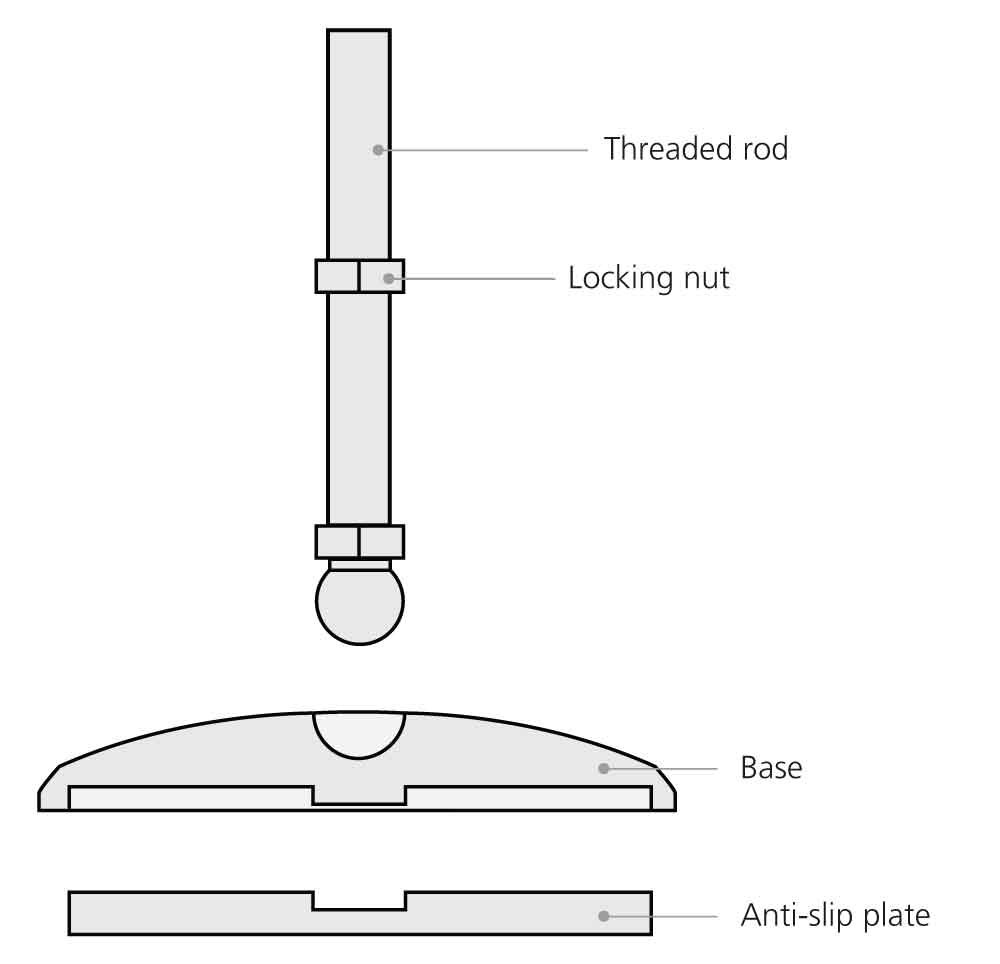
For minor imperfections, adjust the scale feet if present or place it on a rigid board like plywood.
Install a Dedicated Weighing Platform
Create a permanent, stable base:
- Cut a half-inch plywood board to fit under the scale.
- Sand edges smooth.
- Place on hard floor and set scale on top.
This eliminates micro movements and ensures consistent contact points.
Optimize Standing Position and Foot Contact

The RENPHO scale uses bioelectrical impedance analysis to measure body composition. This sends a safe, low-current signal through your feet. Your positioning directly affects this measurement.
Stand Barefoot and Centered
For accurate BIA readings:
• Always stand barefoot
• Place feet fully on electrode pads
• Keep feet centered and still
• Distribute weight evenly
Wet or calloused feet reduce conductivity and skew body fat percentage results.
Maintain Stillness During Measurement
Movement disrupts both weight and BIA readings.
Do stand motionless. Avoid talking or shifting balance. Wait for full display before stepping off. Even slight arm movement can cause fluctuating numbers.
Register Users Correctly in App
In multi-user homes, incorrect profiles lead to mismatched data.
To prevent errors:
- Open the RENPHO Health App.
- Tap “Add User” for each person.
- Enter accurate height, age, gender.
- Weigh each user at least once to link profile.
The scale auto-detects users based on weight range. Correct setup prevents data mix-ups.
Prevent and Address Moisture Damage
Water interferes with BIA and risks internal damage. RENPHO does not publish an IP rating. Treat the scale as moisture-sensitive.
Never Use with Wet Feet
Moisture creates false high body fat readings due to improved electrical conduction.
Before stepping on:
• Dry feet thoroughly
• Wipe soles if damp from shower
• Avoid using immediately after bathing
Keep Scale Out of Humid Bathrooms
High humidity promotes condensation inside the unit.
Better storage options include bedroom, closet, or walk-in pantry. If you must keep it in the bathroom, store on a shelf when not in use, wipe down weekly, and replace batteries annually to prevent corrosion.
Recover From Water Exposure
If the scale gets wet:
- Remove batteries immediately.
- Wipe exterior with dry cloth.
- Let it air-dry for 48 hours in a warm, dry place.
- Do not use a hairdryer. Heat damages sensors.
- Reinstall batteries only after full drying.
Clean Sensors and Prevent Grime Buildup
Dirt, dead skin, and oils block BIA signals. Regular cleaning maintains accuracy.
Clean Electrodes Weekly
Safe cleaning method:
- Dampen soft cloth with water only or mild soap.
- Gently wipe metal electrodes and glass surface.
- Dry completely before use.
Never use alcohol, ammonia, or abrasive cleaners. They degrade conductive coatings.
Remove Debris From Underside
Dust under the scale affects leveling and sensor contact.
Monthly deep clean:
- Turn scale upside down.
- Wipe edges and corners with dry brush or cloth.
- Inspect for stuck particles or pet hair.
- Recheck levelness after repositioning.
Follow Maintenance Schedule
Consistent care prevents 70% of long-term accuracy drifts.
| Task | Frequency |
|---|---|
| Wipe surface | Weekly |
| Clean electrodes | Weekly |
| Check leveling | Monthly |
| Full underside clean | Monthly |
| Accuracy test | Quarterly |
Test Accuracy With Verified Methods
Before concluding the scale is faulty, run these diagnostic tests.
Zero Display Test
Verify the tare function works.
Steps:
- Power on scale by stepping on.
- Step off and wait for display.
- Confirm it shows “0.0”.
If not zero, recalibrate. If still off, reset the device.
Known Weight Test
Use household items with exact weights.
Recommended test objects include a 1L water bottle weighing 2.2 pounds, a 5 pound bag of flour, or a 10 pound dumbbell.
Procedure:
- Calibrate scale.
- Place item gently in center.
- Record reading.
- Repeat 3 times.
Pass criteria is all readings within 0.2 pounds of actual weight. Test at multiple weights to check linearity. Failure at one range suggests sensor damage.
Repeated Weighing Check
Assess consistency.
Method:
- Weigh same object five times.
- Step off completely between each.
- Allow scale to reset to “0.0”.
Acceptable variance is 0.2 pounds or less. Greater swings indicate unstable load cells or calibration issues.
Combined Weight Validation
Test additive accuracy.
Steps:
- Weigh Object A. Record W1.
- Weigh Object B. Record W2.
- Calculate sum: W1 plus W2 equals Wt.
- Weigh A and B together. Record Wa.
- Compare Wa to Wt.
Pass threshold is difference 0.2 pounds or less. Failure suggests internal processing or sensor fault.
Self-Weight With Added Mass
Real-world dynamic test.
How:
- Weigh yourself. Record W1.
- Weigh again holding 5 pound dumbbell. Record W2.
- Calculate delta W equals W2 minus W1.
Expected is delta W equals 5 pounds with 0.2 pound tolerance. This confirms the scale detects incremental changes accurately.
Reset the Scale for Firmware Glitches
Clear memory and restart sensors with a hard reset.
Perform a Hard Reset
Steps:
- Open battery compartment.
- Remove one battery.
- Wait 10 seconds.
- Reinsert battery.
- Place on level surface.
- Step on briefly to power on.
- Wait for “0.0”.
This often fixes sync errors, delayed responses, or erratic behavior.
When to Reset
Reset if readings suddenly become inconsistent, app shows different weight than display, scale powers on slowly or freezes, or calibration fails repeatedly. Many users regain accuracy after a reset especially post firmware update.
Account for Environmental and Body Factors
Natural variations affect readings even on a properly functioning scale.
Weigh at the Same Time Daily
Natural weight fluctuates 2 to 4 pounds per day due to fluid retention, food intake, hormonal cycles, and bowel movements.
Best practice is weigh first thing in the morning after using the bathroom before eating or drinking. This ensures comparable daily trends.
Avoid Temperature Extremes
Cold floors stiffen internal components.
Tips:
• Let scale acclimate if stored in a cold room
• Avoid placing near AC vents or heaters
• Maintain room temperature between 60 and 80 degrees Fahrenheit
Sudden thermal changes cause temporary drift.
Manage Humidity Levels
Ideal indoor humidity is 30 to 60%. High moisture increases condensation risk. Use a dehumidifier in damp climates or basements.
Understand Technical Limits and Lifespan
Knowing how the scale works helps set realistic expectations.
Know How Load Cells Work
RENPHO scales use strain gauges on metal load cells. Weight deforms the cell and the gauge measures deformation to calculate weight.
Limitations include degradation over time, sensitivity to drops or overload, and accuracy tolerance of 0.1 to 0.3 pounds. Even new scales are not lab grade. Focus on trend accuracy not absolute precision.
Recognize BIA Limitations
Body fat percentage is estimated via electrical resistance.
Factors affecting BIA include hydration level which is most significant, recent exercise, skin temperature, and foot contact quality. Avoid measuring right after workouts or large water intake.
Estimate Scale Lifespan
With proper care, RENPHO scales last 3 to 5 years.
Signs of aging include slower response time, drifting readings, failed calibrations, and corroded battery contacts. After 5 years consider replacement even if functional.
Resolve App Sync and Data Discrepancies
App integration issues can cause data mismatch.
Sync Immediately After Weigh-In
Delays can cause data loss or mismatch.
Best sync habits:
- Open RENPHO Health App before stepping on.
- Stay within 3 feet during measurement.
- Wait for confirmation pop-up.
Bluetooth interference from walls or devices may block transmission.
Check for App vs Display Mismatches
If app shows different weight:
• Force-close and reopen app
• Restart phone Bluetooth
• Reset scale by removing one battery
• Re-pair device in app settings
Ensure your profile is selected correctly in the app.
When to Contact Support or Replace
Some issues require professional help or device replacement.
Contact RENPHO Support If
Reach out when calibration fails repeatedly, display shows “Err,” “Lo,” or “St,” scale will not power on with fresh batteries, electrodes do not respond, or physical cracks or warping exist.
Support options include email at support@renpho.com, website at renpho.com, and in-app help center. Have your model number and purchase date ready.
Check Warranty Coverage
RENPHO offers a 1-year limited warranty for defects.
Covered items include manufacturing flaws, sensor failure that is non-impact-related, and display malfunctions. Not covered are water damage, drops or physical impact, and battery corrosion from delayed replacement. Keep proof of purchase for claims.
Replace the Scale When
Replace if inaccuracies persist after all fixes, load cells are damaged with drifting numbers, scale is over 5 years old with declining performance, or electrodes are corroded or unresponsive. Modern replacements offer improved BIA algorithms and app integration.
Frequently Asked Questions About RENPHO Scale Accuracy
Why does my RENPHO scale give different readings throughout the day?
Weight naturally fluctuates 2 to 4 pounds daily due to fluid retention, food intake, and hormonal changes. This is normal. Weigh at the same time each day, preferably morning after using the bathroom, for consistent tracking.
Can carpet affect my RENPHO scale accuracy?
Yes. Carpet is the most common cause of inaccurate readings. Soft surfaces compress under weight and distort load cell measurements. Always place your scale on hard flooring like tile or hardwood.
Why does my RENPHO scale show body fat percentage that seems wrong?
Body fat readings depend on hydration status, recent exercise, and foot contact quality. Wet feet, recent workouts, or poor electrode contact can cause drastic swings. Ensure feet are dry and stand still during measurement.
How often should I recalibrate my RENPHO scale?
Recalibrate after any relocation, battery replacement, or when you notice inconsistent readings. Many users also recalibrate monthly as part of routine maintenance to ensure continued accuracy.
Why does my RENPHO app show a different weight than the scale display?
This usually indicates a sync issue. Force close the app, restart your phone Bluetooth, reset the scale, and re-pair the device. Ensure your correct user profile is selected in the app before weighing.
How long do RENPHO scales typically last?
With proper care including annual battery replacement and regular cleaning, RENPHO scales typically last 3 to 5 years. Signs of aging include slower response, drifting readings, and failed calibrations.
Key Takeaways for Fixing Your RENPHO Scale Accuracy
A RENPHO scale not accurate is usually a setup or maintenance issue, not a defect. The vast majority of accuracy problems stem from improper placement on carpet or uneven flooring, lack of recalibration after moving the device, environmental interference from moisture or temperature extremes, and user error such as wet feet or inconsistent weighing times.
To maximize accuracy, always place your scale on a hard, level surface. Recalibrate after any relocation or battery change. Weigh at the same time daily, preferably morning before eating. Keep feet dry and stand centered on the electrodes. Clean the surface and electrodes weekly. Test accuracy quarterly using known weights.
For persistent issues, perform the hard reset procedure and contact RENPHO support with your detailed test results to determine eligibility for repair or replacement. Accurate health tracking starts with a properly functioning scale. Take control of your data today.



