
Setting up a Taylor digital bathroom scale properly is essential for accurate weight and body composition readings. Whether you’re using a basic weight-only model or a smart scale like the Taylor Lithium Bath Scale 7345 that measures body fat and water percentage, incorrect setup can lead to errors like Err0, unstable readings, or sensor failures. This guide walks you through every step from initial power-up after battery replacement to calibration, user setup, and troubleshooting common issues.
Initialize After Battery Installation

A Taylor scale will not work right out of the box, even with fresh batteries. You must manually trigger its auto-calibration mode to prepare the internal sensors for accurate readings.
Tap with One Foot to Activate
After inserting a new CR2032 or AAA battery, follow these steps:
- Place the scale on a hard, level surface. Never place it on carpet or tile grout lines.
- Gently step on the scale with one foot only until the display lights up.
- Look for flashing “0000”, dashes, or a zero reading.
- Immediately step off and wait 3-5 seconds for the scale to power down automatically.
The one-foot tap signals the scale to enter calibration mode. Stepping on with both feet too soon skips initialization and triggers Err0.
Wait for Auto-Off Before Weighing
Do not try to weigh yourself immediately after the zeros appear. The scale needs to shut down completely to finalize calibration. Once it turns off, step on normally with both bare feet and stand still until the weight stabilizes, which usually takes about 3 seconds.
If the display remains blank or shows an error, repeat the tap-and-step-off process. Some models require multiple attempts if the battery was weak or improperly seated.
Fix Common Error Codes
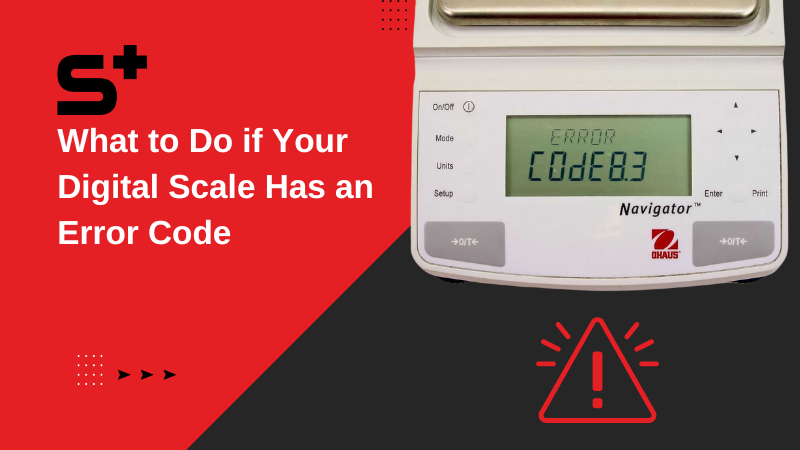
Understanding error messages helps you correct setup issues fast. Most problems stem from improper initialization, surface instability, or poor sensor contact.
Resolve Err0: Initialization Required
Err0 appears when the scale did not complete startup calibration. This commonly occurs after battery changes.
To fix this error:
- Remove and reinsert the battery.
- Perform the one-foot tap to trigger the zeros display.
- Step off and wait for shutdown.
- Weigh normally on the next attempt.
If Err0 persists, leave the battery out for 5 minutes before retrying. This drains residual charge that may block recalibration.
Stop Err1: Surface Instability
Err1 indicates the scale is on a soft floor like a rug or uneven ground, which causes load cell misalignment.
To resolve this:
- Move the scale to hard tile, wood, or concrete.
- Ensure all four corners make full contact with the floor.
- Do not shift position between uses because relocation requires reinitialization.
Clear Err3: Contact Error
Err3 occurs when dry skin, socks, or small foot size prevents electrical conductivity in body composition models.
To fix this:
- Weigh barefoot with slightly damp soles.
- Moisten feet with a wet cloth or step on a damp towel first.
- Position feet fully over the metal electrode pads.
Users in dry climates report frequent Err3. Lightly misting the footpads can help, but never soak the scale.
Reset the Scale Fully
When errors persist or readings become erratic, perform a full factory reset to clear corrupted data and recalibrate the system.
Perform a Hard Reset
Follow these steps to completely reboot the scale:
- Remove the battery from the compartment.
- Place the scale upright on a stable surface.
- Step on it with full weight for 5 seconds without the battery installed.
- Step off and wait 10 seconds.
- Reinsert the battery with correct polarity.
- Execute the one-foot initialization process immediately after.
Applying pressure without power discharges residual energy in the load cells, helping restore normal function.
Clear User Profiles if Needed
Some Taylor models store user data including height, age, and gender for body composition calculations. To reset all profiles:
- Power on the scale by stepping on it.
- Wait for user ID to appear, such as “U1”.
- Press and hold up and down buttons for 3 seconds.
- Repeat for each user profile.
This erases all stored metrics. Users must re-enter biometric data for future body fat and water percentage readings.
Set Up Body Composition Features
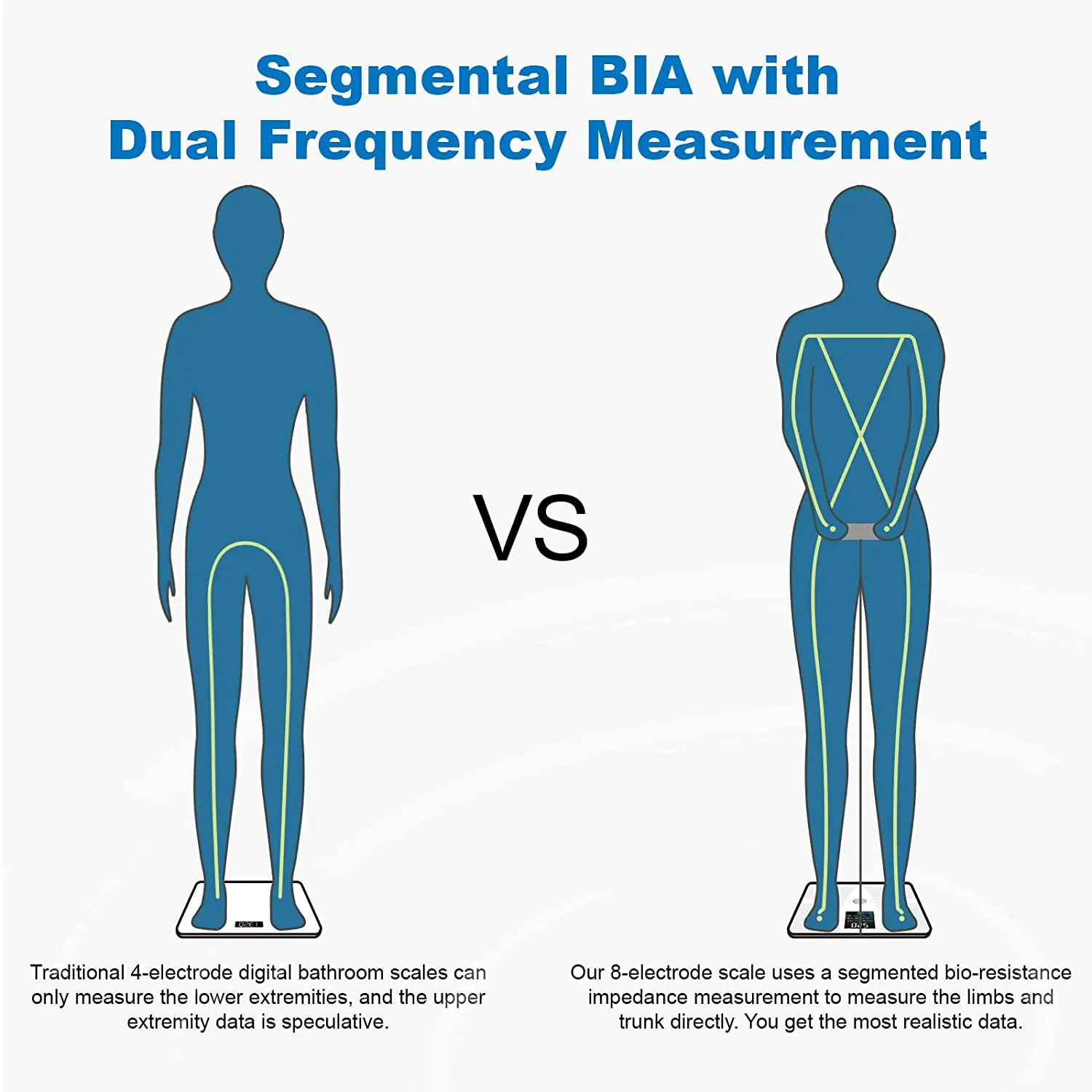
If your Taylor scale measures body fat, muscle mass, or hydration, correct user configuration is critical for meaningful results.
Enter Personal Data Accurately
After resetting or setting up a new user:
- Step on the scale to activate it.
- Follow prompts to input height, age, gender, and activity level if supported.
Not all Taylor models allow manual entry. Check your model manual for button navigation specific to your device.
Ensure Proper Sensor Contact
Body composition readings rely on bioelectrical impedance analysis, a safe low-level signal sent through your feet.
To get valid results:
- Feet must be bare and slightly moist.
- Stand centered on the electrodes.
- Avoid measuring right after exercise or showering because fluid shifts affect accuracy.
Do not use body composition features if you have a pacemaker or implanted medical device.
Maintain Accuracy Long-Term
Even a perfectly set Taylor scale can drift over time without proper care. Follow these best practices to keep readings consistent.
Use the Same Time and Conditions
For reliable tracking:
- Weigh yourself daily at the same time, ideally in the morning after using the bathroom.
- Wait at least 30 seconds between consecutive weigh-ins.
- Avoid use after drinking large fluids or intense workouts.
Scales recalibrate each time they power on. Moving them between rooms requires reinitialization.
Keep the Scale Clean and Dry
Routine cleaning prevents buildup that affects performance:
- Wipe the surface with a damp cloth.
- Do not immerse in water or use harsh cleaners.
- Dry thoroughly after cleaning.
Store indoors at room temperature. If storing longer than a month, remove the battery to prevent leakage.
Replace Batteries Properly
Power issues are the top reason Taylor scales fail to set up correctly.
Install the Right Battery Type
Most models use either a CR2032 lithium coin cell or two AAA alkaline batteries. Always use brand-new batteries and insert them with correct polarity as marked inside the compartment.
Signs of low battery include a dim display, delayed startup, or sudden shutdown during weighing.
Reinitialize After Every Battery Change
Every battery replacement requires a fresh initialization. Follow the one-foot tap method, wait for zeros, step off, wait for auto-shutdown, then weigh normally. Skipping this step is the most common cause of Err0.
Troubleshoot Unresponsive Scales
If your Taylor scale shows no signs of life, do not assume it is broken. Many dead units respond after proper reset procedures.
Test with a Known-Good Battery
Try a different CR2032 or AAA battery that works in another device. Even new batteries can be defective or drained.
Try the Extended Reset
When standard steps fail:
- Remove the battery.
- Leave the scale undisturbed for 5-10 minutes.
- Step on it without the battery for 5 seconds.
- Reinstall the battery.
- Perform one-foot initialization.
Leaving the battery out for at least five minutes before reinserting can resolve stubborn cases where residual charge interferes with startup.
Contact Support if All Else Fails
Call Taylor USA Customer Service at 1-866-843-3905, available Monday through Friday, 8 AM to 5 PM MST. Have your model number ready, which is usually located on the back of the unit. For recently purchased scales, consider returning to the retailer if unresponsive after all troubleshooting attempts.
Final Setup Checklist
Use this quick-reference list to ensure your Taylor scale is set correctly:
- Place on hard, level floor, never on carpet
- Insert fresh, correct battery with proper polarity
- Perform one-foot tap to trigger zeros or dashes
- Step off and wait for auto-shutdown
- Step on fully with bare, slightly damp feet
- Confirm stable reading within 3-5 seconds
- For body fat models, enter user data and ensure foot contact
- If error appears, identify code and apply fix
- If unresponsive, do full reset and reinitialize
Frequently Asked Questions About Setting a Taylor Scale
Why does my Taylor scale show Err0 after changing batteries?
Err0 appears because the scale did not complete its startup calibration sequence. This happens most often after battery replacement. Remove the battery, wait 5 minutes, reinsert it, and perform the one-foot tap initialization method to clear this error.
Can I use my Taylor scale on carpet?
No, you should never place a Taylor scale on carpet or any soft surface. Soft flooring causes the load cells to misalign, triggering Err1 instability errors. Always use hard tile, wood, or concrete surfaces for accurate readings.
How do I reset user profiles on my Taylor scale?
Step on the scale to power it on. When the user ID appears, press and hold both up and down buttons simultaneously for 3 seconds. This clears all stored user data including height, age, and gender settings.
Why does my Taylor scale give different weights each time I step on it?
Inconsistent readings usually occur because the scale was moved between weigh-ins, requiring reinitialization. Weigh at the same location on a hard, level surface. Also ensure you step on with slightly damp bare feet and stand still until the reading stabilizes.
What does Err3 mean on my Taylor scale?
Err3 is a contact error indicating your feet are not making proper contact with the sensor electrodes. This happens with dry skin, when wearing socks, or if your feet are too small to reach both electrode pads. Step on with bare, slightly damp feet to resolve this.
How long do Taylor scale batteries last?
Taylor scale batteries typically last 6-12 months with daily use. The CR2032 lithium battery in models like the 7345 provides extended life. Signs of low battery include a dim display, delayed startup, or the scale shutting off unexpectedly during use.
Key Takeaways for Setting Your Taylor Scale
Setting a Taylor scale requires following a specific initialization sequence that most users skip, leading to error messages and inaccurate readings. The one-foot tap method after battery installation is the critical first step that triggers calibration. Understanding error codes like Err0, Err1, and Err3 helps you quickly diagnose and fix setup problems without unnecessary frustration.
Always reinitialize after every battery change, use the scale on a hard flat surface, and keep your feet slightly damp for body composition readings. With proper setup and consistent use, your Taylor scale will provide reliable weight and body composition tracking for months or years.



