
Is your VeSync smart scale not responding, giving inaccurate readings, or failing to connect to the app? Many users of the VeSync ESF24 smart fitness scale encounter glitches that a simple reset can resolve quickly. Resetting your VeSync scale is fast, free, and often fixes connectivity issues, display errors, or measurement inaccuracies. This guide walks you through the exact steps to reset, recalibrate, and restore your scale to full function.
Remove Batteries to Reset the Scale
The most reliable way to reset the VeSync ESF24 scale is by removing its power source. This clears temporary faults and restarts the internal system completely.
Take Out All Three AAA Batteries
Flip the scale over and open the battery compartment on the back. Carefully remove all three AAA batteries. This cuts power completely and resets the circuitry. Do not skip this step, even if the scale appears functional, because a full power cycle often resolves hidden glitches.
Wait 5 to 10 Seconds Before Reinserting
After removing the batteries, wait at least 5 to 10 seconds. This allows any stored charge in the internal capacitors to drain fully. Some units may retain residual power, so waiting ensures a clean reboot. Avoid rushing because this short pause is critical for a successful reset.
Reinstall Batteries Correctly
Reinsert the three AAA batteries, matching the plus and minus symbols inside the compartment. Use fresh batteries if the current ones are old or weak. Poor battery contact is a common cause of startup failure. Once installed, close the battery cover securely.
Pro Tip: If your scale shows a low battery symbol, replace the batteries entirely. Never mix old and new batteries because they can cause inconsistent power delivery.
Press the Physical Reset Button

Some VeSync-compatible models include a hidden reset button for deeper system resets when battery removal alone does not solve the problem.
Use a Paper Clip to Press Reset
Locate the small pinhole on the underside of the scale, usually near the battery compartment. Straighten a paper clip or use a safety pin. Gently insert it into the hole and press the internal button. Hold for 3 to 5 seconds until the display flickers if the scale is active.
When to Use This Method
This hard reset helps when the scale won’t turn on after battery replacement, the display shows random numbers or flashes, or Bluetooth pairing fails repeatedly.
Note: Not all ESF24 units have a dedicated reset button. If no pinhole exists, rely on battery removal because it achieves the same result in most cases.
Recalibrate After Every Reset
A reset erases calibration settings. Without recalibrating, your scale may show incorrect or unstable readings that compromise accuracy.
Place Scale on Hard, Flat Surface
Set the scale on tile, hardwood, or another solid floor. Avoid carpet, rugs, or uneven surfaces because they tilt the platform and distort measurements. Ensure the feet sit flush because even a slight wobble affects accuracy.
Step On With One Foot Then Off
After resetting, step onto the scale with one bare foot. Wait for digits to appear, usually zero or flashing numbers, then immediately step off. The display will go blank for 2 to 3 seconds as it calibrates.
Confirm Calibration Is Complete
Once calibration finishes, the screen shows zero or a steady zero. The scale is now ready for use. If it displays error, dashes, or stays blank, repeat the process or check battery alignment.
Warning: Skipping calibration leads to false body fat, water, or weight data. Always recalibrate after changing batteries or moving the scale.
Clear Scale Before Each Use
Even a properly reset scale needs clearing before every weigh-in to ensure accuracy and consistent measurements.
Activate and Wait for Zero
Step on the scale briefly to wake it. Watch for the display to show zero. This confirms the scale has cleared internal memory from the last use.
Step Off and Re-Weigh
Once zero appears, step off. Now step back on with bare feet, standing still until measurements lock in, about 3 to 5 seconds. Movement during weighing causes errors.
Expert Note: If you move the scale between uses, repeat the clear and zero process because relocation disrupts calibration.
Fix VeSync App Pairing Issues
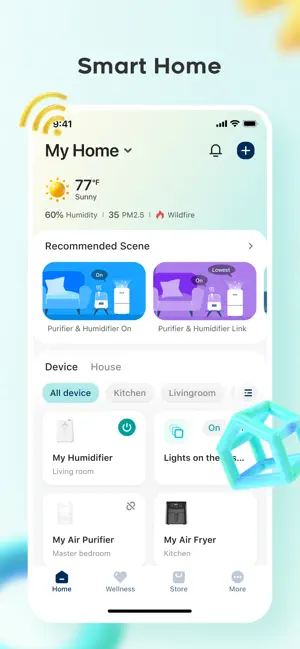
Resetting the scale often disconnects it from the VeSync Fit app. Re-pairing is usually required to restore data sync and full functionality.
Enable Bluetooth and Location Services
Before pairing, turn on Bluetooth on your phone. For Android devices, enable Location or GPS because it is required for Bluetooth scanning. For iOS devices, allow the VeSync Fit app to access Bluetooth. Ensure your phone runs iOS 9.0 or higher or Android 5.0 or higher because older OS versions may block connectivity.
Reconnect in VeSync Fit App
Open the VeSync Fit app. Tap Measurements, tap the plus icon, and select Device Management. Choose Smart Fitness Scale. Stand on the scale barefoot. When your device appears on screen, tap to pair. Stay still for 5 to 10 seconds until data syncs.
Common Mistake: Opening the app after stepping on the scale. Always launch the app first to prepare for detection.
Update App and Restart Phone
If pairing fails, update VeSync Fit from the App Store or Google Play. Close and relaunch the app. Restart your phone to refresh Bluetooth.
Pro Tip: Avoid pairing in crowded Bluetooth areas like gyms or apartments because interference can block signals.
Troubleshoot Common Reset Problems
Even after resetting, some issues persist. Here is how to fix them fast.
Scale Won
Turn On
Check these things first. Verify batteries are inserted correctly and match the plus and minus signs. Remove the plastic insulator strip if it is still in place from first-time use. Replace dead batteries with fresh 1.5V AAA cells. Clean corrosion from contacts with a dry cloth if needed. If the scale still will not turn on, try pressing the reset button or test the batteries in another device.
Display Flashes and Shuts Off
This usually means low battery. Replace all three batteries even if only one appears weak because mixed old and new batteries cause voltage drops. After replacement, reset and recalibrate the scale.
Warning: Flashing can also occur if the scale is on a soft surface. Move to hard flooring before testing.
Only Shows Weight, No Body Fat Data
The scale uses bioelectrical impedance to measure body composition. If it skips fat, muscle, or water percentage, the current is not passing through your body.
Fix this by stepping on with bare feet because socks block the current. Stand on the metal sensor pads, usually foot outlines on the surface. Ensure your profile is set in the app with correct age, height, and gender. Reset and recalibrate if the problem continues.
Safety Note: Do not use the scale if you have a pacemaker or implanted medical device because BIA sends a safe but detectable electrical signal.
Inaccurate or Jumping Readings
Erratic numbers often stem from uneven or soft flooring, wet feet or damp scale surface, poor battery contact, or lack of calibration.
The solution involves resetting via battery removal, recalibrating on a hard floor, drying your feet and the scale, and standing centered with feet shoulder-width apart. Avoid standing on the edge because it skews weight distribution.
Maintain Your VeSync Scale
Proper care prevents future resets and extends device life for years of reliable use.
Clean With Damp Cloth Only
Wipe the glass surface weekly with a slightly damp cloth, then dry with a soft towel. Never use alcohol, ammonia, or abrasive cleaners because they damage conductive sensors. Never submerge the scale because water inside the battery compartment can short-circuit electronics.
Replace Batteries Proactively
Change batteries when the low-power icon appears, the scale takes longer to turn on, or pairing fails unexpectedly. Use alkaline AAA batteries only because rechargeable batteries may not provide stable voltage.
Long-term storage tip: Remove batteries if storing for over a month because it prevents leakage and corrosion.
Store in Dry, Level Place
Keep the scale in a cool, dry area away from direct sunlight, heaters or radiators, and bathrooms where humidity damages circuits. Store flat and do not stack items on top because tempered glass can crack under pressure.
Set Up User Profiles Correctly
Accurate body metrics depend on correct user data in the VeSync app.
Enter Height, Age, and Gender
During setup, input exact height in cm or inches. Select biological gender because it is used in body fat algorithms. Enter date of birth accurately.
Warning: False data skews BIA calculations. For example, entering incorrect height can make body fat appear 5 to 10 percent off.
Assign Users to Scale
The ESF24 supports multiple users. Each person should have a unique profile, step on barefoot consistently, and avoid sharing accounts. The scale auto-detects users based on weight patterns.
Frequently Asked Questions About Resetting VeSync Scales
How Do I Hard Reset My VeSync Scale?
Remove all three AAA batteries from the compartment. Wait 5 to 10 seconds. Reinsert the batteries with correct polarity. This process clears temporary errors and resets the internal system.
Why Does My VeSync Scale Need Recalibration After Reset?
Resetting or removing batteries clears the scale internal memory. Without recalibrating, the scale cannot accurately measure weight or body composition. Step on with one foot then off to recalibrate.
Why Is My VeSync Scale Not Connecting to the App After Reset?
Ensure Bluetooth is enabled on your phone. For Android, turn on Location services. Update the VeSync Fit app to the latest version. Restart your phone and try pairing again within 10 meters of the scale.
Can I Use the Scale With a Pacemaker?
No. The scale uses bioelectrical impedance analysis which sends a low-level electrical current through the body. Do not use if you have a pacemaker or implanted medical device.
How Often Should I Replace Batteries in My VeSync Scale?
Replace batteries when the low battery symbol appears, pairing fails unexpectedly, or the scale takes longer to turn on. Use fresh alkaline AAA batteries and do not mix old and new ones.
What Surface Should I Place My VeSync Scale On?
Place the scale on a hard, flat surface like tile or hardwood. Avoid carpet, rugs, or uneven floors because they affect measurement accuracy. Ensure the scale feet sit flush for proper function.
Key Takeaways for Resetting Your VeSync Scale
Resetting your VeSync scale is simple. Remove the batteries for 5 to 10 seconds, reinsert them correctly, then recalibrate by stepping on with one foot and off. This process fixes most issues including unresponsiveness, pairing failures, and wrong readings. Always use bare feet, hard flooring, and fresh batteries for the best results. If problems continue after resetting, check the VeSync Fit app settings, update your phone OS, or contact Etekcity support with your order ID. With proper care, your VeSync ESF24 delivers accurate, reliable health tracking for years.



