If your digital scale shows a slow creep from 0.00g to -0.03g with nothing on it, or your espresso shot weight drifts mid-pour, you’re dealing with scale drift—a silent killer of measurement accuracy. This issue affects everything from lab balances to coffee scales and reloading tools. The good news: most drift is fixable. Whether it’s zero drift, load drift, or interference from temperature or EMI, this guide delivers targeted, step-by-step fixes proven in real-world use. You’ll learn how to diagnose the root cause, apply immediate corrections, and prevent future instability.
Diagnose the Drift Type First
Before applying fixes, confirm what kind of drift you’re facing. Misdiagnosis wastes time and leads to frustration. Use simple, fast tests to isolate the problem.
Zero vs. Load Drift: Spot the Difference
Zero drift appears when the scale fails to stay at zero after taring. Watch the display for 60 seconds. Any movement such as 0.00 to -0.05g indicates instability. This is common in older or low-cost scales.
Load drift happens when a stable weight changes on-screen over time. For example, 100.00g becoming 100.07g in 2 minutes. This suggests deeper issues with load cells or environmental forces.
Quick Test: Place a coin on the scale, note the weight, wait 2 minutes. If it changes more than ±0.02g for 0.01g resolution scales, you have load drift.
Rule Out Normal Fluctuation
Not all movement is drift. High-resolution scales (0.01g or better) may show minor ±0.01g shifts due to air pressure or electrical noise. True drift is directional and sustained—a steady climb or drop over time.
Fix Temperature-Induced Drift

Temperature changes are the number one cause of scale instability. Even a 1°C shift can alter readings by ±0.06g on precision devices.
Warm Up Your Scale for 30 Minutes
Digital scales need thermal stabilization. Cold circuits and expanding materials create early drift. Always power on your scale 30 or more minutes before critical use, especially analytical or espresso models.
Pro Tip: Leave high-end scales (like Acaia) powered on continuously. Their internal calibration tracks temperature and adjusts in real time.
Match Sample and Ambient Temperature
Placing a hot portafilter or cold beaker on a room-temperature scale triggers convection currents and thermal stress. Let samples acclimate to the environment first.
Example: Warm your coffee pitcher on a towel, not directly on the scale. Use a cork mat under heated items to block heat transfer.
Avoid Airflow and Sunlight
Keep the scale away from windows, HVAC vents, and fans. Sunlight heats one side of the housing, causing uneven expansion and zero instability.
Visual Cue: If the display jumps when the AC kicks on, temperature or drafts are likely culprits.
Eliminate Static Electricity Effects
In dry environments (less than 30% humidity), static buildup creates invisible forces that pull or push on the weighing pan.
Increase Humidity to 40–60%
Use a humidifier or place a bowl of water nearby. Ideal lab and coffee prep areas maintain 40–60% relative humidity to prevent static and ensure stable readings.
Warning: Static can cause errors up to 50mg, which is critical in reloading or pharmaceutical work.
Use Anti-Static Tools and Grounding
Replace plastic containers with metal or anti-static versions. Wear cotton clothing instead of synthetic fabrics. Use an anti-static wrist strap or ionizing blower for micro-weighing.
Quick Fix: Lightly wipe the pan with an anti-static cloth or dryer sheet (test first to avoid residue).
Block Air Currents and Drafts
Even breath or foot traffic can destabilize sensitive scales.
Install a Draft Shield
For scales 0.1g resolution or finer, use a transparent draft shield or enclosed weighing chamber. DIY options include cutting the sides off a plastic food container.
User Hack: Place the scale inside a cardboard box with the top cut out for access. This blocks side drafts effectively.
Keep Distance from People and Equipment
Avoid leaning over the scale while weighing. Movement creates air displacement. Maintain at least 18 inches between you and the device during measurement.
Stop Vibration and Surface Instability
Shaky tables mimic sensor failure. Footsteps, appliances, or hollow countertops transmit vibrations.
Use a Solid, Stable Base
Place the scale on a granite or marble slab, a dense wood block, or a thick cork or foam pad.
User Success: Setting mine on a styrofoam sheet reduced drift dramatically. Reported by multiple users in forums.
Isolate from Shared Surfaces
Do not place the scale on the same counter as blenders, grinders, or espresso machines. These generate micro-vibrations that disrupt readings.
Test: Tap the table lightly. If the display jumps, the surface is too unstable.
Reduce EMI and Radio Frequency Interference
Digital scales process microvolt signals easily disrupted by nearby electronics.
Remove Phones, Tablets, and Speakers
Keep all wireless devices at least 12–18 inches away. A phone in your pocket can cause fluctuations.
Real Case: When my friend walked behind me with his phone, the scale started jumping. Reported by a user in technical discussions.
Switch Off Fluorescent and LED Lights
Older fluorescent lights and cheap LED drivers emit electromagnetic noise. Replace with UL-certified, EMI-filtered lighting or test with lights off.
Fix: Use battery-powered task lighting during precision work.
Try a Shielded Power Supply
AC adapters with poor regulation introduce electrical noise. Test your scale on battery power. If drift stops, the adapter is the issue.
Upgrade: Use a regulated DC supply or 12V gel cell battery for complete noise isolation.
Adjust Load Cell Mounting Pressure
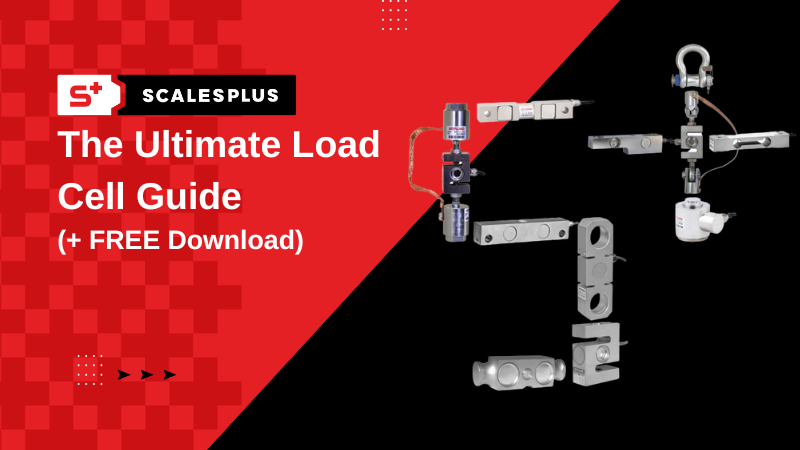
Over-tightened screws can bind the load cell, causing mechanical stress that shifts with temperature.
Loosen and Re-Tighten Mounting Screws
Only if the scale base is removable (for example, VEVOR or RCBS models):
- Remove the bottom cover.
- Locate the four load cell mounting screws.
- Slightly loosen each screw.
- Re-tighten one turn at a time while watching the display.
- Stop when pressure on the scale no longer changes the reading.
- Secure fully and retest.
Success Story: After adjusting the screws, my zero drift disappeared. Verified user fix from community forums.
Caution: Do not overtighten. This can permanently damage the load cell.
Test and Replace Faulty Power Sources
Power issues mimic hardware failure. Always rule out the supply first.
Compare Battery vs. AC Performance
Run the same zero test on both power modes. If drift only occurs on AC, the adapter is noisy.
Solution: Try a different, regulated AC/DC converter with low ripple.
Inspect for Corrosion or Moisture
Open the battery compartment. Look for leaked batteries, rust or green corrosion, or dampness. Clean with isopropyl alcohol and a cotton swab if needed. Replace damaged contacts.
Calibrate and Verify with Check Weights
Improper calibration hides or mimics drift. Use real weights to test accuracy.
Use NIST-Traceable Calibration Weights
Never rely on coins or household objects. Use certified weights. Aluminum weights ($15) work well for 0.1g resolution. Ohaus ASTM Class 6 ($82) is better for 0.01g. NIST Class F ($158) provides lab-grade traceability.
Perform a Repeatability Test
- Zero the scale.
- Place a 100g weight.
- Remove and re-zero.
- Repeat 5 times.
- All readings must be within ±0.02g.
Failure indicates drift, poor calibration, or environmental issues.
Pro Tip: High-end scales (Acaia, AWS) include auto-zero and temperature compensation. Use these features.
Diagnose Load Cell and Internal Failures
When environmental fixes fail, the problem is likely internal.
Run an mV/V Signal Test
For industrial or repairable scales:
- Use a high-precision voltmeter.
- Measure signal at the weight controller terminals.
- Record mV/V with no load and under known weight.
- Monitor for instability. More than ±0.01 mV/V indicates drift.
If the signal changes over time, the load cell or junction box is failing.
Inspect Junction Boxes for Moisture
Open the box if accessible. Look for condensation, rust, or corroded wires. Dry thoroughly or replace cables. Water in junction boxes often requires load cell replacement.
Quote: If moisture gets in, the load cell may have to be replaced. Technical manual guidance.
Know When to Replace the Scale
Some drift cannot be fixed. Replacement is smarter than repair when the scale is over 10 years old, load cell output is unstable even in ideal conditions, internal electronics show signs of aging, or repair cost exceeds 50% of a new unit.
User Decision: A 14-year-old postal scale was retired after repeated drift despite fixes.
Rule of Thumb: If your scale cannot hold zero within ±0.02g for 2 minutes, it is time for an upgrade.
Prevent Drift Before It Starts
Prevention beats troubleshooting. Build these habits into your routine.
Warm Up Every Time
Treat your scale like lab equipment. Thirty minutes minimum warm-up stabilizes temperature and electronics.
Clean After Each Use
Wipe the pan with a dry or slightly damp cloth. Avoid liquids near seams. Dust and debris affect balance.
Store Properly
Keep in a dry, dust-free case when not in use. Avoid garages or humid basements.
Schedule Monthly Checks
Run a corner load test and repeatability test monthly. Catch issues early.
Corner Test: Place a weight on each corner and center. All readings should match within tolerance.
Frequently Asked Questions About Scale Drift
Why does my scale show different weights at different times of day?
Temperature fluctuations throughout the day affect scale components. Morning and evening temperatures differ, causing thermal expansion or contraction. Always allow 30 minutes warm-up before critical measurements, regardless of time of day.
Can a low battery cause scale drift?
Yes. Low battery voltage leads to inconsistent sensor performance. Replace batteries regularly or test with a fresh set. If drift stops with new batteries, the power supply was the issue.
Does putting my scale on a kitchen counter cause drift?
Kitchen counters often share surfaces with vibrating appliances like blenders and refrigerators. These micro-vibrations disrupt readings. Use a dedicated stable surface like a granite slab or thick cutting board away from equipment.
How do I know if my calibration weights are accurate?
Certified NIST-traceable weights come with documentation of their accuracy. Cheap novelty weights or coins are not accurate enough for precision work. Invest in aluminum weights for 0.1g resolution or ASTM Class 6 weights for better precision.
Is scale drift normal for cheap digital scales?
Some drift is common in lower-quality scales, but it should not be excessive. A good scale under stable conditions should hold zero within ±0.02g. If drift is severe, the scale likely has environmental or hardware issues that can be addressed.
Can I fix drift caused by a failing load cell?
You can sometimes adjust mounting screws to relieve pressure, but failing load cells typically require replacement. Test with an mV/V signal test. If readings drift over time even in ideal conditions, the load cell is likely failing and needs replacement.
Key Takeaways for Fixing Scale Drift
Scale drift is not inevitable. Most issues stem from environment, setup, or power, not broken hardware. By controlling temperature through proper warm-up routines, eliminating interference from phones and lights, and using proper calibration with certified weights, you can restore stability to nearly any digital scale. Address environmental factors first (temperature, static, drafts, vibration, EMI) before assuming hardware failure. For critical applications like espresso or reloading, invest in high-end models like Acaia or AWS that feature built-in auto-zero and temperature compensation. If fixes fail after thorough troubleshooting, retire aging units and start fresh. Precision starts with stability. Do not accept drift as normal.