
A digital scale that suddenly gives inconsistent readings may not be broken. Its battery could simply be running low. Yes, low battery does affect scale accuracy, and it is one of the most overlooked yet easily fixable causes of measurement errors. Digital scales are precision electronic devices, not just mechanical tools, and they depend on stable power to deliver reliable results. When battery levels drop, voltage instability disrupts the internal circuitry, leading to erratic readings, zero point drift, and even complete signal failure.
This issue affects everything from kitchen scales to industrial weighing systems. In medical labs, pharmaceutical production, and food packaging, inaccurate measurements due to weak batteries can compromise safety, compliance, and product quality. Even at home, a dying battery can throw off your baking measurements or fitness tracking. The good news is that most of these problems are preventable with routine battery maintenance. In this guide, you will learn exactly how low battery impacts performance, what signs to watch for, and how to keep your scale accurate and dependable.
How Low Battery Disrupts Scale Electronics

When a battery weakens, it fails to deliver the consistent voltage that digital scales require. This voltage drop directly affects the load cell, which is the sensor that converts weight into an electrical signal.
Weak Power Produces Weak Signals
The load cell relies on a stable current to generate a proportional output. Low voltage means a weaker signal, which is harder for the scale processor to interpret accurately. This increases the chance of experiencing noisy readings that fluctuate between numbers, delayed stabilization where the scale takes much longer than normal to settle on a final number, and false minimum weight detection that makes the scale think items are too light to register.
Even small voltage variations can skew results by grams or more on sensitive models. Scales may still turn on and display numbers, but those numbers lose reliability long before the device actually shuts off.
Analog-to-Digital Conversion Suffers
The analog signal from the load cell must be converted into digital data by the ADC, which stands for analog-to-digital converter. A weak or fluctuating power supply distorts this process in several ways. Signal distortion leads to incorrect digitization, meaning the number shown does not match the actual weight. Baseline noise increases significantly, making it difficult for the system to detect real weight changes. Microprocessor errors occur when the processor interprets corrupted data incorrectly.
As a result, two identical objects might register as different weights seconds apart. This is especially problematic on high-precision scales used for jewelry or laboratory work.
Zero Point Drift: A Clear Sign of Battery Problems
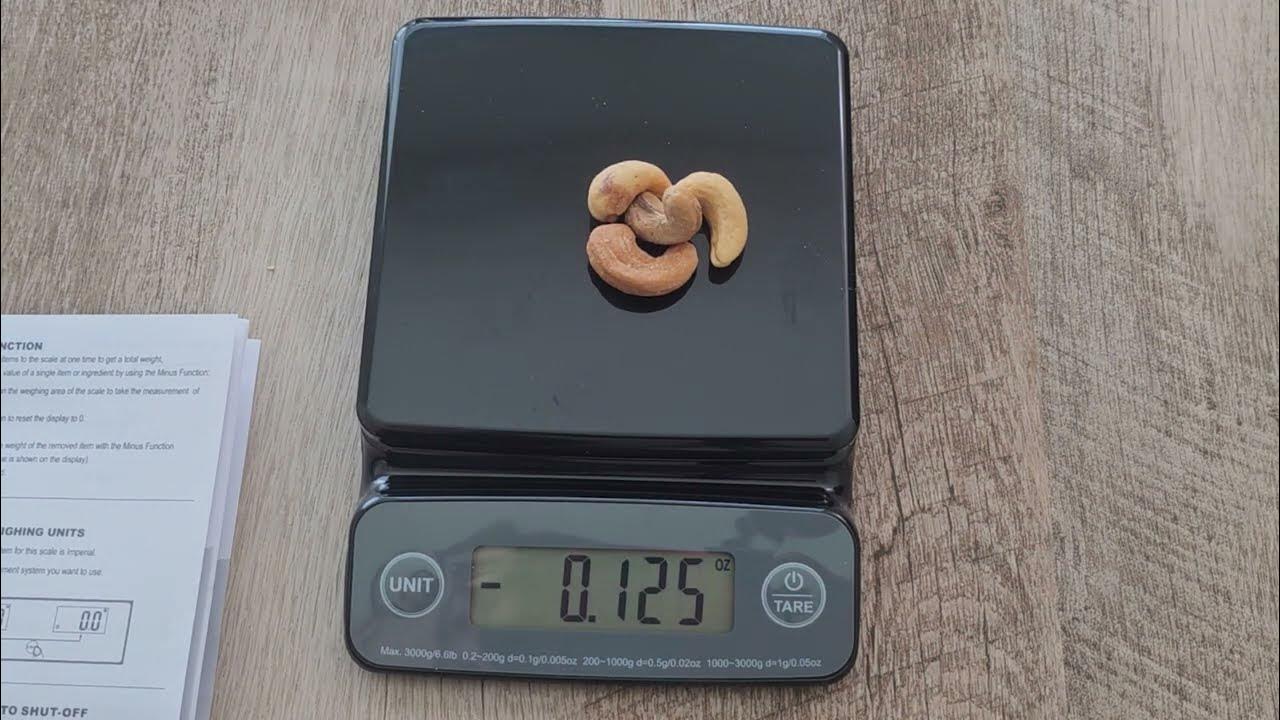
One of the clearest indicators of battery-related inaccuracy is a scale that will not zero properly. A stable zero reference is essential for accurate measurement, and when the battery is weak, this baseline becomes unstable.
Why Drift Happens
Under low power conditions, the scale internal calibration shifts. Even without any load on the weighing platform, the display may show 0.2g, 1g, or higher when the scale is completely empty. Random fluctuations may appear with no weight applied at all. The tare function may fail to reset properly or may reset but then drift again almost immediately.
This drift means every measurement starts from a false baseline. For example, if the scale reads 0.5g when empty, every weight reading will be 0.5g too high. This is a critical error in scenarios like dosing medications or mixing chemicals where precision matters.
How to Test for Drift
Turn on the scale on a level surface and wait for stabilization. Check if the display reads exactly zero. Press the tare button and observe whether it resets but then drifts again. If this pattern appears, battery failure is the likely cause. Replace the battery before attempting any recalibration. Many scales restore proper zero function immediately after fresh batteries are installed.
Battery Level Impact on Accuracy
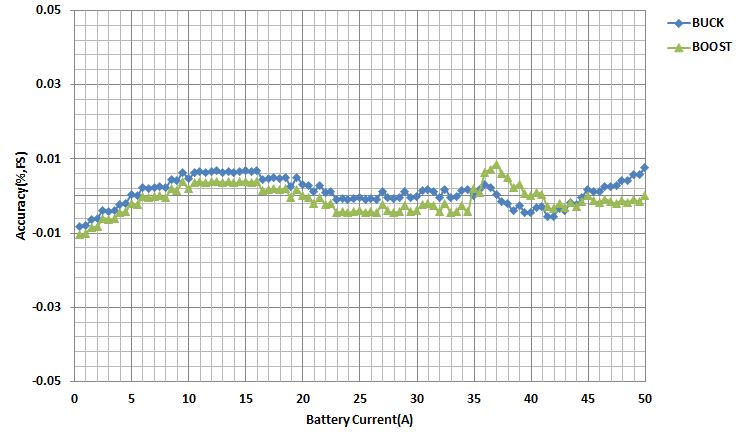
Scale performance declines rapidly as battery power drops. Understanding this relationship helps you know when to replace batteries before accuracy suffers.
| Battery Level | Voltage | Sensor Output | Accuracy Risk |
|---|---|---|---|
| Full (100%) | 3.0V+ | Strong, clean | Minimal |
| Medium (50-75%) | ~2.7V | Stable | Low |
| Low (20-49%) | 2.4-2.6V | Weakening, slightly noisy | Moderate |
| Very Low (<20%) | <2.4V | Erratic, distorted | High, unreliable |
At below 2.4V, many digital scales begin to malfunction significantly. While they may still power on, their readings should not be trusted, especially for precision tasks. This table illustrates the progressive decline in scale performance as battery level decreases.
Common Signs of Low Battery Interference
Watch for these red flags that point to battery-related inaccuracy rather than mechanical failure.
Fluctuating Readings on Empty Scale
If the display jumps between 0g, 0.1g, and 0.3g with nothing on it, this is a classic symptom of low power. The system cannot maintain a stable baseline when voltage is insufficient. This behavior is one of the most reliable indicators that the battery needs replacement.
Slow or Incomplete Stabilization
A healthy scale stabilizes within one to three seconds. If it takes significantly longer or never settles on a single number, weak battery voltage is a likely culprit. The processor struggles to process the weakened sensor signal, resulting in readings that dance around rather than locking in.
Intermittent Power or Unexpected Auto-Off
Scales that shut off unexpectedly during use or fail to turn on consistently often need battery replacement. This behavior is especially common in portable models that rely solely on battery power. The voltage drop becomes severe enough to trigger protective shutdowns.
Missing Low-Battery Warning
Not all scales have a low-battery warning symbol. Many continue to operate with degraded performance, silently producing inaccurate data. Do not assume your scale is accurate just because it still powers on. The absence of a warning does not mean the battery is still good.
Environmental Factors That Worsen Battery Problems
Low battery makes scales more vulnerable to external conditions. A weakened power system cannot compensate for environmental stress as effectively as a fully charged one.
Temperature Extremes Reduce Battery Efficiency
Cold environments significantly reduce battery efficiency. Alkaline batteries lose capacity below 15°C (59°F), increasing the risk of sudden failure. In freezers or outdoor settings, this can mimic scale malfunction when the actual problem is battery-related. The cold causes voltage output to drop even though the battery still has remaining capacity.
Humidity Creates Corrosion Risks
Moisture can corrode battery contacts, increasing resistance and further reducing voltage delivery. Combined with low charge, this accelerates performance decline. Corroded contacts can make intermittent contact, causing the scale to behave erratically even with a relatively fresh battery.
Vibration Adds Signal Noise
On sensitive scales, vibrations from nearby sources introduce tiny forces. With strong power, the system filters these out effectively. But under low voltage conditions, signal processing weakens, making the scale more prone to false readings that appear to be weight changes but are actually vibration artifacts.
How to Fix and Prevent Battery-Related Errors
Most battery-induced inaccuracies are preventable with simple maintenance habits that take only a few minutes.
Replace Batteries Proactively
Do not wait for the scale to fail before changing batteries. Replace batteries every six to twelve months for regular use, before critical tasks like laboratory work or medication preparation, and immediately after noticing drift or instability. Make battery replacement part of your pre-use checklist for any precision weighing task.
Use High-Quality Batteries
Avoid cheap zinc-carbon or expired batteries. They degrade faster and deliver inconsistent voltage. Choose alkaline batteries for long shelf life and stable output, or lithium batteries for better performance in extreme temperatures and longer runtime. Rechargeable NiMH batteries can work but often have lower voltage (1.2V versus 1.5V), which may not meet the scale minimum power requirements.
Recalibrate After Battery Change
Some scales require recalibration after new batteries are installed. Check your manual for specific instructions. Generally, install fresh batteries, power on and wait thirty seconds, place on a level surface, and press CAL or follow the calibration sequence. This resets the zero point and ensures optimal sensor response.
Clean Battery Contacts Regularly
Corrosion or dirt on contacts increases resistance and mimics low battery symptoms. To clean, remove the batteries, use a cotton swab with rubbing alcohol, gently scrub the contact points, and let dry completely before reinserting batteries. Perform this cleaning every time you replace batteries.
Best Practices for Long-Term Scale Accuracy
Maintaining accuracy goes beyond just battery replacement. Combine power management with proper usage to get the most reliable results.
Keep Your Scale Level and Stable
Use built-in bubble levels or digital indicators to ensure proper positioning. An unlevel scale distributes weight unevenly across load cells, compounding errors from low voltage. Check the level before every critical measurement.
Avoid Soft or Vibrating Surfaces
Always place the scale on a hard, flat, non-slip surface. Countertops are ideal for most applications. Avoid placing scales on carpet, wobbly tables, or near appliances that vibrate such as refrigerators or mixers. These surfaces absorb or deflect weight, skewing results.
Remove Batteries for Long-Term Storage
If storing the scale for extended periods, remove batteries to prevent leakage and corrosion. Alkaline batteries can leak potassium hydroxide, which damages internal circuits permanently. Battery leakage is one of the most common ways digital scales are destroyed.
Use AC Adapter When Possible
For stationary scales in laboratories or kitchens, use a manufacturer-approved AC adapter. This provides continuous, stable power and eliminates battery-related issues entirely. AC power ensures the scale always receives the voltage it needs for accurate readings.
Real-World Evidence: User and Expert Insights
Users and professionals consistently report accuracy restoration after battery replacement. Home bakers have experienced their kitchen scales being off by five grams, only to have the issue resolved immediately after changing the battery. Laboratory quality control technicians now check batteries before every calibration, saving hours of troubleshooting time.
Industry experts emphasize that a scale is only as accurate as its power supply. No amount of calibration can compensate for poor voltage. This perspective underscores the importance of viewing digital scales not merely as mechanical tools but as precision electronic instruments dependent on reliable power.
These experiences confirm that low battery is not just a nuisance. It is a direct and significant source of measurement error that is easily prevented with routine maintenance.
Key Takeaways for Maintaining Scale Accuracy
Yes, low battery does affect scale accuracy significantly. It causes voltage instability, weak sensor signals, zero point drift, and unreliable readings. While environmental factors and placement matter, battery condition is one of the most controllable and impactful variables affecting measurement precision.
The most important signs of battery-related inaccuracy include fluctuating readings on an empty scale, slow stabilization times, and zero point drift. These symptoms appear well before the scale stops working entirely, so do not wait for complete failure before replacing batteries.
Maintain consistent, trustworthy measurements by replacing batteries proactively every six to twelve months, using high-quality alkaline or lithium cells, recalibrating after battery changes, and cleaning contacts regularly. For stationary scales, use an AC adapter instead of batteries to eliminate power-related issues entirely.
Whether you are weighing ingredients in the kitchen, supplements for health tracking, or industrial materials for production, never underestimate the power of a fresh battery. A simple battery change could be the difference between accurate measurements and costly errors.
Frequently Asked Questions About Low Battery and Scale Accuracy
Does low battery make a scale inaccurate?
Yes, low battery directly affects scale accuracy. As battery voltage drops, the load cell sensor produces weaker signals that are more susceptible to noise. The analog-to-digital converter also struggles to interpret these weakened signals correctly, resulting in fluctuating or incorrect readings.
What happens when battery voltage drops in a digital scale?
When battery voltage drops, the scale experiences voltage instability that disrupts the load cell, ADC, and microprocessor. This causes weak sensor signals, signal noise, zero point drift, and potentially complete signal failure. The scale may still turn on but display inaccurate weights.
How can I tell if my scale inaccuracy is caused by the battery?
Test for zero point drift by turning on the scale, waiting for stabilization, and checking if it reads exactly zero when empty. If not, press tare and observe whether the reading drifts again. Fluctuating readings on an empty scale and slow stabilization times are also strong indicators of battery-related problems.
At what voltage does a scale become inaccurate?
Most digital scales begin experiencing accuracy problems when voltage drops below 2.4V to 2.6V. At this level, sensor output becomes erratic and distorted. The scale may still power on but should not be trusted for precision measurements.
Can replacing the battery fix scale accuracy problems?
Yes, in most cases, replacing the battery immediately restores scale accuracy. If the scale still shows problems after installing fresh batteries, recalibrate according to the manufacturer instructions. If problems persist, the issue may be mechanical rather than power-related.



