
If your WW scale shows inconsistent weight numbers or fails to turn on properly, it is likely time to calibrate a WW scale. Calibration resets the internal sensors and ensures your weight readings are accurate, which is critical for anyone tracking progress on a health or weight loss journey. Over time, moving the scale, low batteries, or soft flooring can throw off its precision. The good news? Most WW digital and smart scales can be quickly recalibrated in under a minute using simple step-on or manual methods. In this guide, you will learn exactly how to calibrate a WW scale, troubleshoot common issues, and keep your device delivering reliable results for months to come.
Prepare Your WW Scale for Accurate Calibration
Before starting, proper setup is essential to ensure an accurate calibration process. Taking time to prepare the scale and its environment will save you from repeating the process later.
Place on a Hard, Flat Surface
Place your WW scale on tile, hardwood, or concrete. Never place it on carpet, rugs, or uneven floors because soft surfaces absorb pressure and cause false readings. Make sure the floor is level and free of debris. Test surface stability by placing a marble on the floor first. If it rolls, the surface is not level enough for accurate calibration.
Check Battery Power
Low batteries are one of the top reasons for calibration failure. Replace old or corroded batteries with fresh alkaline ones. If the display is dim or shows “Lo,” power down and install new batteries before proceeding. Never use leaking or damaged batteries because they can ruin internal circuits. Try removing batteries for five minutes, then reinsert and retry if the scale does not respond.
Clean the Platform
Wipe the scale surface with a dry or slightly damp cloth. Remove dust, foot residue, or moisture from the edges and sensor areas. Do not submerge the scale or use harsh cleaners. A clean platform ensures the sensors can read accurately without interference from debris.
Let the Scale Acclimate
If the scale was stored in a cold garage or shipped in winter, let it sit at room temperature for two to four hours before calibrating. Sudden temperature shifts affect sensor accuracy. This waiting period allows the internal components to stabilize and provide correct readings.
Activate and Zero the Scale
This step initiates the auto-calibration mode found in most WW models. Proper activation is the foundation of a successful calibration.
Tap to Power On
Firmly tap the center of the platform with your foot or hand to wake up the scale. Wait for the display to show “0.0,” “0,” or “—-” before proceeding. If the screen stays blank, check batteries and retry. Some models need a strong initial press to respond.
Wait for Zero Display
Do not step on the scale yet. Allow five to ten seconds for the display to stabilize at zero. This auto-zero function is part of the calibration process. If it does not reset to zero, remove batteries for three minutes, then reinsert and tap again. The scale must start at true zero for accurate results.
Perform Step-On Calibration

The most common method for calibrating a WW scale uses your body weight to finalize sensor alignment. This method works well for most digital and smart models.
Step On Barefoot
Stand on the scale barefoot, with feet shoulder-width apart and centered over the electrodes if visible. Socks or shoes interfere with bioelectrical impedance readings in body composition models. Bare skin contact ensures the sensors can read accurately and complete the calibration process properly.
Stay Still Until Auto-Off
Remain motionless as the weight blinks. Once it stabilizes, the scale will automatically power off, which signals successful calibration. The entire process takes approximately fifteen seconds. The best time to weigh is in the morning, after using the bathroom, and before eating.
Retest for Accuracy
Wait ten seconds, tap the scale again, and step on. The reading should match your previous result within 0.2 to 0.5 pounds. Success means a consistent, stable number. Failure means fluctuating digits, so repeat the calibration process if needed.
Use Manual Calibration for Precise Results
Some WW models support manual calibration with a known weight, which is ideal for verifying precision. This method gives you extra confirmation that the scale is reading correctly.
Locate the Calibration Button
Check the bottom of the scale or inside the battery compartment for a small button labeled “Cal,” “CAL,” or “Reset.” Not all WW scales have this feature, so check your model number if unsure whether your scale supports this method.
Enter Calibration Mode
Place the scale on a hard surface first. Tap to turn on and wait for “0.0” to appear. Press and hold the calibration button until the screen flashes or displays “CAL.” This indicates the scale has entered calibration mode and is ready to accept a known weight.
Apply a Known Weight
Gently place a verified weight in the center of the platform. A five-pound dumbbell or a ten-pound bag of flour works well. Ensure the test weight is accurate by verifying it on another scale if possible. Wait five to ten seconds for the display to register the weight, then remove it.
Confirm Successful Calibration
The scale should return to “0.0” or “—-” and power off after removing the known weight. If it shows an error or wrong value, repeat the process or try a different weight. Successful calibration means the scale can now accurately measure your weight.
When to Calibrate Your WW Scale
Knowing when to recalibrate prevents inaccurate tracking and ensures your weight history remains reliable. Regular calibration keeps your scale performing at its best.
After Moving the Scale
Even slight shifts in location require recalibration. Relocation changes pressure distribution, which affects the sensor baseline. Always calibrate after moving your scale to a new room or surface to maintain accuracy.
Following Battery Replacement
New batteries reset the system, but the scale needs to re-zero properly. Always calibrate after installing fresh batteries. This ensures the sensors adjust to the new power source and establish correct baseline readings.
During Inconsistent Readings
If your weight jumps significantly from one day to the next with no real change in your body, recalibrate immediately. Inconsistent readings, such as a swing of two or more pounds, indicate the sensors need resetting. A properly calibrated scale should show consistent results within 0.5 pounds.
After Long Storage
Scales stored for weeks or months may drift out of sync. Recalibrate before first use after storage. This applies whether you stored the scale intentionally or simply have not used it for an extended period.
If the Scale Was Dropped
Physical impacts can misalign internal load cells. Perform a full calibration to restore accuracy after any drop or impact. Even a minor fall can affect the delicate sensor mechanisms inside the scale.
Troubleshoot Common Calibration Problems
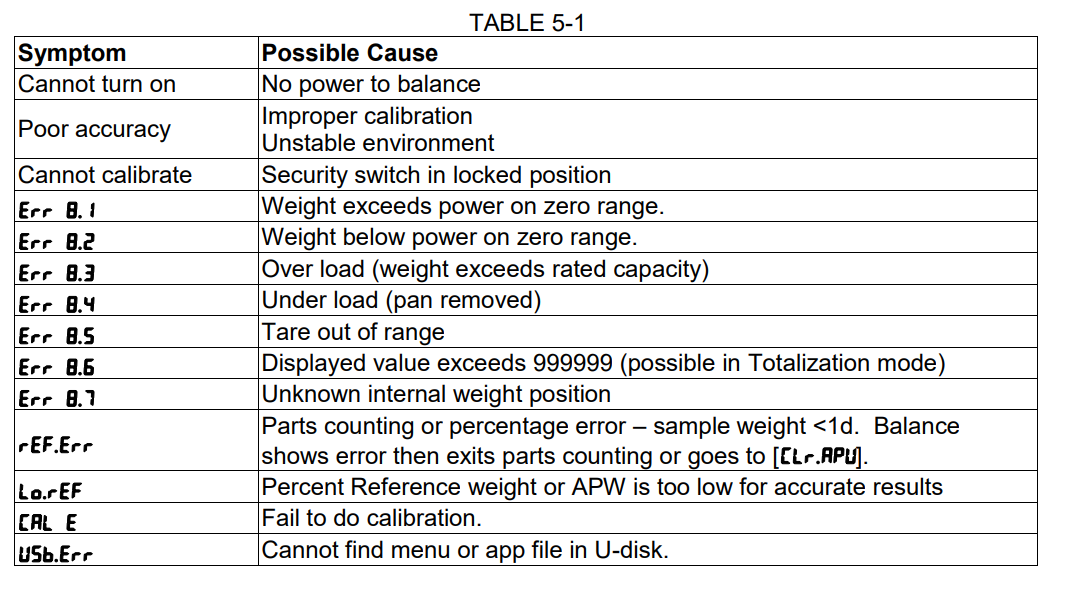
Even with correct steps, issues may arise. Here is how to fix them fast and get your scale working properly again.
Scale Will Not Turn On
Check battery polarity first, making sure the plus and minus ends are correctly aligned. Replace with brand-new batteries if needed. Tap firmly because some models require a strong initial press to activate. Try removing batteries for five minutes, then reinsert and retry.
Display Shows “Lo”
This means low battery. Replace immediately because even if the scale turns on, weak power causes false readings. Do not ignore this warning, as weak batteries are the most common cause of calibration failure.
Error Code “OL” Appears
This stands for overload. You have exceeded the scale maximum weight capacity, which is usually around 400 pounds. Step off and retry with a lighter weight. Do not jump or drop weight onto the scale because this damages sensors.
Error Code “Err” or “E”
This general measurement error can be caused by several factors. Common causes include uneven surface, wet feet or platform, movement during reading, or damaged sensors. Recalibrate on a hard floor, dry your feet, and stay still during measurement to resolve this error.
Scale Does Not Reset to Zero
If the display shows random numbers instead of “0.0,” tap again firmly. Clean the bottom and platform to remove debris. Remove batteries for three to five minutes, then restart the calibration process from the beginning.
Maintain Long-Term Accuracy
Keep your WW scale reliable with these daily and monthly habits. Proper maintenance extends the life of your scale and ensures consistent results.
Weigh Under Consistent Conditions
For true progress tracking, weigh barefoot at the same time daily, preferably in the morning. Use the same surface and ensure your bladder is empty. Track weekly averages rather than daily fluctuations because normal weight can vary by several pounds throughout the day.
Store Properly
When not in use, keep the scale in a dry, cool place. Avoid bathrooms because humidity damages electronics over time. Remove batteries if storing longer than 30 days to prevent corrosion and leakage that can destroy internal circuits.
Replace Batteries Proactively
Do not wait for “Lo” to appear. Replace batteries every six to 12 months depending on usage. Use high-quality brands like Duracell or Energizer to prevent leaks. Proactive battery replacement is one of the best ways to maintain accuracy.
Model-Specific Calibration Tips
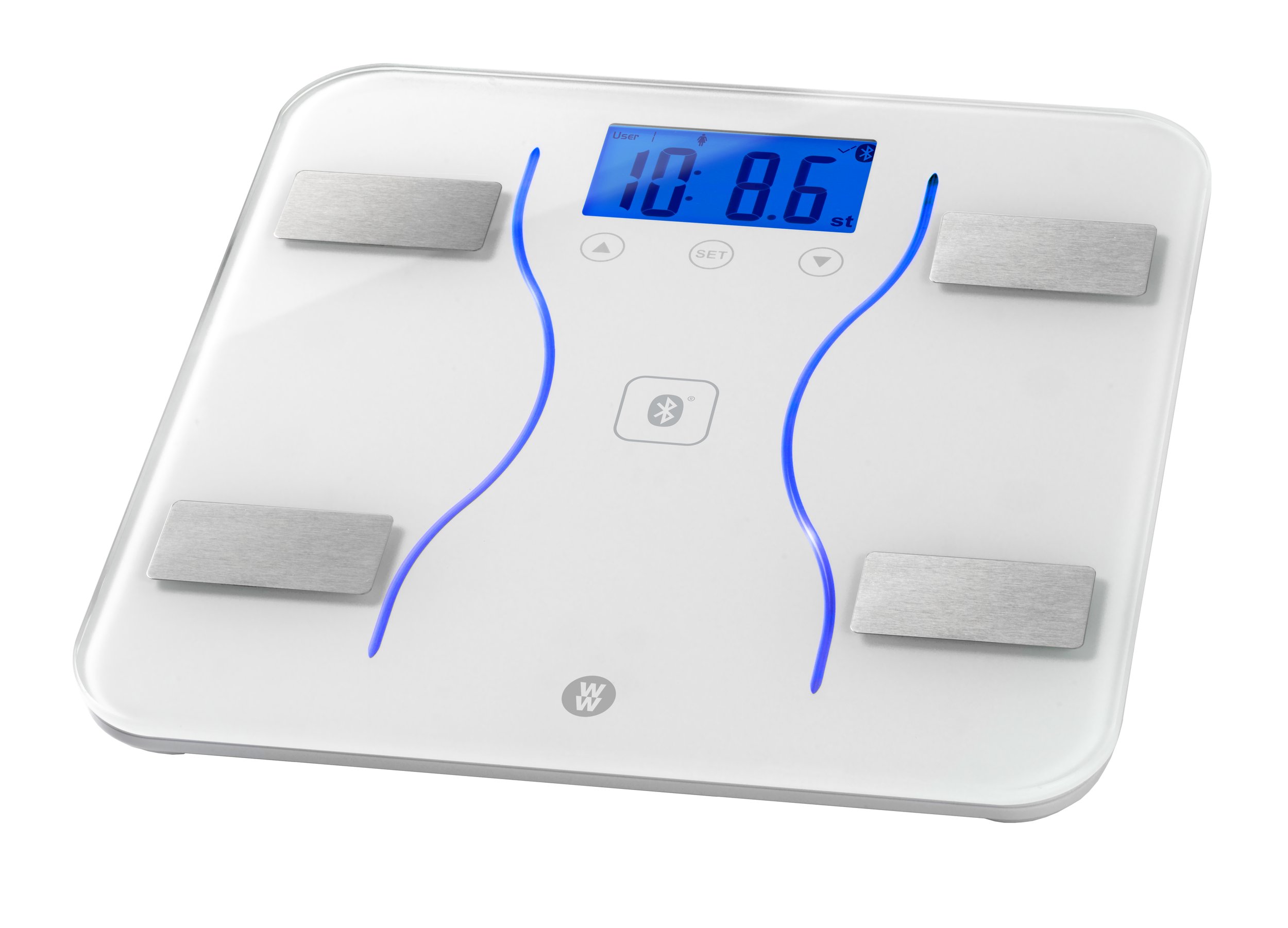
While most WW scales follow the same calibration logic, features vary by model. Understanding your specific scale helps you get the best results.
Digital vs. Smart Scales
Basic digital models use the tap-and-step method only. Smart scales that sync with the WW app may require app pairing, but they still need physical calibration. Open the WW app, go to Devices, and select Scale Setup for guided setup if you have a smart model.
Body Composition Models
These scales use bioelectrical impedance to measure fat, muscle, and water. For accurate data, feet must be bare and dry. Do not use body composition features if you are pregnant or have a pacemaker. Calibrate regularly because BIA sensors are sensitive to changes in hydration and body conditions. Avoid measuring right after workouts or large water intake because hydration levels significantly affect readings.
Contact WW Support if Problems Persist
If your scale still misbehaves after multiple calibration attempts, professional help may be needed. Do not continue using a scale that provides unreliable readings.
Gather Information Before Contacting Support
Have ready your model number, which is found on the bottom or battery tray. Also note the purchase date and any error codes observed. This information helps support representatives diagnose the issue quickly and accurately.
Reach Out for Help
Visit www.weightwatchers.com/help or call customer service. Ask about warranty coverage, which is typically one year. Inquire about replacement options or authorized repair centers. Some newer WW members receive free scale replacements through the program, so ask about your eligibility.
Frequently Asked Questions About Calibrating a WW Scale
How often should I calibrate my WW scale?
Calibrate your WW scale at least once every few months, or more frequently if you have moved it, replaced batteries, or notice inconsistent readings. Regular calibration ensures ongoing accuracy for reliable weight tracking.
Why does my WW scale show different weights each time I step on it?
Inconsistent readings usually indicate the scale needs calibration. Other causes include stepping on different surfaces, weighing at different times of day, or having wet feet. Calibrate the scale and ensure you weigh under consistent conditions for best results.
Can I use my WW scale on carpet?
No, never place your WW scale on carpet or soft surfaces. Carpets absorb pressure and cause inaccurate readings. Always use a hard, flat surface like tile, hardwood, or concrete for reliable measurements.
What does “Lo” mean on my WW scale?
“Lo” means low battery. Replace the batteries immediately because weak power causes false readings. Even if the scale still turns on, low batteries will compromise accuracy.
Why will my WW scale not turn on even with new batteries?
Check battery polarity to ensure the plus and minus ends are correctly aligned. Try removing the batteries for five minutes, then reinsert them and tap the platform firmly. If it still will not turn on, contact WW customer support.
Is manual calibration better than step-on calibration?
Both methods are effective. Step-on calibration is easier and works for most models. Manual calibration using a known weight provides extra precision verification but requires a calibration button, which not all models have.
Key Takeaways for Calibrating Your WW Scale
Calibrating a WW scale takes less than a minute but ensures every reading reflects real progress. The process involves placing the scale on a hard surface, tapping to activate, waiting for zero, stepping on barefoot, and waiting for auto-off. Recalibrate whenever you move the scale, replace batteries, notice inconsistent readings, or after long storage. Maintain long-term accuracy by weighing under consistent conditions, storing properly, and replacing batteries proactively. If your scale still misbehaves after following these steps, contact WW customer support for warranty coverage or replacement options. Accurate calibration is the foundation of reliable weight tracking that supports your health and wellness goals.



