
You just placed a tiny white powder on your digital scale and see “0.037” — but is that 37 milligrams or 370? If you’re working with medications, supplements, chemicals, or test kits, knowing how to read milligrams on a scale correctly is essential. A small misreading can lead to inaccurate dosing, failed tests, or unsafe results. This guide walks you through every step to ensure accurate, reliable milligram readings from setup to final measurement.
Set Up Your Scale for Milligram Accuracy
Place your scale on a flat, solid, vibration-free surface. Avoid wobbly tables, countertops near sinks, or areas with foot traffic. Even minor vibrations from HVAC systems can cause fluctuating readings. Use a dedicated desk or lab bench. If your scale has a bubble level, adjust the feet until the bubble is centered. An unlevel scale distorts the force on the load cell, leading to inaccurate results.
Keep the scale away from environmental interference. Airflow, temperature shifts, and static electricity all disrupt milligram measurements. Avoid open windows, fans, direct sunlight, steam, high humidity areas, and electromagnetic sources like phones or microwaves. Allow the scale to acclimate to room temperature before use, especially if it was stored in a cold or hot environment.
Power up the scale and allow it to warm up properly. Insert fresh batteries or connect to a stable power source. Most scales need at least 30 to 60 seconds to warm up. High-precision lab models may require 1 to 2 hours for optimal accuracy. Never skip this step. If the display shows “CAL” or “wait,” let the process complete before proceeding.
Calibrate Your Scale for Reliable Readings

Calibration ensures your scale reads accurately by comparing it to a known weight. Calibrate before first use, after moving the scale, monthly with regular use, when readings seem off, and after exposure to extreme temperatures. A miscalibrated scale might show 45 mg when the true weight is 50 mg, which is a dangerous margin in sensitive applications.
To perform calibration, turn on the scale and wait for warm-up. Ensure the pan is empty and clean. Press the CAL button. The display will prompt for calibration with a specific weight. Place the correct calibration weight on the pan. Wait for the scale to accept it. Remove the weight when complete. Never use coins, keys, or household items. Only use certified calibration weights.
Tare the Container Correctly
Zero out the container weight to measure only your sample. Place the container gently on the pan. Wait 2 to 3 seconds for the reading to stabilize. Press TARE or ZERO. The display should read 0.000 g. Add your sample. Now the reading shows only its weight. For example, after taring a dish, adding a powder that reads 0.068 g means you have 68 mg of material.
Follow best practices for taring. Always tare after placing the container but before adding the sample. Re-tare between samples if reusing the same container. Use non-static materials, as static attracts powders and causes inaccurate readings. For capsules, either empty contents into a tared container or weigh the full capsule, add your dose, then subtract the original weight manually. Avoid touching the pan with fingers, as skin oils can add 1 to 5 mg of residue.
Read the Display Accurately
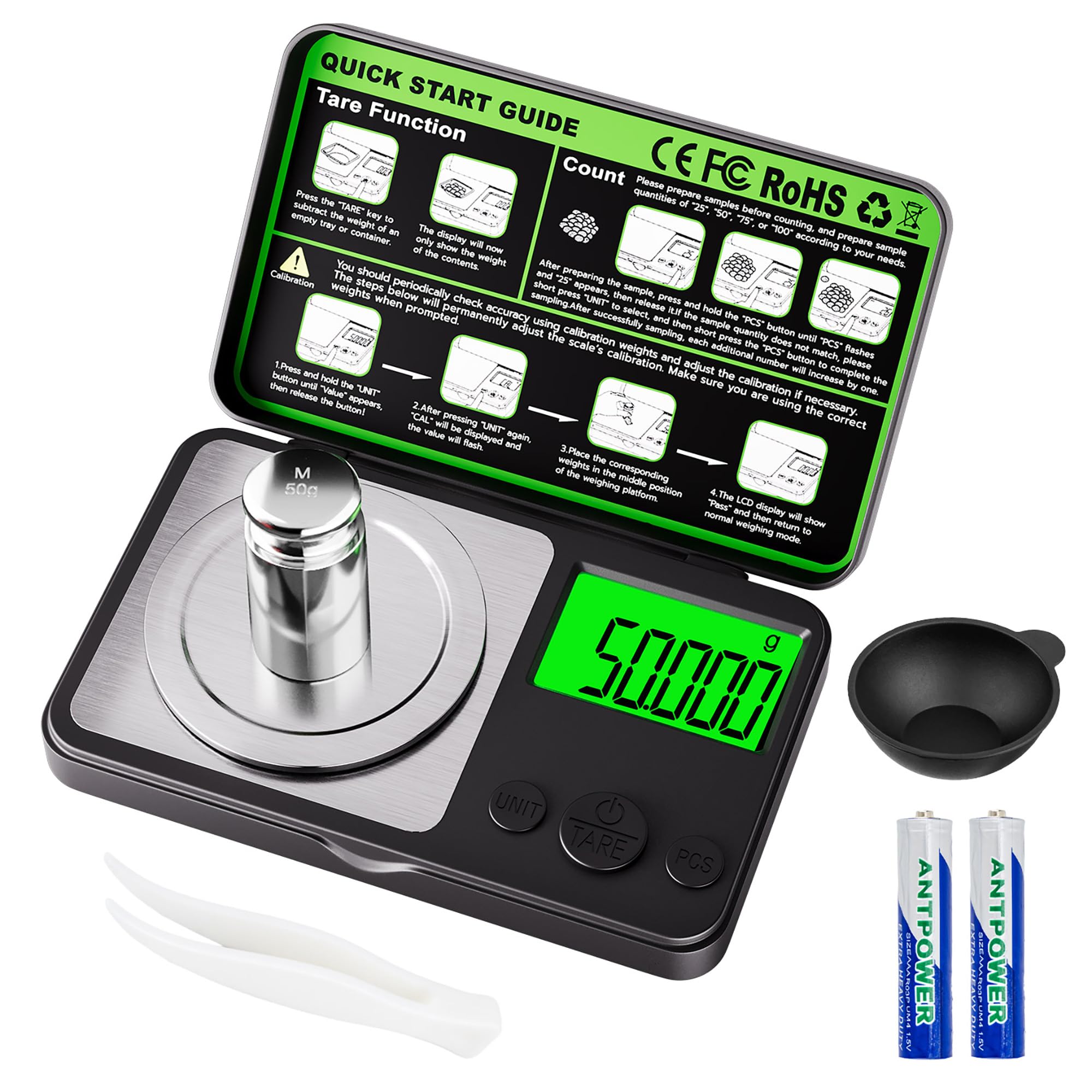
Interpret grams as milligrams correctly. Most milligram scales display weight in grams with three decimal places. Each digit after the decimal represents a specific increment. The first digit represents tenths of a gram (100 mg), the second represents hundredths (10 mg), and the third represents thousandths (1 mg). So 0.001 g equals 1 mg, 0.025 g equals 25 mg, 0.100 g equals 100 mg, and 1.000 g equals 1,000 mg. Multiply grams by 1,000 to get milligrams.
Wait for the stability indicator before recording. This is often a checkmark, “o,” or “g” icon. A drifting number means the scale is still adjusting. Recognize common display messages. “0.000” means ready to use or tared. “0.045” means 45 mg sample. “OVER” or “88888” means the weight exceeds maximum capacity. “L” or “LO” means low battery. “CAL” means entering calibration mode. “-0.001” indicates static or tare error. “PASS” means calibration successful. “FAIL” means calibration failed.
Weigh Samples with Precision
Add material gradually using tweezers or a micro-spatula. Never use fingers, as skin contact introduces oils and moisture. Sprinkle small amounts at a time, watching the display. For doses under 20 mg, add one particle at a time. Most consumer-grade milligram scales are reliable down to 20 mg. Below that, static and airflow increase error risk.
Use a draft shield whenever possible. If your scale has a draft shield, always close it during measurement. This blocks air currents that can lift powders or cause fluctuating readings. Larger external shields improve accuracy for ultra-low masses. Keep protective covers closed while weighing.
Record the result immediately after stabilization. Once the number stops changing and the stability icon appears, write down the result. Do not rely on memory. A delay of seconds can mean missing a drift caused by environmental shifts.
Select the Right Unit for Milligram Work
Always use grams for maximum precision. While some scales offer ounces, carats, or grains, grams provide 0.001 g resolution, which equals 1 mg. Other units round values and lose precision. Conversions also introduce errors. Switching to ounces might show “0.001 oz” equals approximately 28 mg, but you lose the ability to see 1 mg increments. Stick to grams.
Avoid Common Interference Issues
Stop drafts and vibrations from affecting your readings. Even a light breeze from breathing too closely can move a 10 mg sample. Always close doors and windows, turn off fans, use a draft shield, and avoid talking directly over the scale. Place the scale on a solid surface like granite, marble, or a lab bench. Avoid wooden tables that flex under pressure.
Eliminate static electricity. Static causes powders to cling to containers or jump off the pan. Use anti-static brushes or containers. Ground yourself by touching metal before handling. Wipe containers with a dry anti-static cloth. Work in low-humidity environments, but not too dry.
Maintain cleanliness and battery health. A dirty pan adds mass. After each use, remove residue with a dry lint-free cloth. Use a soft paintbrush for powders. Never use water, alcohol, or solvents, as they can damage sensors. Replace all batteries at once when “L” appears. Low power causes drift and instability.
Troubleshoot Display Problems
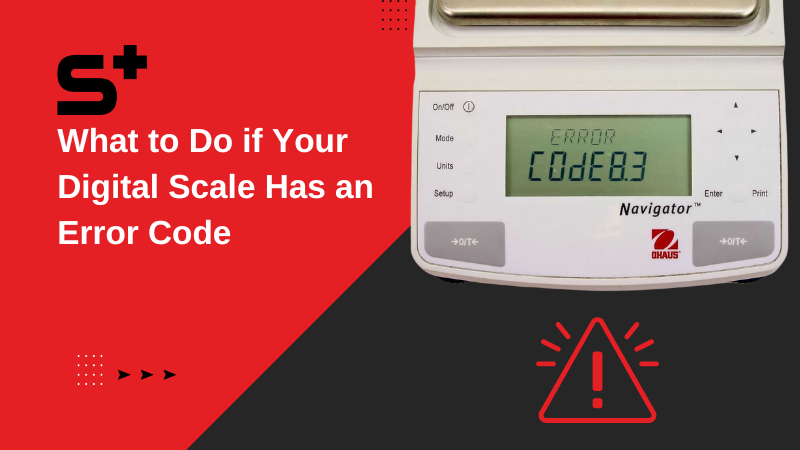
Fix drifting or unstable readings by closing the draft shield, checking for air currents, re-leveling the scale, cleaning the pan, ensuring no static buildup, and replacing batteries. Drift is often environmental and not a broken scale.
Handle overload errors immediately. If the display shows “OVER” or “88888,” the item exceeds the scale’s capacity, often 50 g. Remove it right away. Overloading can damage the load cell permanently. Never place heavy objects on a milligram scale.
Resolve calibration failures by ensuring the correct weight is used, the scale is on a stable level surface, and there are no drafts or vibrations during the process. Retry calibration if “FAIL” appears.
Ensure Long-Term Accuracy
Follow a pre-use checklist before every weighing session. Check that you have a flat, level surface with no drafts or vibrations. Ensure the scale has warmed up for 30 seconds or more. Verify the bubble level is centered. Confirm fresh batteries or stable power. Make sure the pan is clean and dry. Close the draft shield. Verify calibration is up to date.
Adopt good post-use habits. After weighing, remove all material, clean the pan with a dry cloth, turn off the scale, and store it in a case. Log the calibration date if tracking. Store in a dry, room-temperature place. Remove batteries for long-term storage.
Frequently Asked Questions About Reading Milligrams on a Scale
How do I convert grams to milligrams?
Multiply the gram reading by 1,000 to get milligrams. For example, 0.042 g equals 42 mg. This simple formula is the key to reading milligrams on any digital precision scale.
Why does my scale show “0.000” instead of my sample weight?
You likely pressed the TARE or ZERO button, which zeroed out the container weight. The scale is now ready to weigh only the sample you add. Press TARE again with an empty pan to reset.
What does “OVER” mean on my milligram scale?
The weight exceeds the scale’s maximum capacity, typically 50 g. Remove the item immediately to prevent damage to the load cell. Never place heavy objects on a precision milligram scale.
Can I use household items like coins for calibration?
No. Never use coins, keys, or household objects for calibration. These items lack precise weight certification. Only use certified calibration weights designed for your scale model.
Why do my readings keep drifting or fluctuating?
Drifting is usually caused by air currents, static electricity, vibrations, or low batteries. Close the draft shield, eliminate nearby drafts, ensure the scale is on a solid surface, and replace batteries if needed.
What is the smallest weight a milligram scale can measure reliably?
Most consumer-grade milligram scales reliably measure down to 20 mg. Below this threshold, environmental factors like static and airflow increase error risk significantly.
Key Takeaways for Reading Milligrams on a Scale
Reading milligrams on a scale requires attention to detail at every step. Always set up on a stable, level, draft-free surface and allow proper warm-up time. Calibrate regularly using certified weights. Tare containers correctly and use grams as your unit for maximum precision. Wait for the stability indicator before recording any measurement. Protect the scale from environmental interference like air currents and static electricity. By following these steps, you ensure accurate, repeatable, and safe measurements every time you need to know how to read milligrams on a scale.



