
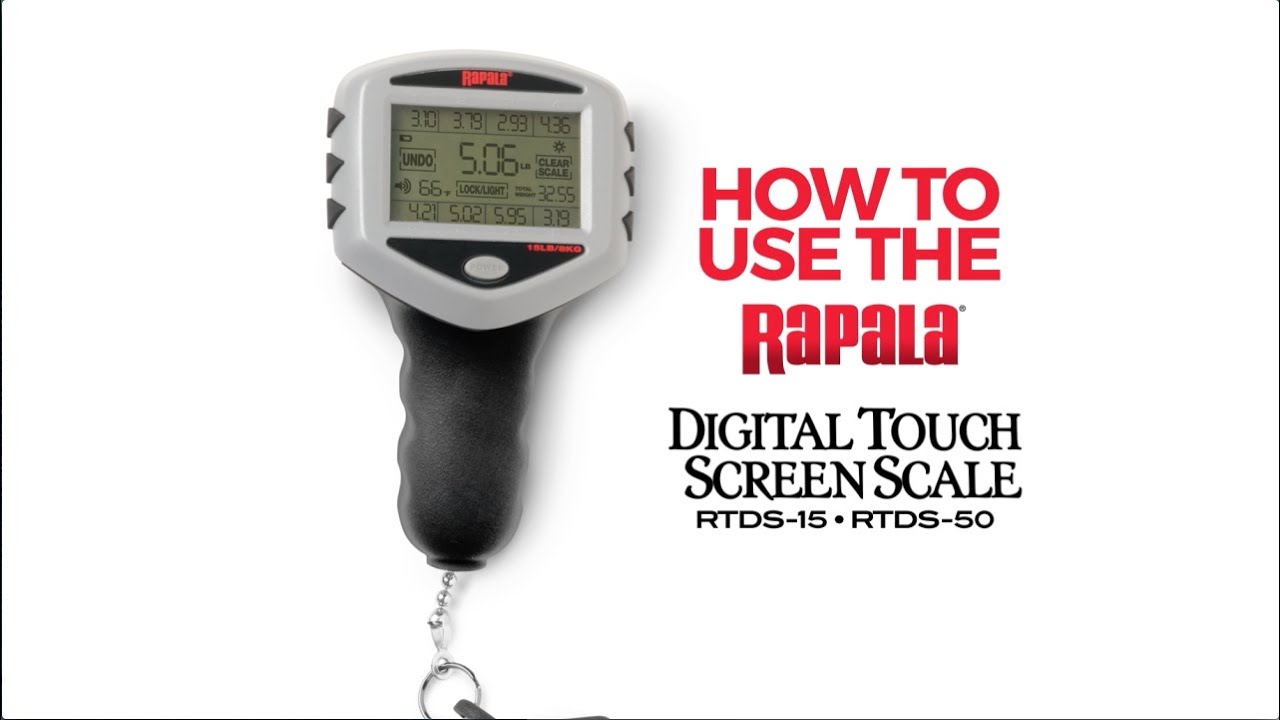
If you have recently purchased a Rapala digital scale, whether the RTDS-15, RTDS-50, or RGSDS model, you now own one of the most trusted tools for anglers who need fast, accurate fish weighing. This scale does far more than display a simple number. It stores up to eight individual fish weights in memory bins, automatically calculates your total catch weight, and lets you replace lighter fish with heavier ones in seconds. Whether you are preparing for a bass tournament or keeping records of your weekend catches, knowing how to use Rapala scale features properly gives you a real advantage.
This guide walks you through every essential function, from powering on and selecting your preferred unit to saving, replacing, and clearing fish entries. Each section covers the specific steps for both RTDS and RGSDS models so you can follow along regardless of which scale you own.
Power On and Select Units
Activate Your Scale
Getting started with your Rapala scale requires proper power-on procedures that differ slightly between models. For RTDS models, press and hold the POWER button for approximately three seconds until the display flashes. For RGSDS models, press and hold the ON/OFF/TARE button until you see 8888 appear and the numbers start blinking. Once powered, the scale loads your last-used unit setting automatically.
Choose Your Weight Unit
You can select between lbs/oz, decimal pounds, and kilograms at startup. On RTDS models, while the display is flashing after turning on, press the POWER button repeatedly to cycle through available units. Release when your preferred unit appears. On RGSDS models, enter memory mode first, then press and hold the MEMORY button until LB OZ, LB, or KG appears on the right side of the screen. Your selection becomes the default for all future uses. Tournament anglers typically choose lbs/oz for official compliance, while recreational users often prefer kg for simplicity.
Zero the Scale Before Weighing
Reset for Accurate Readings
Before weighing any fish, you must zero the scale to ensure precision, especially when using the hook or clamp attachments. On RTDS models, tap the CLEAR SCALE button on the touch screen. On RGSDS models, press and hold the ON/OFF/TARE button until the numbers flash 8888. The display should read 0.00 or the equivalent in your selected unit. If it does not, repeat the process. Skipping this step leads to inaccurate readings that can ruin your catch records or affect tournament results.
Weigh Fish Correctly
Attach to Fish Safely
Proper attachment protects the fish and ensures a stable reading. Clip the scale built-in clamp onto the soft tissue of the fish upper jaw or tongue. Alternatively, use the included stainless steel hook through the mouth or gills, which works better for larger or aggressive species like pike or muskie. Hold the fish steady and allow three to five seconds for the weight to stabilize. Never lift a heavy fish by the gills alone, as this can damage internal organs. Use both hands to support large catches.
Read the Stable Weight
When the weight locks in, you will hear a beep on RTDS models and see a flashing check mark appear on screen. The number stops fluctuating, indicating an accurate reading. The display shows weight in your selected format, such as 2 lb 3 oz in pounds and ounces, 2.18 lb in decimal mode, or 1.02 kg in kilograms. Write down or save the weight immediately to avoid losing the reading.
Save Fish to Memory Bins
Store Individual Weights
The Rapala scale features eight digital bins numbered one through eight, allowing you to log individual fish weights and track your total catch. This system is essential for tournaments where only your top five fish count toward the final score. On RTDS models, after achieving a stable reading, press the LOCK/LIGHT button once to activate the check mark, then tap any bin number one through eight on the touch screen. On RGSDS models, press the MEMORY button to enter memory mode, then press the desired bin number to store the current weight. The screen updates instantly to show the saved weight and the new total accumulated catch.
Replace a Fish Entry
Swap in a Heavier Catch
One of the most valuable features for tournament anglers is the ability to replace a lighter fish with a heavier one in the same memory bin. Weigh the new fish and wait for the stable reading with beep and check mark. Press LOCK/LIGHT on RTDS models or MEMORY on RGSDS models, then tap the same bin number where the old fish was stored. The scale replaces the previous weight and automatically recalculates your total catch weight. This function lets you upgrade your catch without exceeding fish limits, and it happens in seconds. Release the smaller fish quickly after replacement to improve its survival rate.
View Stored Weights and Total
Check Individual Fish Weights
To review your saved catches, access the memory bins on your model. On RTDS models, manually tap each bin number one through eight on the touch screen to view individual weights. On RGSDS models, press the MEMORY button repeatedly to cycle through all bins until you find the one you want to review.
See Your Total Catch Weight
The automatic total function eliminates mental math and reduces errors significantly. On RGSDS models, press the MEMORY button until TOTAL appears on the screen. On RTDS models, the total displays automatically once weights are stored. This total updates in real time whenever you add or replace a fish. Check your total before heading to official weigh-in to avoid last-minute surprises.
Delete Saved Entries
Remove a Single Fish
To erase one bin and start fresh with that slot, RTDS users should press and hold the UNDO button plus the desired bin number simultaneously. The CLEAR SCALE button flashes to confirm deletion. On RGSDS models, enter memory mode, select the bin, and follow the manufacturer reset steps typically involving holding MEMORY plus ON/OFF together.
Clear All Memory
Before starting a new tournament day or when sharing the scale with another angler, clear all stored data. On RTDS models, press and hold POWER and CLEAR SCALE simultaneously. All bins flash, then press CLEAR SCALE again to confirm. On RGSDS models, hold ON/OFF and MEMORY until 0000 blinks, then press MEMORY within two seconds to reset all bins. This action cannot be undone, so record weights elsewhere if needed before clearing.
Use Backlight and Sound Features
Enable Screen Light
For early morning or dusk fishing, the backlight improves visibility significantly. On RTDS models, press the LOCK/LIGHT button to turn it on and press again to turn off. On RGSDS models, hold the ON/OFF/LIGHT/TARE button for about two seconds until the backlight activates. Hold the same button again to deactivate.
Toggle Audio Feedback
Sound confirms when weight stabilizes and when memory saves complete successfully. On RTDS models, tap the SOUND icon on the touch screen. A beep confirms activation, and tap again to mute. On RGSDS models, sound is fixed and activates automatically on stable readings. Audio feedback proves especially useful when wearing gloves or fishing in windy conditions where visual confirmation is difficult.
Optimize for Tournament Fishing
Follow the Pro Workflow
Experienced tournament anglers follow a consistent workflow to maximize speed and accuracy. First, catch your fish and securely clip to the mouth or tongue. Second, wait for the stable reading with beep and check mark. Third, tap a bin number to save the weight, typically using sequential bins for each fish. Fourth, if you catch a bigger fish, re-weigh and tap the same bin to replace the entry. Fifth, check your total by pressing MEMORY until TOTAL appears. Sixth, release the smaller fish immediately after recording the new weight. This workflow reduces fish handling time, improves survival rates, and ensures your recorded weights are accurate for official weigh-in.
Handle Physical Components Properly
Know Your Scale Parts
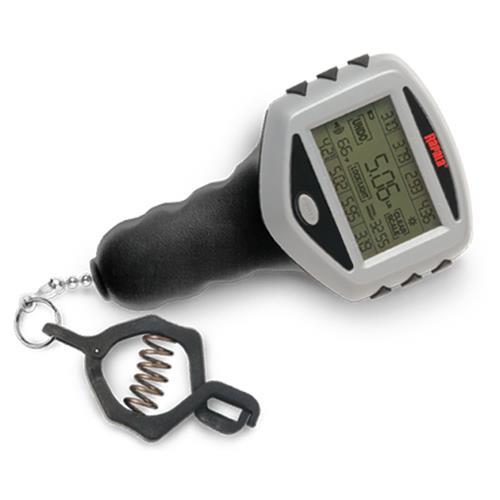
Understanding each component helps you use the scale correctly and maintain it properly. The large digital touch screen provides clear readouts but works best with dry fingers. The heavy-duty composite clamp grips securely on fish jaws but should be rinsed after saltwater use to prevent salt buildup. The stainless steel hook is included for alternate hang methods, especially with larger species. The battery compartment uses two AA batteries providing up to 400 hours of operation. Handle the scale carefully, as dropping it can misalign internal sensors. After any impact, test the zero function to verify accuracy.
Maintain Your Rapala Scale
Rinse and Dry After Use
Saltwater exposure requires proper cleaning to extend the scale lifespan. Rinse the entire scale with fresh water after each saltwater trip. Shake off excess moisture and wipe the screen and buttons with a soft cloth. Allow the scale to air dry completely before storing. Do not submerge the scale, as despite being water-resistant, it is not fully waterproof.
Battery Management
Replace batteries when the display dims or readings fail to stabilize. Remove batteries if storing the scale long-term to prevent corrosion damage. Keep spare batteries in your tackle box for quick replacement. Even if power dies completely, the internal backup memory preserves your stored fish weights.
Storage Best Practices
Store your Rapala scale in a cool, dry place away from direct sunlight, which can fade the screen over time. A padded case provides additional protection during transport. No user calibration is required under normal use, but if readings seem consistently off, contact Rapala support for assistance.
Compare Model Functions
| Function | RTDS Models | RGSDS Models |
|---|---|---|
| Power On | Hold POWER 3 sec | Hold ON/OFF/TARE until 8888 |
| Zero Scale | CLEAR SCALE button | Hold ON/OFF/TARE until flash |
| Save Weight | LOCK/LIGHT + tap bin | MEMORY + bin press |
| Replace Fish | Tap same bin | Select same bin |
| View Total | Automatic display | Press MEMORY until TOTAL |
| Delete All | POWER + CLEAR SCALE | ON/OFF + MEMORY, then MEMORY |
| Backlight | LOCK/LIGHT button | Hold ON/OFF/LIGHT/TARE 2 sec |
The core functionality remains consistent across models, though button layouts differ slightly. Learning your specific model layout once prevents confusion during crucial tournament moments.
Maximize Accuracy and Efficiency
Avoid Common Mistakes
Even experienced anglers make errors that compromise their results. Do not skip zeroing the scale before weighing. Do not lift fish too quickly without waiting for stable readings. Do not use wet fingers on the RTDS touch screen, as responsiveness decreases. Do not forget to delete old data before starting a new tournament. Do not store the scale with dead batteries, which can cause memory loss over time despite the backup feature.
Pro Tips for Better Results
Use the stainless steel hook for pike, muskie, and catfish to avoid jaw damage from the clamp. Practice the fish replacement workflow at home so it becomes automatic. Keep the screen clean, as dirt and residue reduce touch sensitivity. Use pounds and ounces in tournaments to ensure compliance with official rules. The automatic total function reduces calculation errors by up to 70 percent compared to manual logging.
Key Takeaways for Using Your Rapala Scale
The Rapala digital scale is a powerful tool that transforms how you track and manage your catch. By mastering the essential functions including powering on, selecting units, zeroing for accuracy, weighing properly, saving to memory bins, replacing entries, and clearing data, you gain complete control over your catch records. The eight memory bins and automatic total calculation save valuable time during tournaments while reducing mental fatigue and calculation errors. Whether you use the RTDS-50 for its 50-pound capacity or the compact RTDS-15 for day trips, the process remains straightforward: weigh, save, replace, and repeat. Proper maintenance including rinsing after saltwater use, battery management, and careful storage ensures your scale remains reliable for seasons to come. Now that you understand how to use Rapala scale features effectively, head to the water with confidence knowing your catch weights are accurate and ready for any weigh-in.
Frequently Asked Questions About Rapala Scales
How do I change the weight unit on my Rapala scale?
On RTDS models, turn on the scale and while the display is flashing, press the POWER button repeatedly to cycle through lbs/oz, decimal lbs, and kg. On RGSDS models, enter memory mode, then press and hold the MEMORY button until the unit options appear on the display.
Can I replace a fish weight in memory with a heavier one?
Yes, simply weigh the new fish, press LOCK/LIGHT or MEMORY, and tap the same bin number where the previous fish was stored. The new weight replaces the old one, and the total updates automatically.
How do I view the total weight of all saved fish?
On RGSDS models, press MEMORY until TOTAL appears on screen. On RTDS models, the total displays automatically once weights are saved, or check the summary screen.
What should I do if my Rapala scale won’t turn on?
Check that the batteries are properly installed and have sufficient charge. Replace with fresh AA batteries if needed. Ensure you are pressing and holding the correct button for your model.
How do I clear all saved fish from memory?
On RTDS models, press and hold POWER and CLEAR SCALE simultaneously, then press CLEAR SCALE again to confirm. On RGSDS models, hold ON/OFF and MEMORY until 0000 blinks, then press MEMORY within two seconds.
Is the Rapala scale waterproof?
The scale is water-resistant but not fully waterproof. Do not submerge it in water. Rinse with fresh water after saltwater use and allow it to dry completely before storage.



