
You step on your Eufy scale expecting a quick, accurate reading, only to see an error, inconsistent results, or no response at all. Frustrating, right? A simple reset can often fix glitches, sync issues, or calibration errors. Whether your Eufy smart scale is not connecting to the app, showing incorrect weight, or refusing to turn on, this guide walks you through how to reset Eufy scale the right way.
You will learn step-by-step methods for battery resets, app re-pairing, and calibration. Each section covers when to use each approach, what to expect, and how to avoid common mistakes that waste time.
Quick Battery Reset for Eufy Scales
Eufy scales do not have a traditional reset button, but removing and reinserting the batteries works as a hard reset. This method clears residual power and resets internal memory, fixing most common issues.
How to Perform the Battery Reset
- Flip the scale over carefully.
- Use a coin or small tool to open the battery compartment.
- Take out all batteries.
- Wait at least 5 minutes.
- Wipe battery contacts with a dry cloth if you see corrosion.
- Reinsert fresh batteries, ensuring correct polarity.
- Step on the scale barefoot to power it on.
This method resolves scale not turning on, frozen or blank display, and sync failures with the eufyLife app. Always use high-quality alkaline batteries because weak or old batteries cause erratic behavior that mimics software issues.
Re-Pairing Your Scale with the eufyLife App
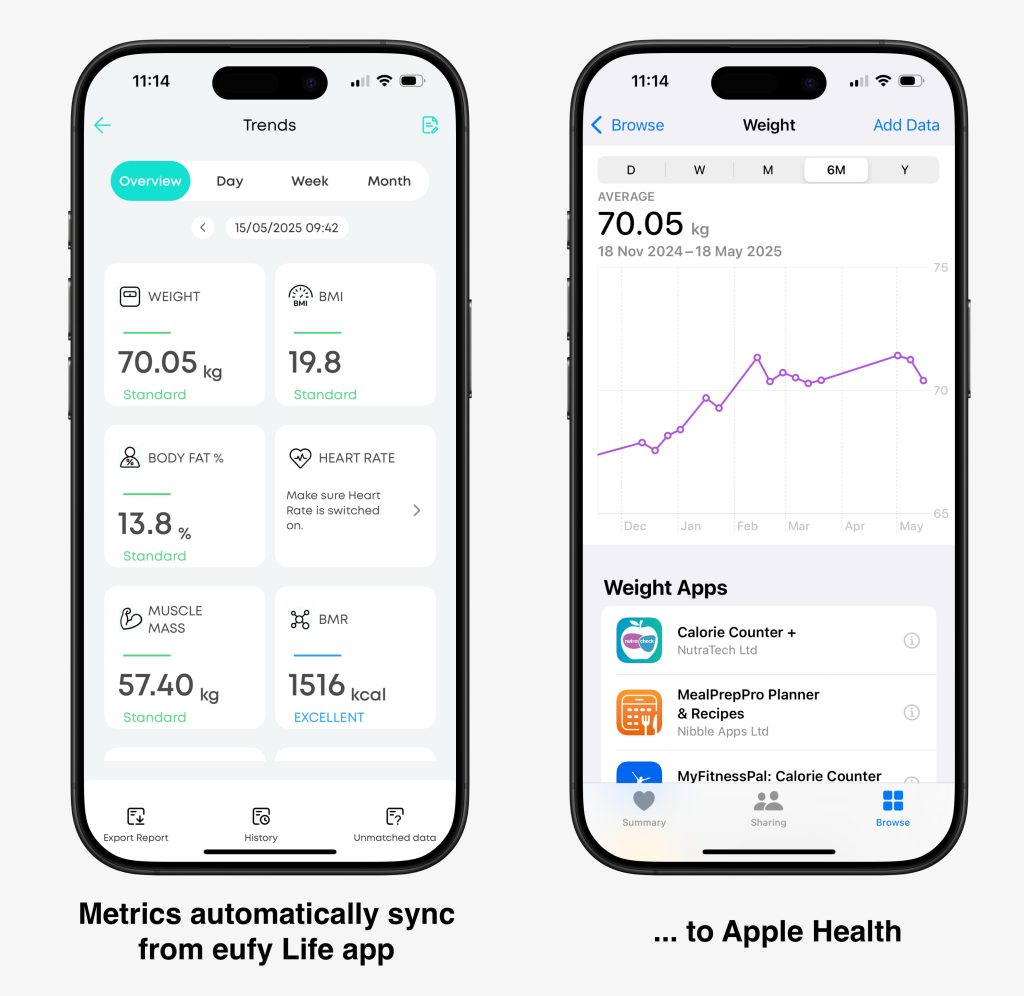
If your scale connects inconsistently or shows wrong data in the app, resetting the Bluetooth pairing helps. Bluetooth caches can corrupt over time, so removing and re-pairing clears the connection history.
Unpairing the Scale
- Open the eufyLife app.
- Tap your profile icon in the top left corner.
- Go to the Devices section.
- Find your scale and tap the gear icon.
- Select Remove Device or Unbind.
- Confirm the deletion.
Reconnecting the Scale
- Step on the scale barefoot to activate it.
- In the eufyLife app, tap Add Device.
- Select Body Composition Scale or your specific model.
- Follow the on-screen prompts.
- Enter your user profile including height, age, and gender if prompted.
- Wait for calibration to complete.
The app displays a green check or Connected status when the process succeeds.
Calibrating Your Eufy Scale for Accurate Readings
Even after resetting, your Eufy scale might give inaccurate readings if not calibrated properly. Eufy scales auto-calibrate when you step on them, but only on a hard, flat surface.
Auto-Calibration Steps
- Place the scale on tile, wood, or concrete. Never place it on carpet or rugs.
- Wait for the display to show 0.0 or a dash.
- Step on with bare feet, keeping your weight centered.
- Stand still until the reading completes, which takes 2 to 5 seconds.
- Weight and body metrics appear on screen and sync to the app.
Moving the scale between surfaces requires re-calibration. Always let the scale sit for 1 to 2 hours after moving before using it.
Manual Zeroing for Compatible Models
Some Eufy models support manual zeroing to reset the baseline weight.
- Place the scale on a flat surface.
- Wait for it to turn off.
- Press and hold the unit button for 3 to 5 seconds.
- Watch for 0.0 to flash or appear.
- Release the button.
Not all Eufy scales have a unit button. Check your model is manual for confirmation.
Troubleshooting Reset Issues

Sometimes the reset does not work. Here is how to diagnose why.
Scale Shows No Response After Battery Reset
Check battery orientation to ensure all batteries are inserted correctly. Test with new batteries because old or low-power batteries will not activate the scale. Clean contacts using a cotton swab and rubbing alcohol because dust or corrosion blocks power. Verify the scale is not resting on a soft surface, which can prevent it from powering on.
If the scale remains unresponsive, it may need servicing.
App Will Not Detect Scale After Reset
Enable Bluetooth and location services because the eufyLife app requires both to detect devices. Restart your phone to clear temporary Bluetooth glitches. Update the app through your app store to ensure you have the latest version. Check model compatibility because older phones or operating system versions may not support newer scales.
Keeping Your Eufy Scale Working Properly
A reset fixes current problems, but prevention keeps your Eufy scale reliable long-term.
Maintaining Proper Usage
Use bare feet for accurate body composition readings. Avoid moisture by not using the scale in wet bathrooms right after showering. Store the scale in a dry, room-temperature area. Wipe the glass surface weekly with a soft, dry cloth.
Keeping Firmware Updated
Eufy scales receive silent firmware updates during sync. Open the eufyLife app regularly and ensure the scale syncs at least once a week. Enable app notifications for update alerts.
Assigning Users Correctly
Multiple users should each use their designated profile. The app identifies users by weight pattern. Stepping on with wrong foot placement can assign data incorrectly. Use the same foot position each time for consistent results.
When to Contact Eufy Support
If you have tried all reset methods and the scale still shows error codes like Lo, Err, or OL, will not power on with fresh batteries, gives wildly inaccurate readings, or fails to sync despite correct setup, then it may be defective.
Eufy offers a hassle-free warranty and a 30-day money-back guarantee. If your scale is under warranty, contact support for a replacement. Visit the eufy Support Center or use the app by going to Profile, then Help and Feedback.
Frequently Asked Questions About Resetting Eufy Scales
How do I reset my Eufy scale to factory settings?
Remove the batteries, wait 5 minutes, then reinsert fresh batteries. This acts as a hard reset. For app-related issues, unpair and re-pair the scale in the eufyLife app.
Why is my Eufy scale not turning on?
Replace the batteries with fresh ones and check the battery orientation. Clean the contacts if you see corrosion. Ensure the scale is on a hard, flat surface.
Will resetting the scale delete my data?
Resetting the scale itself does not delete data stored in the eufyLife app. However, removing the device from the app will erase sync history. Your measurement history remains in the app unless you manually delete it.
How often should I recalibrate my Eufy scale?
Recalibrate whenever you move the scale to a different surface or notice inaccurate readings. Let the scale sit for 1 to 2 hours after moving before using it.
Why does my Eufy scale show different weights each time?
Inconsistent readings usually stem from placing the scale on uneven surfaces, not using bare feet, or not allowing proper auto-calibration. Always use the scale on a hard, flat surface and wait for 0.0 to appear before stepping on.
Key Takeaways for Resetting Your Eufy Scale
Knowing how to reset Eufy scale saves time and restores confidence in your health tracking. The battery removal method fixes most hardware-related issues, while re-pairing in the app resolves sync and connectivity problems. Calibration ensures accuracy after any reset.
Keep your scale on a hard, flat surface, use fresh batteries, and update the eufyLife app regularly. These simple habits prevent most issues before they require troubleshooting. If problems persist after trying all methods, the scale may be defective and warranty support is available.



