
You just placed your coffee beans on the OXO scale, but the weight seems off. Or maybe your sourdough recipe failed again and you are wondering if your measurements are accurate. If your OXO digital scale is not giving consistent readings, it might need calibration. While most OXO scales are factory-calibrated and do not require frequent adjustments, drops, battery changes, or environmental shifts can throw off their precision over time.
The good news? Many OXO models support user-initiated recalibration or a factory reset to restore accuracy. This guide walks you through the exact process for models like the OXO Good Grips Stainless Steel Food Scale, OXO Brew Scale, and OXO Smart Scale, including model-specific tips, troubleshooting fixes, and how to verify accuracy even without a calibration weight.
Enter Calibration Mode Correctly
Before applying any weight, you must first access the hidden calibration function. Most OXO scales do not display this option in the manual, but it is accessible via button combinations.
Press and Hold the Unit Button
On many OXO models, including the popular Model 1138700, calibration starts with the Unit button:
• Turn the scale on
• Wait for “0.0” to appear
• Press and hold the Unit button for 5 to 10 seconds
• Watch for “CAL” or “CC” to flash on screen
This signals the scale is ready for calibration. Do not skip the stabilization step. Placing the scale on a wobbly counter will prevent entry into calibration mode.
Try Unit Plus Tare Combo on Stubborn Models
If holding Unit alone does nothing, your model may require a dual-button press:
• With the scale on and reading zero, press and hold both Unit and Tare at the same time
• Hold for 8 to 10 seconds until “CAL” appears
This method works on older or unresponsive units. If neither combination works, your model may not support user calibration and could require a reset instead.
Use the Correct Calibration Weight

Applying the right weight is critical. Too light, and the scale rejects it. Too heavy, and you risk error codes or damage.
4 kg Weight for Most Kitchen Models
OXO’s 11-pound (5 kg) capacity scales, including the Good Grips and Smart Scale, require a 4,000-gram (4 kg) calibration weight, even though they can measure up to 5 kg. Verified OXO service documentation confirms factory calibration uses 4 kg, not 5 kg. Place the weight immediately after “CAL” appears. Delaying more than 10 to 15 seconds may cancel the process.
1 kg or 2 kg for Coffee Scales
The OXO Brew Scale, designed for pour-over brewing, typically requires a 1,000g or 2,000g weight. These high-precision models measure in 0.1g increments, so use a certified weight. Never use random objects unless you are only verifying accuracy. True calibration demands precision.
Where to Get Calibration Weights
OXO does not include calibration weights. Purchase from:
• Amazon (search “5000g calibration weight”)
• Laboratory supply stores
• Jewelry or scale specialty retailers
Ensure the weight is accurate to plus or minus 1g for reliable results.
Complete the Calibration Process
Once in CAL mode and the correct weight is applied, the scale must complete the sequence without interruption.
Apply Weight to Center of Platform
• Place the calibration weight gently in the center of the scale
• Avoid sliding or dropping it. Sudden force can trigger errors
• Keep hands clear. Body heat or pressure may affect readings
The display may show the expected weight (for example, “4000”) or flash briefly.
Wait for Confirmation
After correct weight detection:
• The scale may beep or flash rapidly
• Some models display “PASS,” “END,” or return to “0.0”
• Others power off automatically
Do not remove the weight until the scale confirms completion. Premature removal leads to failed calibration.
Test Accuracy Immediately
Verify success with a known mass:
• Tare a container
• Add 100 ml of water (equals approximately 100g at room temperature)
• Check if the scale reads 100.0g
Repeat with a 500g or 1kg weight if available. Consistent results mean calibration succeeded.
Perform a Factory Reset If Needed
If your scale will not enter calibration mode or gives erratic readings, a factory reset often fixes the issue, even if it does not fully recalibrate the sensor.
Reset With Tare Plus Unit Plus Power
This hard reset clears memory glitches and restores default behavior:
- Turn the scale off
- Press and hold Tare and Unit together
- While holding, press Power to turn it on
- Keep holding for 5 to 10 seconds until the display flashes or resets
- Release all buttons
The scale should restart and zero itself. This fix resolves issues like failure to turn on, stuck “Err” or “OL” messages, and inability to zero properly. Note that this is not true calibration but often restores functionality enough for normal use.
Troubleshoot Common Calibration Failures
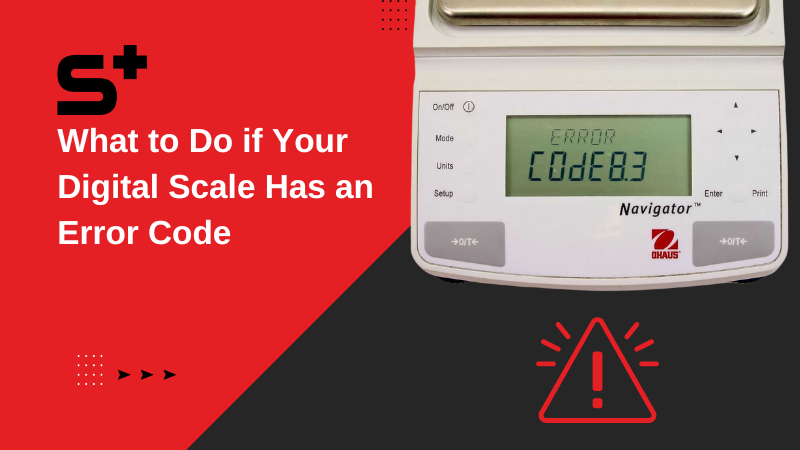
Even with the right steps, problems happen. Here is how to fix them fast.
CAL Appears But Fails After Weight Is Added
Possible causes include:
• Wrong weight used. Use exactly 4,000g for kitchen models
• Unstable surface. Move to a granite countertop or table
• Low batteries. Replace with fresh alkaline batteries
Try again after fixing the root cause.
Scale Shows EE, Err, or OL
“OL” means Overload. Remove weight immediately. “EE” or “Err” means internal error, likely due to failed calibration or memory fault. Fix by removing all items, replacing batteries, performing a factory reset, and retrying calibration. If errors persist, contact OXO support.
Inconsistent Readings After Calibration
Check these factors:
• Drafts or air currents. Keep away from fans, vents, or open windows
• Temperature swings. Let the scale acclimate for 1 to 2 hours if stored in cold or hot areas
• Debris under platform. Clean edges with a soft brush or compressed air
Persistent inconsistency may indicate a damaged load cell. Contact OXO for repair or replacement.
Follow Best Practices for Long-Term Accuracy
Calibration is not a one-time fix. Maintain precision with these habits.
Use Fresh Batteries
Weak power causes unstable readings and failed calibrations. Replace batteries every 6 to 12 months or when the low-battery icon appears. Pro tip: Use alkaline, not rechargeable batteries. Rechargeables often output lower voltage, affecting sensor performance.
Keep the Scale Level
Uneven surfaces distort weight distribution. Always place the scale on a hard, flat, level surface, not on rubber mats or warped counters. Use a small bubble level if unsure.
Clean After Every Use
Food crumbs or spills under the platform can tilt the sensor. Wipe with a damp cloth. Never immerse in water. For stubborn debris, slide a dry toothbrush around the edges.
Store Properly
Avoid stacking items on the scale or storing it near heat sources. Keep in a dry cabinet or drawer.
Know Your Model’s Capabilities
Not all OXO scales support user calibration. Check your model before attempting.
OXO Good Grips Stainless Steel Scale (Model 1138700)
• Supports calibration with 4 kg weight
• Enter CAL mode via long press of Unit
• Factory reset with Tare plus Unit plus Power
• Most widely used and most documented for recalibration
OXO Brew Coffee Scale
• Some versions do not allow user calibration
• High precision (0.1g) for brewing
• If inaccurate, may need return to OXO
• Reset by holding Tare until display clears
OXO Smart Scale (Bluetooth)
• Can be recalibrated with 4 kg weight
• Unit button hold enters CAL mode
• App does not guide calibration. Must be manual
• Syncs with OXO Plus app post-calibration for nutrition tracking
Verify Accuracy Without a Calibration Weight
No 4 kg weight? You can still check if your scale is close.
Use the Water Test (Best for Precision Scales)
• Place a container on the scale
• Press Tare to zero it
• Add 100 ml of water using a graduated cylinder
• Should read 100.0g (since 1 ml water equals 1g at 4°C)
For larger checks, use 500 ml for 500g or 1 liter for 1,000g. Works best on scales with 1g or 0.1g precision.
Use U.S. Nickels (Approximate Check)
• One new U.S. nickel weighs 5.000g
• Stack 20 for a 100g test weight
Caution: Worn coins vary in weight. Use only for rough verification.
Gym Weights (If Calibrated)
Some dumbbells or plates are labeled with exact mass. Use solid metal weights, not rubber-coated ones, which may absorb moisture.
Contact OXO Support When All Else Fails
If calibration fails repeatedly, your scale may have a hardware issue. OXO offers a limited lifetime warranty covering defects in materials and workmanship.
When to Reach Out
• Calibration fails with correct weight and procedure
• Display shows persistent errors (“Err,” “EE”)
• Scale will not turn on after reset
• Physical damage or sensor wobble
How to Contact
• Website: oxo.com
• Phone: 1-800-545-4411 (USA)
• Email: consumerservice@oxo.com
Have your model number (found on the bottom) and proof of purchase ready. OXO may replace or repair your scale at no cost.
Key Takeaways for Calibrating Your OXO Scale
Most OXO scales are factory-calibrated and rarely need user recalibration. But when accuracy drifts, following the correct button sequence and using a 4,000g weight can restore performance. Always reset before recalibrating if the scale behaves oddly. Check batteries and surface stability first before attempting calibration. If in doubt, perform a factory reset or contact OXO customer support. Many issues are resolved under warranty. Keep your scale clean, level, and powered with fresh batteries to avoid problems before they start.
Frequently Asked Questions About Calibrating OXO Scales
How do I know if my OXO scale needs calibration?
If your scale shows inconsistent readings, displays error messages, or gives weights that do not match known objects, it likely needs calibration or a factory reset.
What button combination puts my OXO scale in calibration mode?
On most models, press and hold the Unit button for 5 to 10 seconds until “CAL” appears. If that does not work, try holding both Unit and Tare simultaneously.
What weight should I use to calibrate my OXO kitchen scale?
For most 5 kg capacity OXO scales, use a 4,000g (4 kg) calibration weight. The OXO Brew coffee scale typically requires 1,000g or 2,000g.
Can I calibrate my OXO scale without a calibration weight?
You can verify accuracy using known masses like 100 ml of water (100g) or new U.S. nickels (5g each), but this is verification, not true calibration.
What should I do if my OXO scale shows EE or Err after calibration?
Remove all items, replace the batteries, perform a factory reset, and try calibration again. If errors persist, contact OXO support.



