
Is your FitTrack scale not working no power, failed Bluetooth sync, or only showing weight? You are not alone. Many users of the FitTrack Dara Smart Scale face issues like unresponsive displays, connection drops, or missing body composition data. The good news: most problems are fixable with simple resets, correct settings, and proper usage. This guide gives you step by step solutions to diagnose and resolve every common failure. You will learn how to revive a dead scale, re pair Bluetooth, unlock full health metrics, and know when to contact support for a replacement.
Scale Won t Turn On
If your FitTrack scale does not light up when you step on it, the issue is likely power related or due to a system lockup. Start with the basics before assuming hardware failure.
Replace or Reset Batteries
Begin with battery inspection and reset. Remove all AAA batteries from the compartment and wait 30 seconds to fully discharge residual power and reset internal circuitry. Reinsert brand new alkaline batteries, ensuring correct polarity. Step firmly on the glass with bare feet to activate the scale.
Pro Tip: Rechargeable batteries often have lower voltage, which can prevent startup. Stick to alkaline for reliability.
Check for Physical Damage or Corrosion
Inspect the battery tray carefully. Look for rust, residue, or bent contacts. Clean gently with a dry cotton swab if corroded. Ensure the battery door is fully closed, because loose contact kills power delivery. If the scale still does not respond after a reset and fresh batteries, it may have a hardware defect. Proceed to contact FitTrack support with a video showing the issue.
Bluetooth Pairing Failure
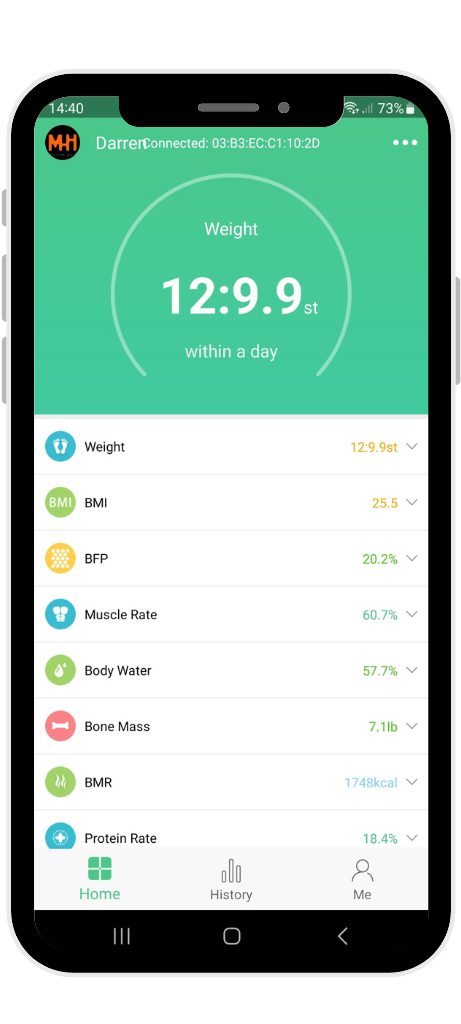
Even if the scale turns on, Bluetooth issues prevent data sync. The app will not detect your device, or measurements fail to upload. Follow this sequence to clear corrupted connections.
Forget Device and Re pair
Open the FitTrack MyHealth App and tap Profile, then Connected Devices. Select your Dara scale and tap Forget Device. Remove batteries from the scale and wait 30 seconds before reinserting. On your phone, turn Bluetooth OFF, wait 5 seconds, then turn Bluetooth ON. Open the app, go to Devices, and tap Got It when prompted. Step barefoot on the scale to initiate pairing.
Warning: Do not skip the battery and Bluetooth reset. Cached connections often block re pairing.
Ensure Phone Compatibility and Permissions
Your phone must meet specific requirements for proper connection. iOS users must enable Location Services for the app, which is required for Bluetooth LE scanning. Android users must grant permissions for Bluetooth, Location, and Background Data. The app must be updated to the latest version from your app store. Older Android devices may need manual permission grants. If the scale is not listed, check settings and retry.
Only Weight Shows No Body Fat or BMI
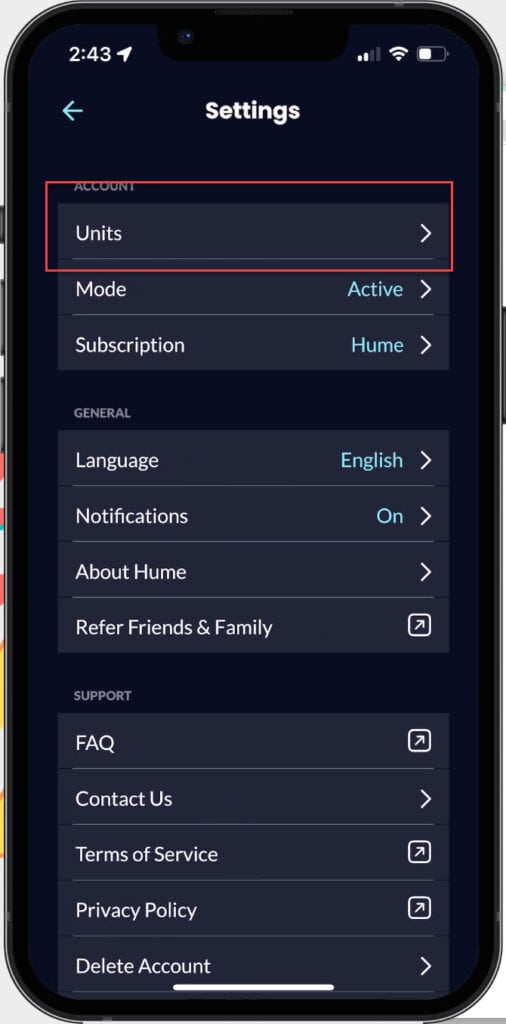
Seeing weight on the scale but no body composition data in the app is normal if conditions are not met for full analysis. Two settings commonly block advanced metrics.
Confirm User Profile Settings
Age under 18 disables body fat, muscle, and hydration tracking for minors. Pregnancy Mode ON also disables advanced metrics for safety, recording only weight during pregnancy. To fix this, open the FitTrack MyHealth App and go to Profile, then Edit User Info. Ensure age is 18 or older. Turn Pregnancy Mode OFF if active.
Fact: Body composition data never appears on the scale display. It only shows in the app after sync.
Ensure Proper Measurement Conditions
For accurate bioelectrical impedance analysis, you must stand with bare feet on the glass and make full contact with all four electrode pads. Stay still for 15 to 20 seconds during measurement. Avoid socks, calluses, or carpeted floors. Sweaty or dry feet can also disrupt conductivity, so wipe feet if needed before stepping on the scale.
Scale Not Recognized in App
Even with Bluetooth on, the app may not detect your scale. This often stems from software conflicts or environmental interference.
Reduce Wireless Interference
Bluetooth 5.0 is strong but not immune to noise. Keep your phone within 3 feet of the scale during pairing and measurement. Avoid placing the scale near microwaves, routers, or metal surfaces. Do not use the scale while on carpet, because the scale needs direct floor contact for proper function.
Restart App and Phone
Sometimes the app crashes silently. Close the FitTrack MyHealth App completely and restart your phone. Reopen the app and try pairing again. This clears memory leaks and refreshes Bluetooth services for a more stable connection.
Clean and Maintain Electrode Pads
Dirty or oxidized electrodes block the weak electrical current used to measure body composition. Proper cleaning maintains accuracy.
Safe Cleaning Steps
Power off the scale by stepping off and waiting 10 seconds. Wipe the glass with a dry or slightly damp cloth. For stubborn residue, use a cloth with water only or mild soap. Dry immediately, and never soak the scale or let moisture enter the edges.
Never use abrasive cleaners, alcohol, or bleach. These can damage the ITO sensors and void your warranty.
Prevent Future Connection Issues
Avoid recurring problems with these proactive habits that keep your scale working reliably.
Use Quality Alkaline Batteries
Rechargeable AAA batteries often operate at 1.2V, below the 1.5V needed for reliable startup. Replace batteries every 6 to 12 months, even if the scale seems functional. Remove batteries during long storage periods to prevent leakage and corrosion.
Update the FitTrack MyHealth App
New updates fix bugs and improve Bluetooth stability. Check for updates monthly and enable auto updates in your app store to ensure you always have the latest version with bug fixes and improvements.
Reset Bluetooth Weekly
Accumulated device caches cause pairing failures over time. Turn Bluetooth OFF and ON on your phone weekly. Clear the paired devices list if it becomes cluttered. This keeps connections clean and responsive for seamless syncing.
When to Contact FitTrack Support
If all troubleshooting fails, it may be a hardware defect. FitTrack offers replacements or refunds for qualifying issues.
Prepare Your Support Request
Before contacting support, record a short video showing the scale not turning on or failing to pair. Note your app version, phone OS, and steps already tried. Have your purchase date and order number ready for verification.
Visit www.fittrack.com/support and submit a ticket with photos of the device and battery compartment, video evidence of the issue, and a full description of the problem. This documentation speeds up the resolution process.
What Support Can Do
Once verified, FitTrack can replace your scale with a new unit or issue a full refund upon return of the defective device. They also provide live troubleshooting for software related issues. The warranty covers manufacturing defects but does not cover damage from drops, water, or misuse.
Optimize Setup for Reliable Results
Ensure your FitTrack scale works every time with these best practices for placement and usage.
Place on Hard, Flat Surface
Use the scale on tile, wood, or concrete. Never place it on carpet or rugs. Avoid uneven floors or grout lines that rock the scale, because instability affects measurement accuracy.
Stand Barefoot, Still, and Centered
Feet should cover all four electrodes during measurement. No movement is allowed until measurement completes and the light turns off. Avoid holding phones or objects that shift balance during weighing.
Verify User Profile Accuracy
Incorrect data skews recognition and results. Height must be within ±1 inch of actual height. Date of birth must be correct, because it affects age based restrictions. Gender must match for accurate algorithm calculations. Double check all information in Profile, then Edit Info.
Final Checklist Fix and Prevent Scale Issues
Use this quick reference to resolve and avoid problems.
Scale dead? Reset batteries with 30 second wait and use alkaline batteries.
Bluetooth fail? Forget device, reset phone Bluetooth, and re pair the scale.
Only weight shows? Check that age is 18 or older and disable Pregnancy Mode.
No app sync? Ensure bare feet contact, clean electrodes, and keep app open.
Not recognized? Restart phone, reduce interference, and update the app.
Still not working? Contact support with video proof of the issue.
Frequently Asked Questions About FitTrack Scale Not Working
Why does my FitTrack scale only show weight and not body fat?
Your scale may only display weight if your profile shows age under 18, if Pregnancy Mode is enabled, or if Bluetooth is not connected during measurement. Body composition data appears only in the app after sync, not on the scale display itself.
How do I reset my FitTrack scale to fix connection issues?
Remove all batteries from the scale and wait 30 seconds. Reinsert fresh alkaline batteries correctly. On your phone, turn Bluetooth OFF, wait 5 seconds, then turn it back ON. Open the app, forget the device, and re pair following the in app prompts.
Can I use rechargeable batteries in my FitTrack scale?
It is not recommended. Rechargeable AAA batteries typically operate at 1.2V, which is below the 1.5V required for reliable startup. Use high quality alkaline batteries for best performance and to prevent startup failures.
Why is my FitTrack scale not turning on at all?
The issue is usually dead batteries, improper battery insertion, or internal circuit lockup. Try a battery reset by removing batteries, waiting 30 seconds, and reinserting fresh alkaline batteries. Check the battery compartment for corrosion or damage.
Does the FitTrack scale need Bluetooth to work?
The scale will display weight without Bluetooth, but body composition data requires Bluetooth connection to the FitTrack MyHealth App. Without pairing, you only see weight measurements on the scale display.
How do I contact FitTrack support for a replacement?
Visit www.fittrack.com/support and submit a ticket with photos of the issue, a video demonstration of the problem, your app version, phone OS, purchase date, and order number. FitTrack will verify the issue and offer replacement or refund.
Key Takeaways for Fixing Your FitTrack Scale
A FitTrack scale not working is usually due to simple, fixable causes like dead batteries, incorrect settings, or Bluetooth glitches. Start with a 30 second battery reset using fresh alkaline batteries, ensure bare feet contact with all four electrodes, and forget and re pair the device in the app if sync fails. Confirm your user age is 18 or older and Pregnancy Mode is off to unlock full body composition metrics. Clean electrodes regularly with a dry or slightly damp cloth to maintain accurate measurements. When all else fails, FitTrack support will replace or refund your device with proper verification.
Keep the app updated, place the scale on a hard floor, and follow the checklist above. Your smart scale should work reliably for years with proper care and maintenance.



