
Is your Taylor weight scale showing inaccurate readings, stuck on strange numbers like “-18:8.8.8”, or failing to turn on? Many users face digital glitches, calibration drift, or unresponsive displays, especially after battery changes. The good news: most Taylor scale issues can be resolved with a proper reset. Whether you own a Model 7595 bathroom scale, a lithium-powered digital model, or a 3835/3825 kitchen scale, this guide delivers step-by-step reset methods and troubleshooting tips to get your Taylor scale working accurately again.
You’ll learn how to clear memory errors, recalibrate sensors, fix frozen displays, and when to contact Taylor support for warranty replacement. Let’s restore your scale’s precision in minutes.
Reset Taylor Model 7595 Bathroom Scale
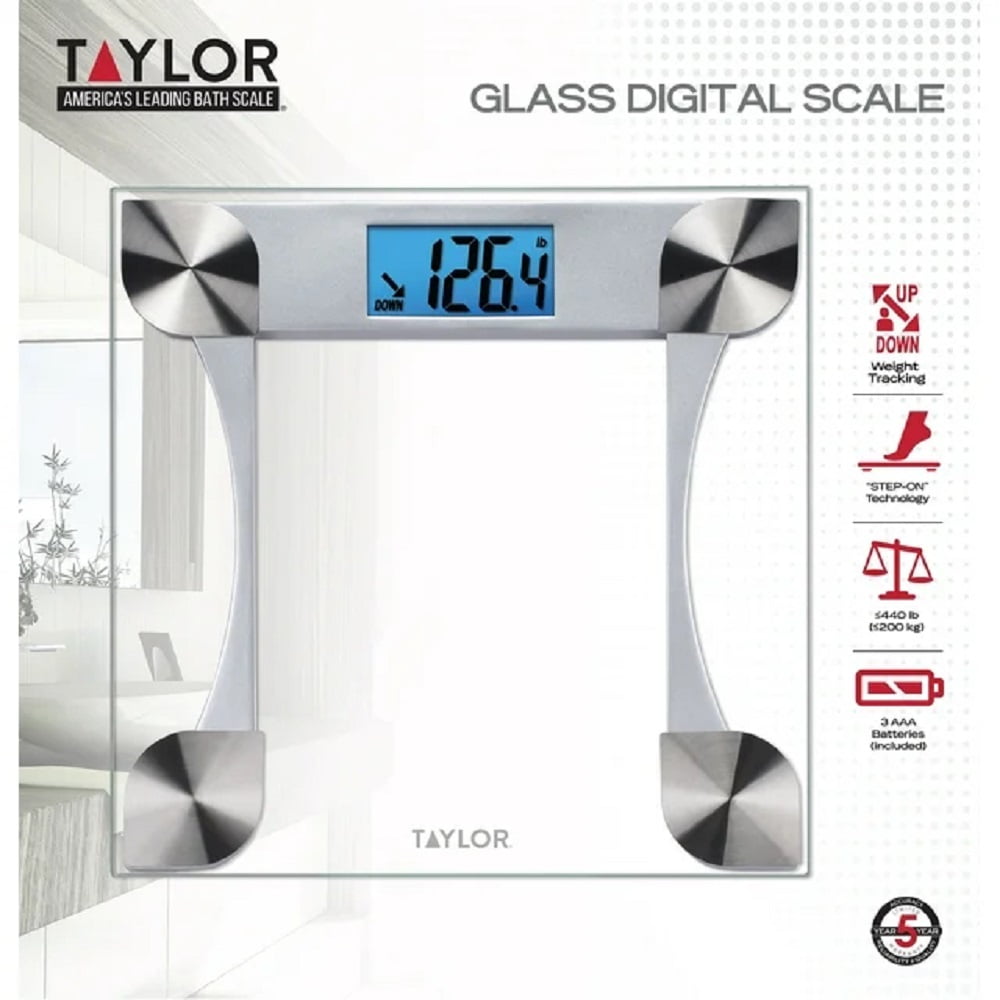
The Taylor Model 7595 is a popular digital bathroom scale known for accuracy, but it often needs recalibration after battery replacement or if readings drift. A full reset clears corrupted memory and reinitializes the sensor.
Prepare for Accurate Reset
Before starting, ensure these conditions:
- Use fresh AAA batteries (alkaline recommended)
- Place the scale on a hard, level surface (tile or wood, never carpet)
- Keep feet clean and dry before stepping on
- Check that nothing obstructs the scale underside
Soft flooring like rugs causes instability, leading to false readings even after reset.
Full Reset Procedure
- Remove all batteries from the back compartment
- Wait 30 seconds to drain residual power and clear temporary memory
- Reinsert batteries, matching positive and negative signs correctly
- Let the scale power on; it should display “0.0” or “—-“
- Step on quickly, then step off immediately to trigger tare calibration
- Wait for the display to reset to zero
- Step on again to take your first accurate reading
Success indicator: Two consistent readings within 1 pound of each other.
Critical warning: The first step-on must be brief. Lingering too long prevents proper zeroing and calibration will fail.
Validate Accuracy After Reset
Test your scale with these methods:
- Use a known weight like a 10 pound or 25 pound dumbbell
- Compare results with a second trusted scale
- Perform multiple weigh-ins over 24 hours
If readings still vary by more than 1 pound, repeat the reset procedure or inspect for physical damage to the sensor.
Reset Lithium-Powered Taylor Scales
Some Taylor digital scales use lithium batteries (CR2032 or proprietary packs), commonly found in slim or smart models. These can freeze due to firmware hiccups or low-power lockups.
Drain Residual Power Completely
- Open the battery compartment on the underside
- Remove the lithium battery
- Press and hold the power button for 10 to 15 seconds to discharge capacitors
- Release the button
- Reinsert the battery with correct polarity
- Step on the scale to activate
If the display remains blank or erratic, repeat the process. This method also works for non-lithium Taylor models that have a physical power button.
Fix Connectivity Issues on Smart Models
For Bluetooth or Wi-Fi enabled Taylor scales:
- Reset clears pairing memory from the device
- Reconnect via your health app after reset
- Ensure your phone app is updated to the latest version
- Remove the old device from your health app before re-pairing
Fix Taylor Kitchen Scale Error “-18:8.8.8”
The Taylor Model 3835 or 3825 kitchen scale sometimes gets stuck on “-18:8.8.8”, won’t turn off, or ignores button presses even with new batteries installed.
Basic Reset for Frozen Display
- Remove the battery (typically CR2032 coin cell)
- Wait 10 seconds
- Reinsert the battery firmly, ensuring good contact
- Secure the battery cover tightly; pressure affects connection
User tip: One owner fixed a frozen display simply by tightening the battery cover. Loose fit creates poor electrical connection.
Advanced Calibration Method
If the display stays blank or garbled, try this Taylor support method:
- Remove batteries
- Stand on the scale for 7 seconds to apply pressure to sensors
- Step off the scale
- Reinstall batteries quickly
- Step on the scale again
If it shows “—-“, step off and back on to enter calibration mode. If the display remains broken after this procedure, the sensor may be damaged or overloaded.
Diagnose Common Taylor Scale Problems

Use this checklist to identify and solve issues quickly.
Inaccurate Weight Readings
Symptoms: Consistently off by 5 to 10 pounds
Common causes:
- Improper tare (failed reset)
- Low batteries
- Uneven or soft surface
Solutions:
- Replace batteries with fresh ones
- Re-perform full reset with 30 second delay and step-on calibration
- Test on hard floor instead of carpet
Blank or No Display
Symptoms: No lights, no response when stepping on
Common causes:
- Dead batteries
- Corroded contacts
- Power lock
Solutions:
- Swap in new batteries
- Clean contacts with cotton swab and rubbing alcohol
- Hold power button for 15 seconds if available
Garbled or Strange Display
Symptoms: “-18:8.8.8”, “E”, or random symbols appearing
Common causes:
- Firmware glitch
- Sensor failure
- Electrical surge
Solutions:
- Battery removal plus 30 second wait
- Reseat battery with firm pressure
- Contact Taylor support if issue persists
Scale Won’t Turn Off
Symptoms: Stays on indefinitely
Common causes:
- Processor stuck
- Memory error
Solutions:
- Remove batteries to force shutdown
- Reinstall after 30 seconds
- Avoid leaving scale powered during storage
Optimize Battery and Sensor Performance
Even a perfect reset fails if batteries or sensors are compromised.
Choose the Right Batteries
- Use alkaline AAA for bathroom scales
- Use CR2032 lithium for kitchen models
- Avoid cheap or expired batteries
- Avoid rechargeable batteries as they often don’t provide stable voltage
Clean Battery Contacts
- Remove batteries from compartment
- Inspect for corrosion or dirt buildup
- Wipe contacts with rubbing alcohol and cotton swab
- Let dry completely before reinstalling
- Reinsert batteries with correct orientation
Oxidized contacts cause intermittent power issues, common in bathroom scales exposed to humidity.
Protect the Sensor
Taylor scales use strain gauge sensors that can be damaged by:
- Dropping the scale
- Overloading (exceeding 400 pound limit)
- Long-term storage under pressure
Always store the scale flat and unloaded. Never stand on it without batteries installed as this can misalign internal components.
Calibrate for Long-Term Accuracy
Resetting isn’t enough. Calibration ensures lasting precision.
Test with Known Weights
Weigh items with verified mass:
- 10 pound dumbbell
- 5 pound bag of sugar
- 25 pound kettlebell
Compare results to known weight. Acceptable variance is plus or minus 0.5 pounds.
Perform Weekly Maintenance Reset
Even when working properly:
- Remove batteries
- Wait 30 seconds
- Reinsert batteries
- Step on and off to re-zero
This prevents memory drift and extends the scale’s lifespan.
Contact Taylor Support and Warranty Help
When resets fail, Taylor offers strong warranty support.
Reach Customer Service
- Email or phone support is available
- Representatives guide you through calibration steps
- They can email manuals and troubleshooting PDFs
Users report friendly, helpful service. Don’t hesitate to reach out when troubleshooting fails.
Claim Lifetime Warranty
Many Taylor scales include a lifetime limited warranty against defects.
If your scale fails reset attempts, shows persistent error codes, or gives wildly inaccurate readings, Taylor may repair or replace it free.
Send to:
Taylor Precision Products
3101 16th Street NE
Albuquerque, NM 87110
USA
Pro tip: The scale often fits diagonally in a USPS Flat Rate box with padding to save on shipping costs.
Universal Taylor Scale Reset Protocol
Use this 8-step checklist for any Taylor digital scale:
- Remove batteries to drain power completely
- Wait 30 seconds to clear memory and reset processor
- Press and hold power button if available to drain residual charge
- Inspect battery compartment for corrosion and check alignment
- Insert fresh batteries with correct polarity
- Place on hard, level surface, never on carpet
- Let display initialize and look for “0.0” or “—-“
- Step on briefly, step off, then re-weigh to complete calibration
Repeat if the first attempt fails.
Frequently Asked Questions About Taylor Weight Scale Reset
How do I reset my Taylor digital scale to factory settings?
Remove all batteries, wait 30 seconds, then reinsert them. Step on the scale briefly and step off to trigger calibration. The display should show “0.0” when ready.
Why does my Taylor scale show “-18:8.8.8”?
This error indicates a system freeze or firmware glitch. Remove the battery, wait 10 seconds, and reinsert firmly. If it persists, try the advanced calibration method or contact Taylor support.
How often should I reset my Taylor scale?
Perform a reset whenever accuracy decreases or display issues occur. For maintenance, reset weekly to prevent memory drift and maintain calibration.
Can I recalibrate my Taylor scale without professional tools?
Yes. The battery removal and step-on procedure serves as user-level calibration. For kitchen scales, standing on the device during battery reinsertion may activate calibration mode.
Why does my Taylor scale give different readings each time?
Inconsistent readings usually stem from low batteries, improper surface placement, or failed zeroing. Replace batteries, ensure level hard flooring, and perform a proper reset before weighing.
Is there a way to fix a frozen Taylor scale display?
Yes. Remove the battery, wait 30 seconds, clean contacts with rubbing alcohol, and reinsert firmly. If the display remains frozen, the sensor may be damaged and warranty replacement is needed.
Key Takeaways for Resetting Your Taylor Scale
Most Taylor scale problems stem from low batteries, improper resets, or unstable surfaces. By following these model-specific steps and maintenance tips, you can restore accuracy and avoid unnecessary replacements. Always use fresh alkaline or lithium batteries as appropriate for your model, perform the 30-second battery removal reset before each major troubleshooting attempt, and test on hard level surfaces never on carpet. When in doubt, contact Taylor support as many users receive free replacements under the lifetime warranty. Keep your scale clean, calibrated, and stored properly on a solid floor, and it will deliver reliable results for years.



