
You’ve just received your Hume Health Body Pod and are searching for a power button. Here’s the surprising answer: there isn’t one. The Hume scale uses smart activation technology, which means it turns on automatically when all the right conditions are met. This guide walks you through every step to successfully activate your device and get accurate body composition readings.
Charge the Hume Body Pod Before First Use
Your Hume Body Pod needs power before it can function. Without sufficient charge, the device won’t respond even if you stand on it correctly.
How to Charge Your Device
Plug the charging cable into the hidden port beneath the retractable handle. Pull the handle out gently to access the port. A full charge takes approximately two hours and is recommended before your first scan. Even a five-minute charge can revive a dormant unit. With daily use, you may only need to recharge every three months.
The device has no visible power lights. If your scale doesn’t activate, low battery is often the culprit. Recharge before troubleshooting further.
Remove All Sensor Stickers
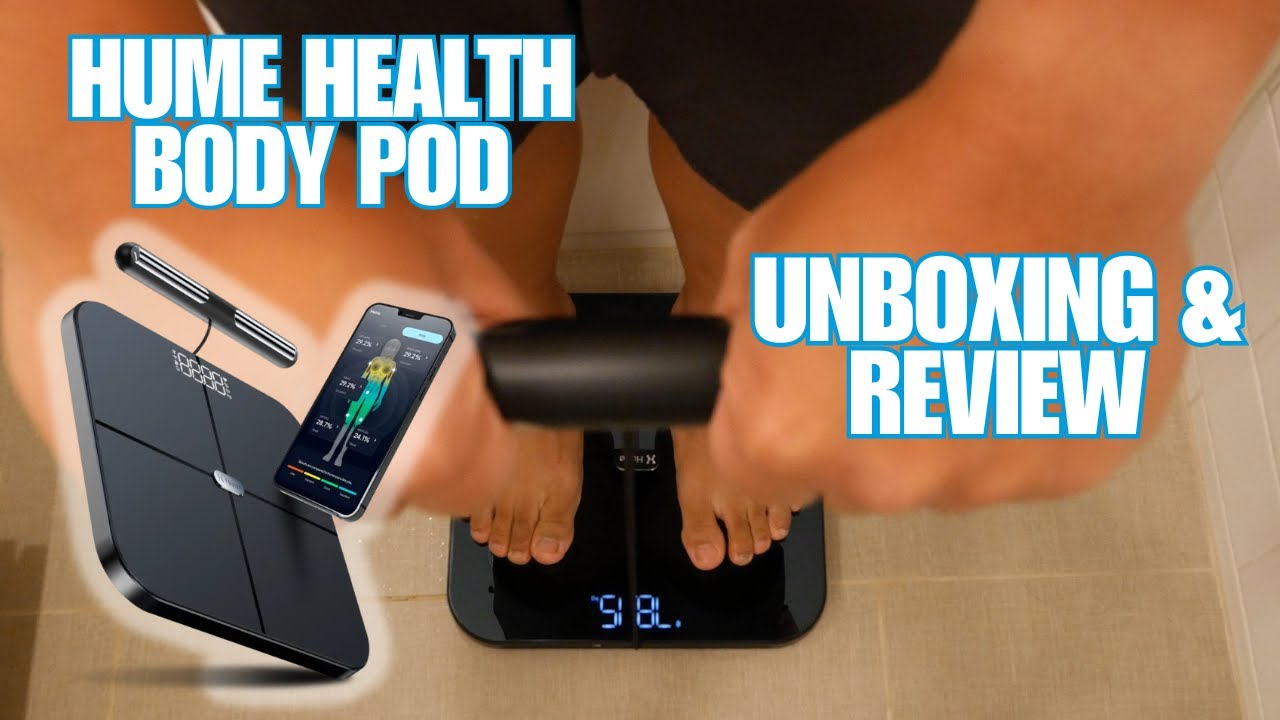
One of the most common reasons the Hume scale won’t turn on involves stickers blocking the sensors. During shipping, protective films cover the foot platform and handle, and even small round stickers can prevent electrical contact.
Areas to Check and Clean
Check the foot platform and clear all labels from the metal electrode zones. Inspect the handlebar sensors and ensure the silver contact points are fully exposed. Wipe the retractable handle base clean, as residue can interfere with conductivity.
After removing stickers, wipe the sensors with a dry cloth to eliminate any adhesive left behind.
Install and Open the Hume Health App
The Hume Body Pod only activates when paired with the Hume Health app. This is where many users encounter issues, as the device won’t turn on if connected through your phone’s general Bluetooth settings.
App Setup Process
Download the free Hume Health app from the App Store. Open the app and create a profile by entering your height, age, and gender for accurate calibration. Stay on the scan screen, as the app must be active and ready before the device will respond.
Never attempt to pair through your phone’s Bluetooth settings. The device won’t turn on if connected outside the app. Always use in-app pairing.
Pair the Device Through the App
Bluetooth pairing is essential for activation, but it must be done through the Hume Health app, not your phone settings.
Correct Pairing Steps
With the app open, tap “Add Device” or “Pair New Scale.” Place your phone near the Body Pod. Follow the in-app prompts to complete pairing. Wait for confirmation that says “Device Connected” or similar.
If pairing fails, unpair and restart the process in the app. Restart your phone and try again. Ensure Bluetooth and location services are enabled, as these are required for scanning.
Stand Barefoot on a Hard Surface
The Hume scale activates only when your body completes the electrical circuit, and that starts with proper positioning on the right surface.
Surface Requirements
Place the device on a hard, flat floor such as tile, hardwood, or concrete. Avoid carpets, rugs, or mats, as they reduce stability and conductivity. Soft surfaces disrupt grounding and prevent the scale from turning on.
Grip the Handle with Full Palm Contact

The retractable handle serves as a critical sensor point. Without proper grip, the scan won’t start.
Proper Hand Positioning
Pull out the handle fully. Grip it with one hand, making sure your palm lies flat against the silver sensors. Keep the cord taut but relaxed. Hold the handle at waist height for optimal current flow.
Skin must touch all metal areas. Gloves, dry hands, or fingertip contact alone won’t work.
Slightly Dampen Dry Feet
Dry skin results in poor conductivity. If your feet are dry, the Hume scale may fail to activate.
Improving Skin Contact
Dampen your soles lightly with water, but avoid soap or lotion. Step on the platform immediately after dampening, don’t let your feet dry out. Avoid scanning with sweaty or overly wet feet.
The ideal moisture level is slightly damp, like after washing your hands.
Maintain Still, Upright Posture During Scan
Once conditions are met, the device turns on automatically and begins scanning.
Scan Execution
Stand centered on the foot platform. Keep your back straight and shoulders relaxed. Do not touch your body with the arm holding the handle. Stay completely still, as movement disrupts the signal.
The scan takes approximately 30 seconds. The app will notify you when complete.
Understand Automatic Power Activation
The Hume Body Pod has no manual power button and no standby mode. It draws power only during an active scan.
What Activation Really Means
Activation requires three simultaneous conditions. The Hume Health app must be open and connected. Skin contact must be established on both foot and hand sensors. The device must be sufficiently charged.
Once you step off, the device powers down instantly. There’s no need to turn it off manually.
Troubleshoot Failed Activation
If the scale still won’t turn on, check these common issues.
Common Problems and Solutions
If there’s no response when stepping on the device, confirm the app is open and paired, then recharge the device, as low battery mimics a dead unit.
If you receive a “Cannot Complete Scan” error, dampen your feet and re-grip the handle with full palm contact. Remove any remaining stickers from sensors.
If the app isn’t syncing, update the Hume Health app to the latest version. Reinstall the app and re-pair the device if needed.
Get Accurate Results After Activation
Once the scale turns on and completes a scan, results appear instantly in the app.
Data You’ll Receive
The app displays body fat mass and lean muscle measurements. You’ll see visceral fat levels and segmental analysis showing arm, leg, and trunk composition. The results also include body water balance, bone mass, and metabolic age.
Results are 98 percent accurate compared to DEXA scans, thanks to multi-frequency BIA technology.
Follow Best Practices for Consistent Scans
To ensure your Hume scale turns on reliably and delivers accurate data, establish a consistent routine.
Optimal Scanning Routine
Scan first thing in the morning, before eating or drinking. Daily scanning is ideal, but scan at minimum once per week at the same time. Wait two or more hours after intense exercise or large fluid intake before scanning. Use the same foot placement and grip position each time for consistency.
The app flags times that aren’t optimal, but you can still scan for trend tracking purposes.
Maintain Your Hume Body Pod
Proper care keeps the device responsive and extends battery life.
Cleaning and Storage
Wipe sensors with a dry or slightly damp cloth after use. Never use harsh cleaners or submerge the device in water. Store in a cool, dry place. Recharge when scans fail or the app shows low battery. With daily use, recharge every few months.
Access Premium Features
The base app is free, but a 10 dollar per month plan unlocks advanced tools.
Premium Benefits
The subscription includes AI health coaching, personalized workout plans, weekly health reports, and deeper trend analysis. The device is HSA and FSA eligible, allowing you to use pre-tax health funds for purchase.
Frequently Asked Questions About Turning On Hume Scale
Why won’t my Hume scale turn on?
The Hume Body Pod has no power button. It activates only when the app is open and connected, your skin contacts all sensors (bare feet on the platform and full palm grip on the handle), and the device is sufficiently charged. Check these three conditions first.
Do I need to pair the Hume scale through my phone’s Bluetooth settings?
No. Never pair through your phone’s Bluetooth settings. The device must be paired through the Hume Health app specifically. Attempting to pair through general Bluetooth settings will cause connection failures.
What should I do if the scan says “Cannot complete”?
This usually indicates poor skin contact. Dampen your feet slightly with water and re-grip the handle with your full palm touching the silver sensors. Also check that no stickers or residue remain on the sensors.
Does the Hume scale have a power button?
No. The Hume Body Pod operates on an on-demand activation model. It draws power only during active scanning and has no standby mode or manual power switch.
How long does the battery last between charges?
With daily use, the device typically needs recharging only once every three months. A full charge takes about two hours.
Can I use the Hume scale on carpet?
No. Always place the device on a hard, flat surface such as tile, hardwood, or concrete. Carpets and soft mats interfere with stability and electrical conductivity, preventing the device from turning on.
Key Takeaways for Activating Your Hume Scale
The Hume Body Pod turns on automatically when all conditions align: the device is charged, paired through the Hume Health app, the app is open and ready, and full skin contact is established on both the foot platform and handle sensors. There is no physical power button. Following the step-by-step activation sequence ensures reliable scans and accurate body composition data. With proper care and consistent scanning habits, your Hume scale will provide clinical-grade health insights for years to come.



