
Is your Etekcity scale showing inconsistent weight readings or failing to zero out? Many users encounter minor inaccuracies after moving the scale, replacing batteries, or with regular use. The good news: learning how to calibrate Etekcity scale is simpler than you might think. Unlike industrial devices requiring professional tools, Etekcity digital body scales use automatic self-calibration triggered by proper setup and reset steps. No external weights or complex menus needed. Follow this guide to restore accuracy in under a minute and ensure reliable results every time you step on.
This article walks you through each step to calibrate Etekcity scale, from preparing the right surface to troubleshooting common error codes. You’ll also learn when professional calibration becomes necessary and how to maintain accuracy long-term.
Find the Perfect Surface for Accurate Readings
Place your Etekcity scale on a solid, level surface like tile, hardwood, or concrete. Soft materials such as rugs, carpets, or vinyl mats compress under pressure, distorting sensor feedback and causing false readings. Even slight tilts from warped floors can throw off measurements.
Why Hard Flooring Matters
When weighing yourself, the scale’s internal load cells detect pressure and convert it to weight. Carpet and padding absorb some of this pressure unevenly, leading to drifting or inconsistent numbers. Place the scale down and check whether it wobbles or rocks. All four corners must sit flush against the surface.
Avoid bathrooms with cushioned mats or kitchens with uneven grout lines. Test the surface by placing a glass of water on it first. If no visible tilt exists, you’re ready to calibrate.
Activate and Zero the Scale Properly
Step onto the scale lightly with one foot, then immediately step off. Watch for 0.0 or 0.00 to appear on the display. This zeroing process resets the internal load cells and prepares the scale for accurate measurement.
Step-by-Step Zeroing Process
- Step on the scale briefly to power it on
- Step off immediately
- Wait for 0.0 to display before taking a measurement
The appearance of 0.0 indicates the scale has successfully cleared and is ready for use. Never skip this step. Taking a reading before zeroing leads to incorrect data.
If the display shows numbers other than zero or flashes an error, proceed to the reset steps below.
Reset the Scale After Movement or Battery Changes
When the scale won’t zero or gives erratic results, a battery reset forces recalibration. This process mimics factory startup and triggers automatic sensor alignment in most Etekcity models.
Battery Reset Procedure
- Flip the scale over and open the battery compartment
- Remove all batteries completely
- Wait 5 to 10 seconds to discharge residual power
- Reinsert fresh batteries, replacing if low battery symbol LO appears
- Place the scale upright on a hard surface
- Step on briefly, then step off
- Wait for 0.0 to confirm recalibration
Using the Reset Button
Some Etekcity models include a tiny reset hole on the underside. Insert a paper clip or safety pin, press and hold for 1 to 2 seconds, then remove. Place the scale flat, step on to activate, and wait for 0.0 to appear. Not all models have this button, so check your user manual or product images.
After any reset, always clear the scale before first use.
Verify Your Calibration Is Working
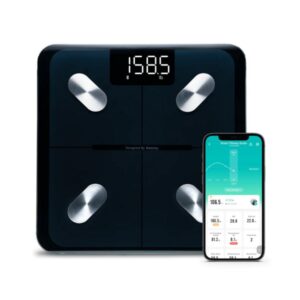
Once reset, test accuracy by stepping on slowly while standing centered with feet still. Wait 2 to 3 seconds for the number to stabilize, then step off, wait for 0.0, and repeat 3 to 5 times.
Signs of Successful Calibration
Consistent readings that vary by less than 0.5 pounds or 0.2 kilograms across tests indicate successful calibration. If results jump significantly, repeat the battery reset or check surface stability.
Optional Accuracy Test with Known Weight
For added confidence, weigh yourself normally. Then weigh again while holding a 5 pound dumbbell or gallon of water weighing approximately 8.3 pounds. The difference should match the added weight within 0.5 pounds. Alternatively, compare results with another trusted digital scale under the same conditions.
Fix Common Error Codes and Problems

Error codes indicate sensor issues or initialization failure. Understanding these helps you troubleshoot quickly.
Error Code Solutions
| Code | Likely Cause | Solution |
|---|---|---|
| Err or E1 | Low battery, soft surface, sensor overload | Replace batteries, move to hard floor, reset |
| E2 | Exceeding maximum weight capacity | Step off immediately, reset after cooling |
| LO | Battery too low to operate | Install new batteries |
Always start troubleshooting with a battery reset and proper placement. If the scale won’t turn on, replace batteries even if they seem functional. Clean metal contacts in the battery tray with a dry cloth and ensure batteries are inserted with correct polarity.
Maintain Accuracy Long-Term
Follow daily best practices to keep your Etekcity scale accurate without constant resets. Never slide or carry the scale while powered. Lift it when moving instead. Always let it show 0.0 before stepping on. Replace batteries at the first sign of LO or sluggish response.
Storage and Care Tips
Wipe the platform with a dry or slightly damp cloth. Never soak the scale. Store away from moisture, direct sunlight, or cold basements. Weigh yourself at the same time daily, such as morning after using the bathroom, for trend consistency.
When Professional Calibration Makes Sense
While home users rely on built-in auto-calibration, professional calibration becomes essential if the scale is used in gyms, clinics, or research settings. It’s also required for regulatory compliance such as ISO standards. Home fixes may fail repeatedly despite correct procedures.
Applied Technical Services Calibration
Applied Technical Services offers certified calibration for Etekcity scales. Their process tests against traceable reference weights and validates accuracy, repeatability, and linearity. They provide ISO/IEC 17025-compliant certificates upon request. This service is typically unnecessary for personal use but valuable for high-stakes environments.
Contact ATS at +1 (888) 287-5227 or visit their website for lab-based and on-site testing services.
Avoid Common Calibration Mistakes
Etekcity scales are factory-sealed and pre-calibrated. Opening the unit risks damaging sensitive load cells, voids the warranty, and can permanently misalign internal components. There is no user-accessible calibration mode requiring test weights or menu navigation.
The Carpet Myth
Some users believe placing the scale on carpet protects it, but this defeats accuracy. Even thick padding compresses unevenly, leading to drifting readings. The scale may turn on, but results become unreliable.
Frequently Asked Questions About Etekcity Scale Calibration
How do I know if my Etekcity scale needs calibration?
If your scale shows inconsistent readings, fails to zero out after stepping off, displays error codes like Err or E1, or was recently moved or had batteries replaced, it likely needs calibration. Perform a battery reset and verify it shows 0.0 before use.
Can I calibrate my Etekcity scale with external weights?
No. Etekcity consumer scales do not have a user-accessible calibration mode requiring test weights. All calibration happens automatically through the zeroing process after a proper reset. The scale relies on factory settings and self-calibration triggered by activation.
Why does my scale show 0.0 but give wrong readings?
This usually indicates placement on carpet or uneven flooring. The scale may zero properly but still produce inaccurate results because the surface compresses unevenly. Move to a hard, flat surface and repeat the reset process.
How often should I recalibrate my Etekcity scale?
Recalibrate whenever you move the scale, replace batteries, notice inconsistent readings, or see error codes. With proper care and consistent placement, you may only need to reset occasionally. Always allow the scale to zero before each use.
What should I do if the reset button doesn’t work?
Not all Etekcity models have a reset button. If yours doesn’t have one or the button doesn’t resolve the issue, try the battery reset method instead. Remove batteries for 5 to 10 seconds, reinsert fresh ones, and repeat the zeroing process.
Key Takeaways for Calibrating Your Etekcity Scale
Etekcity scales are factory-calibrated and designed for automatic self-calibration. Accuracy depends entirely on correct setup, battery health, and surface quality. Place the scale on hard, flat, non-carpeted flooring. Step on to activate, then step off to reach 0.0. If readings stay inconsistent, perform a battery reset by removing batteries for 5 to 10 seconds. Use the reset button with a paper clip if your model has one. Stand centered and still during weighing, and verify consistency across multiple readings.
By following these steps, you’ll maintain precise, repeatable results for years. No tools, no guesswork, just reliable weight tracking. If home calibration fails repeatedly or you need certified accuracy for commercial purposes, contact Applied Technical Services for professional calibration.



