
Is your Detecto scale not working? This is a frustrating problem that affects clinics, gyms, and home users alike. Whether you have a digital PS-7 showing no power or a mechanical S-40 beam scale that won’t balance, these malfunctions can disrupt daily operations. The good news is that most Detecto scale not working issues have simple solutions you can fix at home. This guide covers step-by-step diagnostics for every Detecto model, helping you identify the root cause and get your scale back in action fast.
By the end of this article, you will know how to troubleshoot display errors, stabilize wobbly platforms, reset stuck digital systems, and decide whether to repair or replace your unit. Let’s solve your Detecto scale not working problem right now.
Decode Common Detecto Scale Symptoms
Every malfunction starts with a recognizable sign. Identifying the symptom helps you pinpoint the exact fix for your Detecto scale not working issue.
No Power or Blank Display
If your digital scale shows nothing, start with these basic checks. Confirm the power cord is fully plugged in at both the scale and the outlet. For battery-powered models, replace with fresh alkaline batteries, even if the old ones seem charged. Test the outlet using another device to rule out electrical issues.
Pro Tip: A simple 60-second power cycle often fixes Detecto scale not working issues. Unplug the scale, wait one minute, then reconnect.
Flickering or Frozen Screen
A flickering display may indicate low battery voltage, firmware lockup, or a damaged display module. Try holding the power button for 15 seconds to force a hard reset. If tiny zeros appear at the bottom of the screen after the scale was dropped, internal damage is likely, and you should check the load cell.
Inaccurate or Drifting Readings
Weight fluctuations usually stem from surface issues or debris. Ensure your scale sits on a hard, level surface and use a bubble level to confirm. Avoid placing analog models near HVAC vents or open windows, as air currents affect readings. Clean under the platform regularly, as debris causes binding and inaccurate results.
Beam Doesn’t Return to Zero on Mechanical Models
On scales like the S-250 or PS-100, a floating needle means the counter screw needs adjustment. Turn it clockwise to raise the beam or counterclockwise to lower it, making small increments. Always verify surface levelness before adjusting.
Scale Wobbles or Feels Unstable
Wobbling indicates loose corner joints, a detached shelf lever, or an uneven floor. Tighten visible screws and check base connections. If the draft rod underneath is bent or disconnected, weight cannot transfer properly, causing your Detecto scale not working problem.
Check Critical Setup Errors First
Many reported Detecto scale not working issues actually stem from simple setup mistakes that are easy to fix.
Remove Shipping Plug and Shelf Lever
New or recently shipped scales often arrive with a shipping plug still in place. This small plastic or metal pin under the platform must be removed before first use, or the mechanism cannot move properly. Also verify that the shelf lever attaches securely at both ends, as this connects the platform to the internal weighing system.
Confirm Flat, Level Surface
Even a slight tilt causes major inaccuracies. Use a spirit level on the platform surface and avoid carpet, rugs, or vinyl with padding. Ideal surfaces include tile, hardwood, or concrete. Let digital units sit for 10 to 15 minutes after power-on to stabilize, especially in temperature-variable rooms.
Fix Power Issues on Digital Models
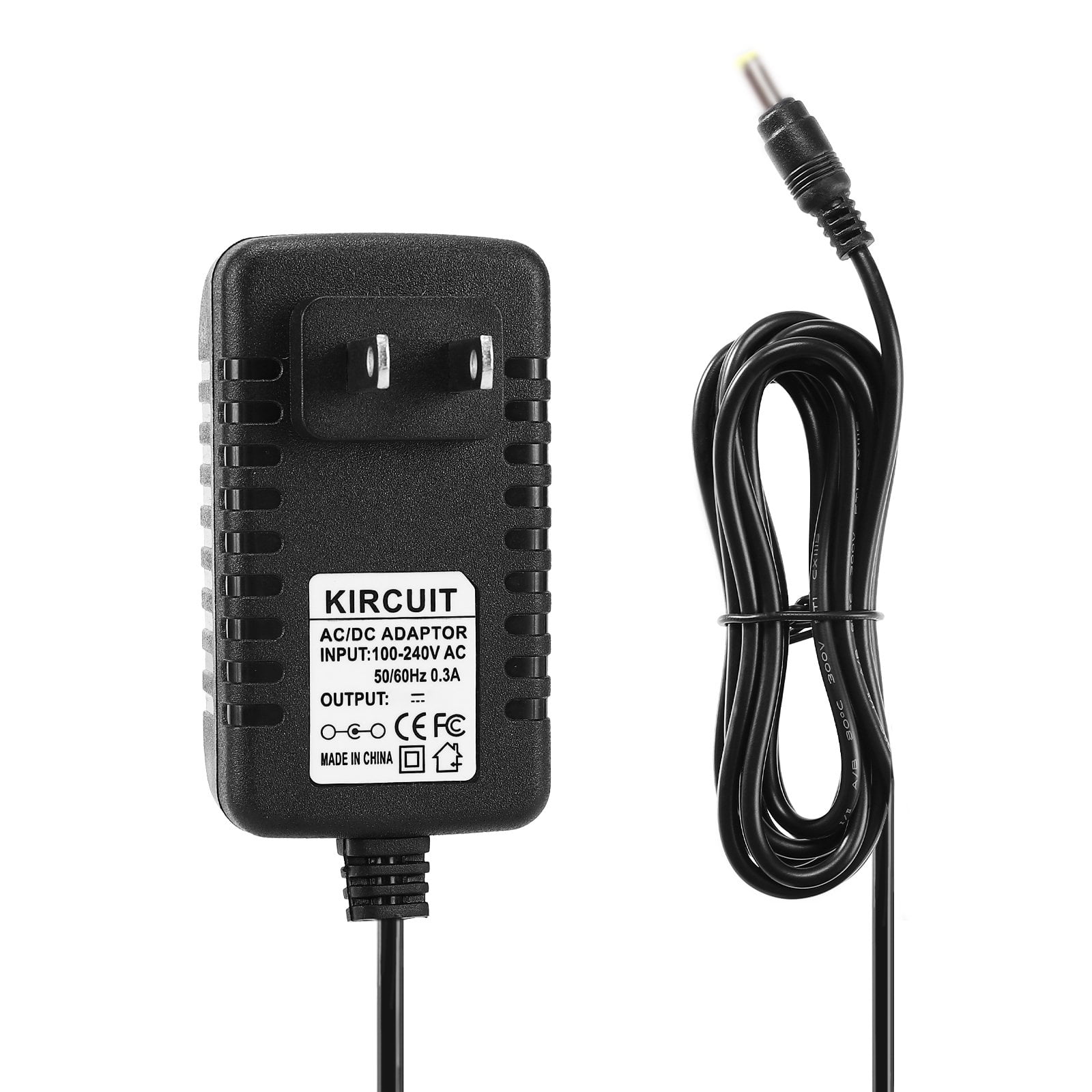
Power failures represent the most common reason for Detecto scale not working complaints.
Test Battery and Outlet
For battery-powered units, replace with new alkaline batteries. Clean corroded terminals with a cotton swab and rubbing alcohol. For AC-powered models, plug a lamp or phone charger into the same outlet to test circuit functionality.
Inspect Power Cord and Plug
Look for frayed wires, kinks, cuts, burn marks, or bent prongs. A damaged cord is a safety hazard that requires immediate replacement with a Detecto-approved adapter.
Cross-Test Power Supply
Use a known-working adapter from an identical scale to test your non-working unit. Alternatively, test your suspect adapter on a working scale. If the good adapter powers your scale, the original is faulty.
Clear Debris and Mechanical Binding
Dust, lint, or spills can jam the internal weighing system, causing your Detecto scale not working malfunction.
Signs of Binding
Your scale may be bound if it shows zero but won’t register weight, if readings jump or fail to return to zero, or if the tare function doesn’t work. Binding blocks the load cell from sensing force properly.
Clean Under the Platform
Remove the weighing pan and shine a flashlight underneath. Use compressed air or a soft brush to remove debris. Wipe accessible areas with a lint-free cloth dampened with 70% isopropyl alcohol. Never spray liquid directly, as moisture damages sensors.
Avoid Metal Tools
Use only plastic scrapers when cleaning. Metal tools can scratch or permanently damage load cells.
Adjust Mechanical Beam and Zero Settings

Analog models require manual calibration adjustments to fix Detecto scale not working problems.
Fix Floating Beam with Counter Screw
On models like S-40 or PS-100, locate the counter screw at the base of the beam. Turn clockwise to raise the beam or counterclockwise to lower it. Make small incremental turns and test with a known weight after each adjustment.
Verify Needle Stability
After adjusting, let the needle settle for 30 seconds. It must remain motionless and centered. If it drifts, recheck for debris or floor vibration.
Recalibrate for Accuracy
Calibration restores reliable readings and resolves Detecto scale not working issues caused by drift.
When to Recalibrate
Recalibrate after dropping the scale, moving to a new location, experiencing inconsistent results, or every 6 to 12 months in clinical settings. Unauthorized calibration may void medical compliance certifications.
Calibrate Mechanical Scales
Use NIST-traceable weights for accuracy. Place weight on the platform, slide the beam rider until balanced, and compare the reading to the known weight. Fine-tune with the counter screw if needed.
Calibrate Digital Scales
Power on and wait for stabilization. Press and hold the Zero and Unit buttons together to enter calibration mode. Place the calibration weight when prompted, then exit mode and test with a second weight.
Diagnose Load Cell and Internal Damage
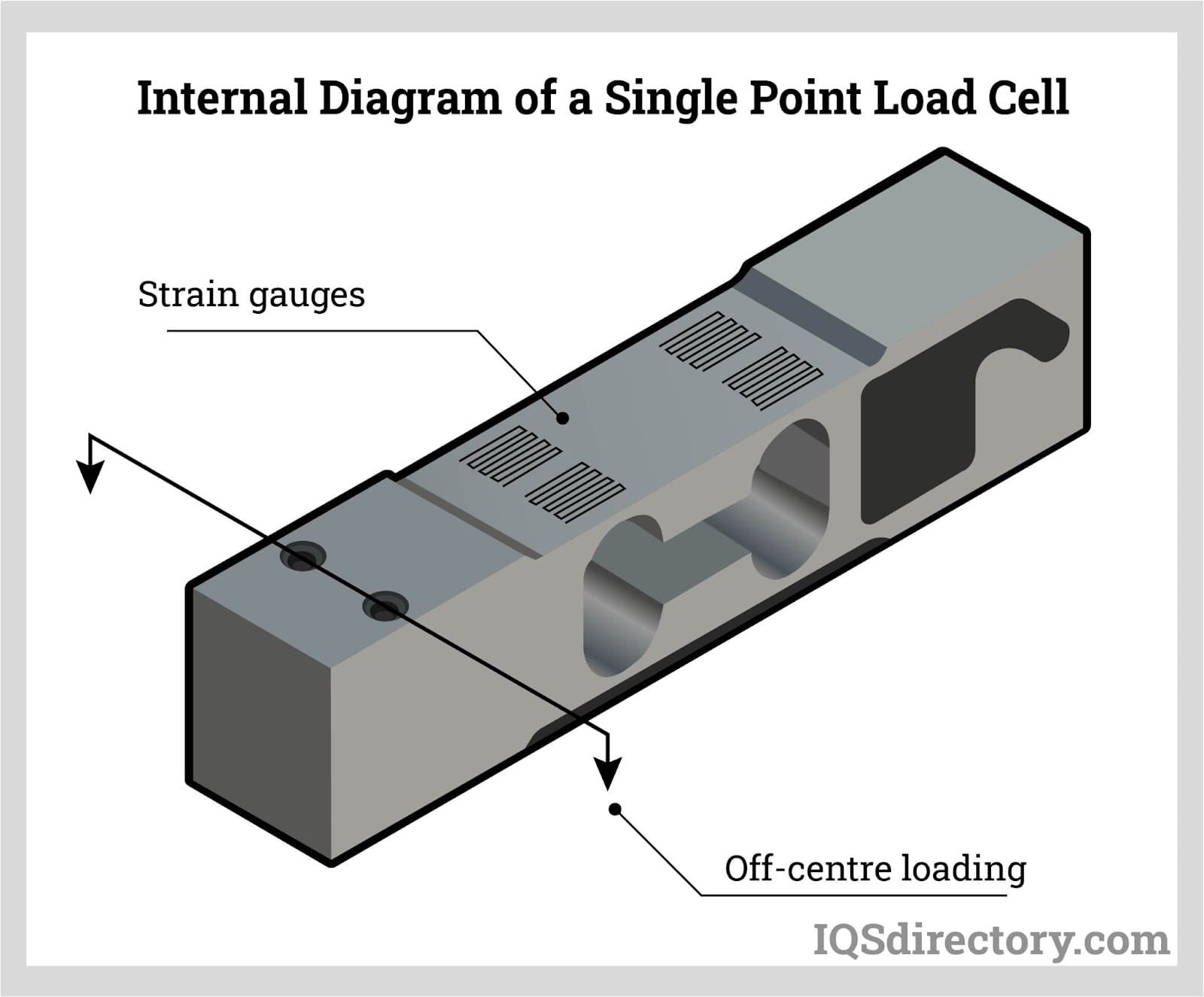
The load cell is the heart of your scale. When damaged, it causes serious Detecto scale not working problems.
Signs of Load Cell Failure
Watch for random numbers or dashes on the screen, error codes like E or OL, half-weight readings, or complete unresponsiveness despite power.
Causes of Damage
Load cells fail from dropping the scale, overloading beyond capacity, moisture exposure from spills, or corrosion in humid environments.
Can You Replace the Load Cell
Usually not. Detecto load cells are factory-calibrated, sealed within the unit, and not user-replaceable. If faulty, contact authorized repair or consider replacement.
Repair vs. Replace: Make the Right Call
Not every Detecto scale not working issue requires a new unit, but some do.
Repair If Your Scale Is
Under 5 years old with an issue involving the battery, cord, or minor debris. Also repair if under warranty or if repair costs stay under $100.
Replace If Your Scale Is
Over 7 years old, a discontinued model, or has damage to the load cell, PCB, or display. Also replace if repair costs exceed 50% of a new unit’s price.
New Detecto scales cost $100 to $300 depending on features. Consider upgrading to models like the MDS-300L with BMI calculation or the DR-200 with integrated stadiometer.
Reset and Restart Digital Models
A simple reset fixes many digital Detecto scale not working glitches.
Perform a Full Power Cycle
Turn off the scale, unplug or remove batteries, wait 60 seconds to clear memory, then reconnect and restart. This often fixes frozen screens, boot loops, and unresponsive buttons.
Force a Hard Reset
If no dedicated reset button exists, press and hold the power button for 10 to 15 seconds. Some models use a paperclip reset hole that requires a 5-second hold.
Prevent Future Failures
Avoid repeat Detecto scale not working problems with routine care.
Daily Checks
Wipe the platform with a damp cloth, verify zero reading before use, and check for debris under the pan.
Weekly Maintenance
Inspect the power cord, test with a 10 kg standard weight, and confirm tare and hold functions work properly.
Monthly and Annual Tasks
Deep clean accessible areas, recheck floor levelness, and perform full calibration quarterly. Schedule professional inspection annually and keep your original manual for reference.
Contact Detecto Support
When DIY fixes fail, get expert help for your Detecto scale not working issue.
Official Support Contact
Email tech@detecto.com for assistance. Provide your model number, serial number, symptoms, and steps already tried. Response typically comes within 1 to 2 business days.
Authorized Repair Services
Authorized services offer load cell replacement, display swaps, and full recalibration. Turnaround time is typically 7 to 14 days, depending on parts availability.
Frequently Asked Questions About Detecto Scale Not Working
Why does my Detecto digital scale show no display?
This usually indicates a power issue. Check that the power cord is connected at both ends, replace batteries with fresh alkaline ones, and test the outlet with another device. A 60-second power cycle often resolves the problem.
How do I fix inaccurate weight readings on my Detecto scale?
First, ensure the scale sits on a hard, level surface. Clean under the platform to remove debris that causes binding. Recalibrate using NIST-traceable weights if readings remain inconsistent.
Can I replace the load cell on my Detecto scale?
No. Most Detecto load cells are factory-calibrated and sealed within the unit, making them non-user-replaceable. If the load cell is damaged, contact authorized repair or consider replacement.
Why does my mechanical Detecto scale beam not return to zero?
This typically means the counter screw needs adjustment. Turn it clockwise to raise the beam or counterclockwise to lower it, making small incremental turns. Always verify the scale is on a level surface first.
How often should I calibrate my Detecto scale?
Recalibrate after dropping the scale, moving to a new location, or experiencing inconsistent results. In clinical settings, calibrate every 6 to 12 months as part of routine maintenance.
Where can I get repair parts for my Detecto scale?
Contact Detecto support at tech@detecto.com for genuine parts and authorized repair services. Provide your model and serial number for the most accurate assistance.
Key Takeaways for Fixing Your Detecto Scale Not Working Issue
Most Detecto scale not working problems stem from setup issues, power failures, or debris interference rather than hardware failure. Start troubleshooting by checking power connections, replacing batteries, and ensuring the scale sits on a hard, level surface. Clean under the platform regularly to prevent binding, and perform a full power cycle for digital models experiencing glitches.
If problems persist after these basic steps, suspect load cell damage or internal component failure. Mechanical models may need counter screw adjustment to restore zero alignment. When repair costs exceed half the price of a new unit or the scale is over 7 years old, replacement makes more sense.
With proper care and routine maintenance, your Detecto scale can deliver accurate, reliable readings for years. Keep your original manual, track service history, and contact Detecto support when professional assistance is needed.



