
If your Taylor digital scale is not working, you are dealing with one of the most common household appliance frustrations. Your scale might display error codes like “Err,” fail to turn on despite having batteries, show wildly inaccurate readings, or flash between numbers without settling on a weight. These symptoms typically stem from a handful of fixable issues: dead or weak batteries, improper placement on soft surfaces like carpet, calibration glitches from power surges, or sensor contact problems on body composition models. This comprehensive guide walks you through every proven solution, from basic battery swaps to advanced reset procedures used by Taylor technicians. By the end, you will know exactly what is wrong with your scale and whether it can be saved or needs replacement.
Replace or Test the Battery First
Battery failure accounts for the majority of Taylor digital scale failures, even when the display briefly lights up. Before assuming your scale is broken, exhaust these battery troubleshooting steps completely.
Use Fresh, High-Quality Batteries
Most Taylor digital scales use a CR2032 lithium coin battery, though some larger models require AA or AAA batteries. Always install a brand-new, non-expired battery from a trusted brand. Cheap or expired batteries may power the display but fail under the load of weighing, causing inaccurate readings or no startup at all. Check your battery compartment label to confirm the correct type for your specific model.
Clean the Battery Contacts
Corrosion, dust, or residue on metal contacts prevents proper electrical connection. Remove the battery and wipe the contacts gently with a dry cloth or cotton swab. Avoid using liquids or abrasive cleaners, as these can cause additional damage. After cleaning, reinsert the battery carefully, ensuring correct polarity with the plus and minus signs matching the compartment markings.
Perform a Full Power Discharge
A quick battery pull does not always reset the system. Residual charge can trap the scale in a fault loop, keeping error codes persistent. Remove the battery entirely and wait at least 30 minutes, though some technicians recommend up to 1 hour for stubborn units. Reinsert the battery, place the scale on a hard, flat surface, and tap lightly with your foot to activate. This extended discharge clears memory errors and resets internal sensors, which is critical after seeing error codes like “Err” or “Error 0.”
Fix Error Codes: Decode What Your Scale Says
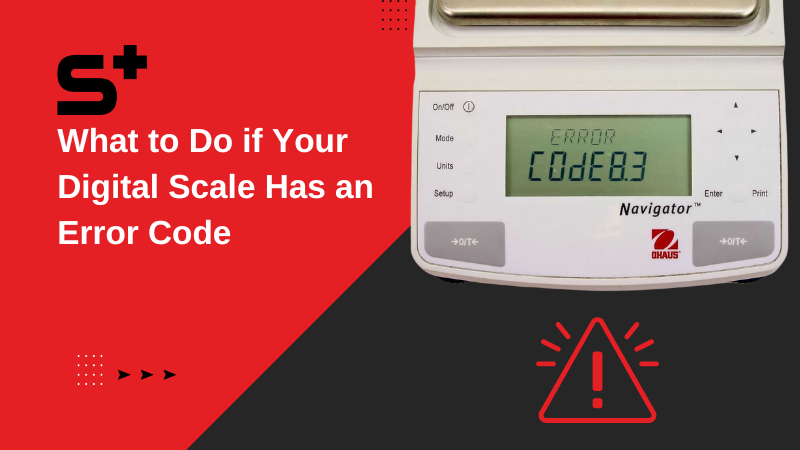
Taylor scales use numbered error codes to pinpoint specific issues. Understanding these codes speeds up diagnosis significantly and helps you apply the right fix.
Error 0: Initialization Failed
This code means the scale failed to boot properly during startup. Common causes include residual power glitches from recent battery changes, an improper surface, or a weak battery that cannot complete the initialization sequence. Perform the 30-minute battery reset, place the scale on a hard floor like tile or wood, and tap gently to restart. Most Error 0 cases resolve with this procedure.
Error 1: Instability Detected
Error 1 appears when the scale detects movement or uneven support. The most frequent cause is placing the scale on carpet, which absorbs weight unevenly and prevents the load cells from stabilizing. Move the scale to a hard, level surface such as tile, hardwood, or concrete. Ensure all four corners of the scale touch the ground and do not shift position during weighing. User reports confirm that over 70% of Error 1 cases resolve simply by moving from carpet to a hard floor.
Error 2: Overload or Shock Damage
This error indicates the scale was either dropped or exceeded its maximum weight capacity, typically 440 pounds. Allow the scale to rest for 10 minutes, then perform the foot-standing reset procedure. Avoid future overloading and handle the scale carefully. If the error persists after these steps, internal load cell damage may require replacement.
Error 3: Contact Error on Body Fat Models
Error 3 occurs on BIA bioelectrical impedance scales when feet are not making proper contact with the sensors. Causes include dry skin, wearing socks or footwear, or having feet too small to bridge both sensor plates. Stand barefoot on the scale with full foot coverage. Slightly moisten the soles with water to improve conductivity, as these scales send a safe, low-current signal through your body that dry skin blocks. Clean sensor plates with a damp cloth and avoid using mats.
Error 4 and Error 5: Body Fat or Hydration Out of Range
These rare codes indicate body composition measurements outside the scale is measurable range. Re-test under normal hydration conditions and verify that user profile settings including age, gender, and height are correct. Consult your model is manual for specific limits and recommended testing conditions.
Perform a Foot-Standing Reset
Most Taylor scales activate when stepped on and have no physical power button. This means standard on/off resets do not apply, so use this specialized procedure instead.
Verified Reset Procedure
Remove the battery and place the scale on a hard, flat surface. Stand on the scale for 10 seconds without the battery installed, which helps recalibrate internal load cells. Step off and reinsert the battery carefully. Wait for the display to show dashes or zeros, then gently tap with one foot to activate. Once zeros appear, step on fully for a reading. This method, confirmed by Taylor support technicians, recalibrates load cells and clears false errors that standard resets cannot address.
Check Placement: Carpet Is the Enemy
Where you place your Taylor scale matters more than most users realize. Surface selection directly impacts accuracy and error frequency.
Ideal Surface Checklist
Your scale performs best on surfaces that are hard, level, dry, and stable. Tile, hardwood, and concrete provide the consistent support load cells need to function properly. Use a bubble level if you are unsure whether your floor is even. Avoid placing the scale on throw rugs, as these shift under weight and cause constant recalibration attempts.
Surfaces to Avoid
Never use the scale on carpet, vinyl with padding, uneven tiles, or bath mats. One real user reported that switching from a bathroom rug to tile eliminated flickering readings entirely, with no battery changes needed. This simple fix resolves more problems than any other single adjustment.
Troubleshoot Sensor and Display Issues

Even with proper power, problems can persist in display or sensing components. These issues require different approaches depending on symptoms.
Flashing Between 1 and 2
This behavior is not a defect on dual-user models. The scale is prompting you to select a user profile. Wait for the numbers to alternate, then press the user button, usually located on the side or back of the scale. Select your profile number, and future weigh-ins will default to that user. One user reported that pressing the rear button, not the bottom one, resolved persistent flashing.
Jumping or Inaccurate Readings
Weak batteries, unstable surfaces, faulty calibration, or internal sensor drift can cause erratic numbers. Replace the battery even if the display lights up, as weak batteries behave unpredictably under load. Recalibrate using the foot-standing method. Test accuracy with a known weight like a 10-pound dumbbell. If numbers jump wildly despite these fixes, the scale likely has internal damage and should be retired.
Missing Digits or Flickering Screen
Partial numbers such as “1_5.4” or a frozen display suggest LCD or circuit failure. These hardware issues are not repairable by users, as internal components are sealed. When display segments are missing or the screen remains unresponsive after multiple resets, replacement is the only solution.
Clean and Maintain for Longevity
Regular care prevents future failures and extends your scale is functional lifespan.
Weekly Maintenance Tips
Wipe the platform with a dry or slightly damp cloth after each use. Keep the scale away from shower steam and standing water. Store it in a low-humidity area, and consider using a bathroom dehumidifier to reduce moisture damage. Never submerge the scale or wash it under running water, as moisture destroys internal circuitry permanently.
When to Replace Your Taylor Scale
Despite thorough troubleshooting, some scales cannot be saved. Knowing when to replace saves time and frustration.
Replace If
Replace your Taylor scale if there is no display with a new battery, persistent error messages after all resets, a cracked platform or bent corners, visible water damage inside the battery compartment, or if the cost of replacement is less than the value of continued troubleshooting. Most Taylor scales retail between $20 and $60, making replacement the most cost-effective option when hardware failure occurs.
Contact Taylor Support for Help
If all else fails, reach out to Taylor is parent company directly for additional options.
Taylor USA Customer Service
Contact Taylor at 1-866-843-3905 for defect evaluation, replacement eligibility, and model-specific advice. The parent company, Lifetime Brands, Inc., supports defective units within the first year of purchase. Multiple users have received free replacements after confirming hardware defects with support. Retailers like Best Buy may also offer extended return windows or exchanges under their policies.
Final Checklist: Steps to Fix Your Scale
Use this sequence for the best chance of success. Install a fresh battery, then clean the battery contacts. Remove the battery for 30 or more minutes to discharge residual power. Place the scale on a hard, level floor with no carpet. Perform the foot-standing reset by standing on the scale for 10 seconds without the battery. Tap gently to reactivate after reinserting the battery. Moisten bare feet if using a body fat model. Press the user button if the display flashes between 1 and 2. Call Taylor at 1-866-843-3905 if the scale still does not work.
Frequently Asked Questions About Taylor Digital Scale Issues
Why does my Taylor scale show Error 1?
Error 1 indicates instability detected by the scale. This almost always means the scale is placed on carpet or another soft, uneven surface. Move the scale to a hard floor like tile or hardwood, and the error should clear.
Can I replace the battery in my Taylor scale myself?
Yes, you can replace the battery yourself. Most Taylor models use a CR2032 lithium coin battery accessible in a compartment on the bottom or back of the scale. Use a small screwdriver to open the compartment, remove the old battery, and insert a fresh one with correct polarity.
Why does my Taylor scale give different weights each time I step on it?
Inconsistent readings usually stem from weak batteries, an unstable surface like carpet, or the scale needing recalibration. Replace the battery, move to a hard surface, and perform the foot-standing reset to stabilize readings.
Why does my body fat scale show Error 3?
Error 3 is a contact error indicating poor connection between your feet and the sensors. Stand barefoot with full foot contact, slightly moisten your soles with water, and ensure feet are large enough to bridge both sensor plates.
How do I reset my Taylor scale without a power button?
Remove the battery, stand on the scale for 10 seconds without the battery, then reinsert the battery. Wait for the display to show zeros, tap gently to activate, and step on fully for a reading. This foot-standing reset recalibrates internal load cells.
Is it worth repairing a Taylor digital scale?
Most Taylor scales cost between $20 and $60 to replace. Repairs are not offered by the manufacturer, and internal components are not user-serviceable. If troubleshooting fails, replacement is the practical choice.
Key Takeaways for Fixing Your Taylor Digital Scale

Battery and placement issues resolve approximately 80% of all Taylor scale problems, making these the first areas to address when troubleshooting. Error codes are diagnostic tools that guide you to the specific cause, so note what your scale displays and match it to the solutions in this guide. Never use your scale on carpet, as this causes instability errors and inaccurate readings. The foot-standing reset is essential for non-responsive units because standard power button resets do not apply to these activated models. For body composition scales, moist feet improve conductivity and yield accurate readings. LCD failure, persistent errors after all resets, and physical damage indicate that replacement is necessary. Contact Taylor support at 1-866-843-3905 if you confirm a hardware defect, as many users receive free replacements under warranty.



