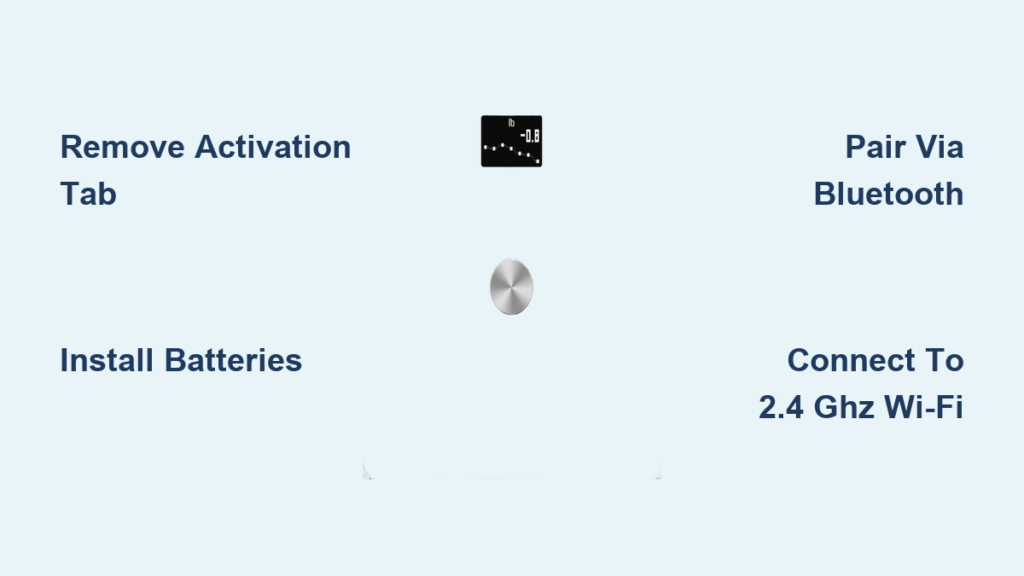
If your digital weight scale suddenly stops turning on, displays a dim screen, or gives inconsistent readings, the culprit might not be a broken sensor. It could be something as simple as the digital weight scale battery type failing. Most digital scales rely on common batteries like AAA, AA, or CR2032 coin cells, but using the wrong type or waiting too long to replace them can lead to inaccurate measurements, permanent damage, or costly downtime. With so many models and power options, knowing the right battery type, how to replace it, and when to upgrade to rechargeable systems can save time, money, and frustration. This guide covers everything from battery types and lifespans to replacement steps and smart maintenance tips.
Common Battery Types for Digital Scales
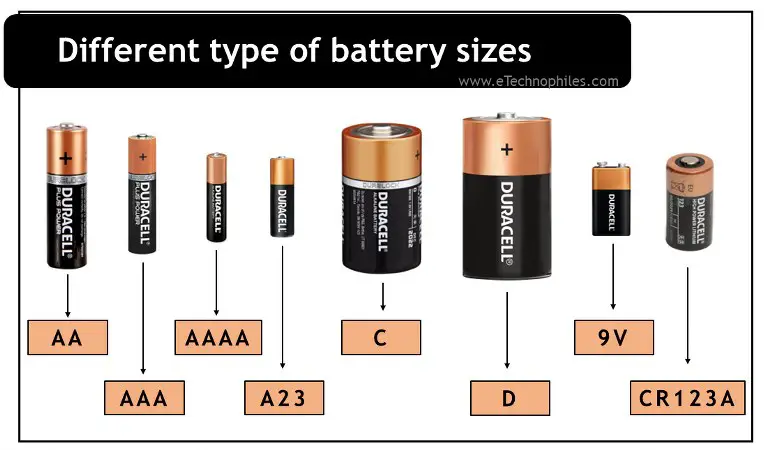
Digital weight scales use different battery types based on size, power needs, and features. The most widely used are AAA, AA, CR2032, and built-in rechargeable lithium cells. Each has specific advantages and ideal use cases depending on the scale design.
AAA Batteries in Bathroom Scales
AAA batteries are the go-to choice for most consumer digital bathroom scales. These compact 1.5V alkaline cells fit easily into slim profiles and provide enough power for standard weighing functions.
AAA batteries are typically used in the following situations.
• Typical Use: Bathroom and kitchen scales with moderate power demands
• Number Used: Often two or more in series to meet voltage requirements
• Lifespan: 6 to 18 months with daily use
• Pro Tip: Always replace both batteries at once, even if one seems fine, to prevent imbalance and leakage
Some high-end bathroom scales with backlit displays or Bluetooth sync may drain AAA batteries faster, requiring more frequent changes. Look for low battery symbols like “Lo” or a flashing display to know when it is time.
AA Batteries for High-Power Models
Larger or feature-rich digital scales often use AA batteries due to their higher capacity and longer life compared to AAA.
AA batteries offer the following characteristics.
• Voltage: 1.5V (alkaline), 1.2V (NiMH rechargeable)
• Best For: Industrial scales, commercial kitchen models, and heavy-use environments
• Advantage: Delivers sustained power for devices with Wi-Fi, large LCDs, or auto-on sensors
While AA batteries last longer, they are less common in slim bathroom scales due to space constraints. If your scale uses AA, expect better endurance, especially with premium brands.
CR2032 Coin Cell in Compact Scales
The CR2032 battery is the most popular coin cell used in small digital scales, including kitchen, pocket, and travel models.
CR2032 batteries provide the following specifications.
• Voltage Output: 3V
• Size: 20mm diameter, 3.2mm thickness
• Chemistry: Lithium-based for stable, long-lasting performance
• Lifespan: 1 to 2 years under normal use
CR2032 batteries are ideal for space-limited designs because they deliver consistent voltage with minimal self-discharge. You will find them in compact scales that prioritize portability and low power consumption.
Expert Note: CR2032 is not interchangeable with CR2025 or CR2016. Though they fit, their lower capacity reduces performance. Always check your manual.
Rechargeable Lithium in Smart Scales
Smart scales with app connectivity, body composition tracking, or Bluetooth syncing typically use built-in rechargeable lithium batteries (3.7V).
Rechargeable lithium batteries offer these features.
• Battery Type: Single-cell Li-ion
• Charging Method: USB cable or wireless charging pad
• Cycle Life: 500+ charges (3 to 5 years of regular use)
• Models: Renpho, Withings, Fitbit Aria
These batteries eliminate the need for replacements and support daily syncing. However, once degraded, the entire unit may need servicing since the battery is not user-replaceable.
How to Identify Your Scale’s Battery Type

Before replacing a battery, you must know exactly which type your scale uses. Guessing can lead to poor performance or damage.
Check the User Manual First
The fastest way to confirm the correct digital weight scale battery type is by consulting the user manual. It will list the required battery model, the number of batteries needed, polarity orientation, and any post-replacement calibration steps.
If you have lost the manual, search online using your scale brand and model number.
Look at the Battery Compartment
Turn the scale over and open the battery cover. Inside, you will usually see the battery type printed clearly, a diagram showing correct polarity, and sometimes a replacement reminder sticker.
Warning: Never force open the compartment. Use a coin or small screwdriver gently to avoid cracking the housing.
Read the Display for Clues
Some scales display battery status through a battery icon (full, half, empty), text like “Lo,” “LOW,” or “BAT,” or flickering digits or delayed startup.
While this will not tell you the exact battery model, it confirms that replacement is needed.
Step-by-Step Battery Replacement Guide
Replacing batteries in a digital scale is simple, but doing it wrong can cause damage or inaccurate readings. Follow these steps carefully.
Locate and Open the Battery Compartment
- Turn the scale upside down
- Find the battery cover on the underside
- If secured with a screw, use a small Phillips or flathead screwdriver
- If sliding, use a coin to twist or slide the cover off
Avoid using sharp tools that could scratch or crack the plastic.
Remove and Inspect the Old Battery
- Note the orientation (plus and minus ends) before removal
- Gently pry out the battery with a plastic tool or fingernail
- Check for corrosion: White or greenish crust on contacts indicates leakage
Corrosion can block electrical flow and damage circuitry. If present, clean before installing a new battery.
Clean Corroded Contacts Safely
- Dip a cotton swab in isopropyl alcohol
- Gently wipe the metal terminals
- Let the compartment air dry for 5 to 10 minutes
- Never use water or vinegar, as these can worsen corrosion
After cleaning, ensure no residue remains before inserting the new battery.
Insert the New Battery Correctly
- Match the plus and minus signs exactly as shown inside the compartment
- For multi-battery setups, replace all at once
- Press firmly until the battery seats fully
Using mismatched or mixed old and new batteries can cause uneven power delivery and shorten lifespan.
Close and Test the Scale
- Reattach the cover and secure any screws
- Place the scale on a hard, flat surface
- Step on lightly or press the power button
- Check that the display turns on and stabilizes
Some scales auto-zero or require a calibration step after battery change. Refer to your manual if readings seem off.
Signs Your Scale Needs a New Battery
Do not wait for your scale to die completely. Recognizing early signs of battery failure helps maintain accuracy.
Dim or Flickering Display
A weak battery often causes faint or blinking numbers, partial digit display (such as “1 4” instead of “145”), and delayed screen activation.
These are not always hardware issues. Replacing the battery may fix them instantly.
Inconsistent or Drifting Readings
If your weight fluctuates wildly between uses, even on the same day, it could be due to unstable voltage from a dying battery.
Why It Matters: The analog-to-digital converter (ADC) relies on steady voltage. Low power skews the signal, leading to false readings.
Scale Will Not Turn On or Shuts Off Mid-Use
Complete failure to power up or sudden shutdowns are classic low-battery symptoms. Try fresh batteries before assuming the scale is broken.
Low Battery Indicator Appears
Many scales show “Lo” or “BAT” on the screen, a battery icon with a red X, or slow boot-up time.
Act immediately. Delaying replacement risks data loss in smart scales or inaccurate measurements in commercial settings.
How Long Do Digital Scale Batteries Last
Battery life varies by type, usage, and environment. Knowing expected lifespan helps you plan replacements.
CR2032: 1 to 2 Years
CR2032 batteries are ideal for infrequently used kitchen or travel scales. They have a long shelf life of up to 10 years unused and a low self-discharge rate that keeps power stable.
This battery type is best for compact, low-drain models.
AAA/AA: 6 to 18 Months (Daily Use)
With frequent use, AAA and AA batteries shorten life quickly. Features like backlighting or Bluetooth cut lifespan by up to 50 percent. High-quality brands last longer than generics.
Replace every 6 to 12 months in high-traffic homes or gyms.
Rechargeable Lithium: 3 to 5 Years
Rechargeable lithium batteries last 500+ charge cycles. They degrade gradually and may hold only 70 percent charge after 3 years. No replacement is needed until performance drops.
This type is common in smart scales. Charge every 5 to 7 days depending on sync frequency.
Pro Tip: Store spare batteries at room temperature. Avoid extreme heat or cold, which reduces efficiency.
Battery Brands That Last Longer
Not all batteries are equal. Premium brands offer better voltage stability and lower leakage risk.
Top Recommended Brands
| Brand | Best For | Why It Stands Out |
|---|---|---|
| Panasonic | CR2032, AA, AAA | Low leakage rate, consistent output |
| Sony | CR2032, AAA | High durability, long shelf life |
| GP (General Purpose) | CR2032 bulk packs | Cost-effective for multiple devices |
| Murata | Industrial CR2032 | Used in medical-grade equipment |
Avoid no-name or dollar-store batteries. They may save money upfront but fail prematurely or leak.
Buy in Bulk for Savings
If you manage multiple scales in a gym, clinic, or warehouse, consider bulk CR2032 packs. A 100-pack costs $37.99 to $49.99, while a 200-pack costs approximately $89.99. Brands like Sony Murata offer reliable performance at scale.
Bulk buying reduces long-term costs and ensures you are never caught off guard.
Why Low Battery Affects Accuracy
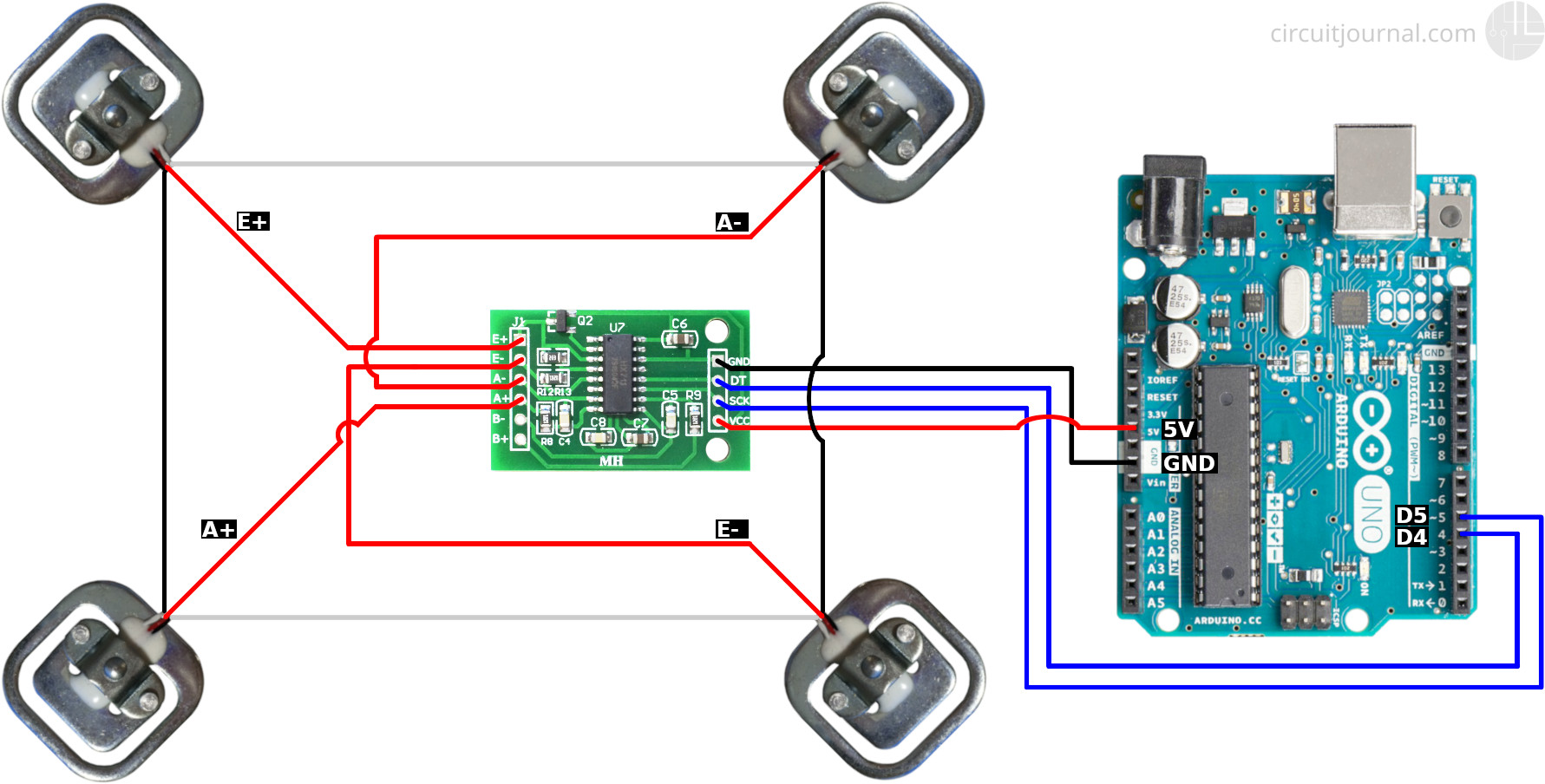
A dying battery does not just dim the screen. It can make your scale measurably inaccurate.
Voltage Drop Skews Measurements
Digital scales use a load cell and ADC to convert pressure into weight. This system needs a stable voltage reference. When the battery weakens, reference voltage drops, the ADC misreads sensor data, and the result is weight that is off by pounds or kilograms.
Real Case: A shipping company faced repeated chargebacks because scales read 0.5 lbs high, traced to low batteries not yet showing “LOW” warnings.
Smart Scales May Fail Silently
Bluetooth-enabled scales might still connect to apps but record wrong data. Always verify physical readings match app results.
Industrial Scales Have Fail-Safes
High-end models disable weighing below safe voltage to prevent errors. Consumer scales often lack this protection, making proactive battery replacement critical.
Tips to Extend Battery Life
Maximize performance and reduce replacements with these simple habits.
Use on Hard, Level Surfaces
Soft or uneven floors like carpet cause micro-vibrations that trigger auto-on sensors repeatedly, draining power.
Fix: Place your scale on tile, wood, or a hard mat.
Enable Auto-Off Feature
Most digital scales shut off after 10 to 30 seconds of inactivity. Ensure this setting is active to conserve power.
Remove Batteries During Storage
If storing a scale for weeks or months, take out the batteries. This prevents corrosion from old cells, accidental activation, and parasitic drain.
Avoid Cold Environments
Batteries lose efficiency in cold temperatures below 50°F (10°C). Do not store or use scales in unheated garages or warehouses during winter.
Clean Scale Regularly
Dust and moisture can create tiny electrical leaks. Wipe the surface and battery compartment monthly with a dry cloth.
Prevent Damage from Battery Corrosion
Alkaline batteries can leak potassium hydroxide, a corrosive substance that damages internal components.
Causes of Leakage
Leakage occurs when leaving dead batteries in the device, mixing old and new batteries, or using low-quality or expired cells.
How to Prevent It
To prevent leakage, replace batteries at first sign of low power, use lithium or rechargeable alternatives when possible, and clean contacts every 6 months.
What to Do If Corrosion Occurs
If corrosion happens, remove the battery immediately, clean terminals with isopropyl alcohol and a cotton swab, let it dry completely, and test with a new battery.
Severe corrosion may require professional repair or replacement.
Choosing the Right Battery for Your Scale Type
Not all scales need the same power. Match the battery to your usage.
Bathroom Scales: AAA or AA
Standard models typically use two AAA batteries. Smart models use built-in rechargeable lithium. Heavy-duty models may use AA for longer life.
Kitchen Scales: CR2032 or AAA
Compact models favor CR2032 coin cells. Larger digital scales use two AAA batteries.
Pro Tip: CR2032 lasts longer in low-use scenarios.
Pocket/Travel Scales: CR2032 or LR44
Ultra-portable models use CR2032 or LR44 (1.5V button cell). Check compatibility, as LR44 is smaller and lower capacity than CR2032.
Industrial and Medical Scales: Rechargeable or AA
High-traffic use requires rechargeable lithium or AA batteries. Medical accuracy needs CR2032 for stable voltage. Schedule battery checks every 3 to 6 months for preventive maintenance.
When to Upgrade to Rechargeable Scales
If you are tired of replacing batteries, consider switching to a rechargeable smart scale.
Benefits
Rechargeable scales offer no ongoing battery costs, are eco-friendly with fewer disposables, provide seamless app integration, and deliver long-term reliability.
Best For
Rechargeable scales are ideal for daily users, fitness enthusiasts, clinics and gyms, and IoT-connected environments.
Trade-Offs
The trade-offs include higher upfront cost, battery degradation over time, and the fact that the battery is not user-replaceable.
Still, the total cost of ownership is often lower over 3 or more years.
Key Takeaways for Digital Weight Scale Battery Type Selection
The digital weight scale battery type you use directly impacts performance, accuracy, and longevity. Whether you are replacing a CR2032 in a kitchen scale or managing AA batteries in a commercial setup, choosing the right type, replacing it proactively, and maintaining clean contacts ensures reliable results. Stick to trusted brands like Sony, Panasonic, or Murata. Watch for early warning signs such as dim displays, drifting readings, or low battery indicators. Consider upgrading to rechargeable models for long-term convenience if you use your scale daily. With proper care, your digital scale can deliver precise measurements for years without surprise shutdowns or inaccurate numbers.
Frequently Asked Questions About Digital Weight Scale Battery Type
What battery does a typical digital bathroom scale use?
Most digital bathroom scales use two AAA batteries. Some higher-end or larger models may use AA batteries for longer life. Smart bathroom scales often have built-in rechargeable lithium batteries instead.
How do I know when to replace my scale battery?
Look for these signs: display shows “Lo” or “LOW,” the screen is dim or flickers, weight readings fluctuate or drift, the scale won’t turn on, or it shuts off unexpectedly. Replacing batteries at the first sign of low power prevents accuracy problems.
Can a low battery make my scale inaccurate?
Yes. A weak battery causes voltage drop, which affects the analog-to-digital converter that measures weight. This can result in readings that are off by pounds or kilograms, even if the scale appears to work normally.
How long do CR2032 batteries last in a digital scale?
CR2032 coin cells typically last 1 to 2 years in digital scales under normal use. Their low self-discharge rate helps maintain power for extended periods, making them ideal for compact and infrequently used scales.
Are rechargeable batteries better for digital scales?
Rechargeable lithium batteries are better for daily use and smart scales because they eliminate ongoing replacement costs and support app connectivity. However, they are not user-replaceable and degrade over time. For occasional use, standard batteries may be more practical.