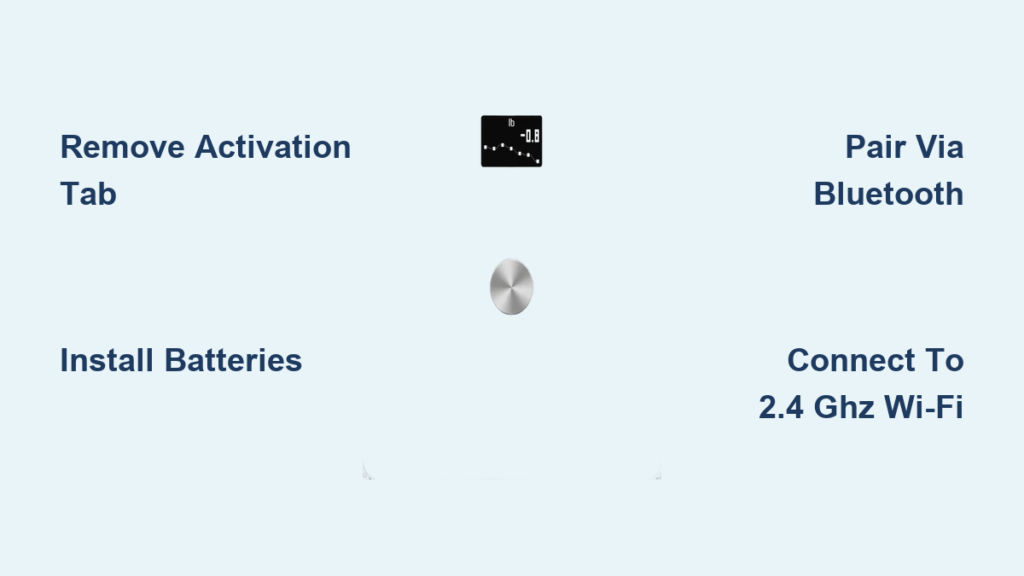
You step on your Withings scale, ready to track your progress, only to find it unresponsive. No lights, no display, and despite hours on the charger, it refuses to power up. You are not alone. Thousands of users report the same frustrating issue: Withings scale not charging, especially with models like the Body Cardio, Body Scan, and Body Segment.
This is not just a random glitch. It is a widespread hardware flaw tied to deep battery discharge and the lack of over-discharge protection. Withings official troubleshooting often falls short, leaving users stranded. But there are proven ways to revive your scale, from simple reset tricks to DIY battery replacement.
Decode the Charging Failure Signs
When a Withings scale stops charging, it does not just die quietly. It sends clear signals that help you diagnose the problem fast.
Recognize the Classic Symptoms
Watch for these patterns that point to a deeply discharged or bricked battery.
The scale briefly lights up with the “Hello” screen, shows 100% battery, then drops to 0% and dies within minutes.
The device shows no response after overnight charging, even after 8+ hours connected.
The Health Mate app shows battery stuck at 5% with no charging progress visible.
The display remains black and pressing the button produces no reaction.
The scale only works while plugged in and dies immediately when disconnected.
Confirm the Problem Is Not User Error
Before diving into repairs, rule out simple causes that may mimic hardware failure.
Test Your Charging Setup
Start by verifying your charging equipment is working properly.
Use a 5V/2A wall adapter such as a phone fast charger. Avoid low-power sources like old laptops, unpowered USB hubs, or car chargers.
Try a known-working micro-USB cable that supports both data and power transfer.
Inspect the charging port for dust, lint, or bent pins. Clean gently with a dry toothbrush or compressed air.
Ensure the cable clicks fully into place, as loose connections prevent charging.
Try a Hard Reset First
A software glitch can sometimes mimic hardware failure. Follow these steps to reset the scale.
Plug in the charger.
Press and hold the side or top button for 20 seconds.
Release and wait 10 seconds.
Unplug and step on the scale.
If it powers on, the issue was temporary. If not, proceed to deeper fixes.
Try Proven Recovery Methods

When the battery voltage drops too low, standard charging fails. These methods can jump-start a dead battery.
Use Burst Charging to Wake a Dead Battery
Burst charging allows the battery to stabilize voltage between pulses, potentially waking it from a sleep state.
Charge for 10 minutes.
Unplug and wait 5 minutes.
Repeat the cycle four times, totaling approximately 55 minutes.
After the final cycle, leave the scale plugged in for 5 hours.
User annablackmore revived a dead Body Cardio using this method. The scale displayed “Hello,” reconnected to Wi-Fi, and worked normally afterward.
Boost Your Odds with High-Current Charging

Weak power sources cannot revive a deeply drained battery. Using a stronger charger can make the difference.
Use a 2.4A Charger for a Stronger Kickstart
What to use includes a Samsung fast charger rated 5V/2A or 2.4A, an Apple iPad charger rated 5V/2.1A, or any wall adapter rated 2A or higher.
Avoid laptop USB ports which often deliver only 0.5 to 1A, wireless chargers with USB output, and cheap generic adapters.
User caloia revived a scale that had been inactive for 12 months using a 2.4A charger, after failing with a 1A adapter.
Replace the Battery (Most Reliable Fix)
When recovery methods fail, battery replacement offers the most permanent solution.
Why DIY Replacement Works
Withings scales use non-replaceable integrated batteries with no over-discharge protection. When voltage drops below 3.0V, the cell becomes unchargeable. The only permanent fix is swapping the battery.
Thousands of users have successfully replaced it with a Samsung Galaxy S3 i9300/i9305 2100mAh battery. It fits perfectly and costs under $12.
Gather the Right Tools
You will need a T6 Torx screwdriver to remove back panel screws, a plastic spudger to pry open the sealed casing safely, a soldering iron to desolder the old battery and attach the new one, and a replacement battery such as the Samsung Galaxy S3 2100mAh Li-ion.
You can find the Samsung battery on Amazon, eBay, or AliExpress by searching for “Galaxy S3 i9300 battery.”
If you are uncomfortable with soldering, consider professional repair or replacement instead.
Step-by-Step Battery Replacement
Remove the back panel by turning the scale upside down, removing the four T6 Torx screws, and using a plastic spudger to gently pry off the back. The back is held by strong adhesive.
Look for flex cables connecting the charging port to the main board. Do not yank them.
Access the battery, which is glued to the underside of the back cover.
Desolder and replace by heating the solder joints connecting the old battery, carefully desoldering the wires, and soldering the new battery in place. Match the polarity: red wire to positive, black wire to negative.
If the new battery is slightly thicker, trim the casing with an X-Acto knife for a snug fit.
Reassemble and test by reattaching the back panel, screwing in the four T6 screws, plugging in and charging for 5 hours, and pressing the button to check the battery level.
Post-Repair Setup
After battery replacement, perform a factory reset by holding the button for 20 seconds. Reconnect to Wi-Fi and re-pair with the Health Mate app. Monitor the battery level for stability over the first few days.
Users mastiha, neffmc, and alberto all reported long-term success after this repair.
What If It Still Will Not Charge
A failed DIY replacement suggests deeper hardware issues such as a damaged charging circuit on the motherboard, corroded flex cables, or a faulty micro-USB port.
User acepedro99 replaced the battery but still had no power, indicating possible board-level damage. If this happens, try replacing the entire main board, accept that the scale is beyond repair, or upgrade to a new model.
Prevent Future Charging Failures
Withings scales drain slowly in standby mode due to Bluetooth connectivity, memory retention, and sensor monitoring. If stored vertically, weight sensors may wake the device intermittently, speeding up drain.
Best Storage Practices
Store the scale flat horizontally to avoid accidental activation.
Charge every 3 to 6 months, even if the scale is not in use.
Keep in a cool, dry place and avoid humidity and temperature swings.
Set a reminder to plug in the scale for 5 hours every 6 months.
Understand Withings Support Limits
Withings support follows a strict script and offers limited assistance for charging issues.
What Customer Service Will and Will Not Do
What they offer includes troubleshooting advice such as reset, charge, and test cable, replacement if under the 1-year warranty, and a 25% discount on a new purchase if out of warranty.
What they do not offer includes battery replacement service, repair programs, phone support in most regions, and acknowledgment of any design flaw.
User A K reported that after 2 years, support offered only a 25% discount with no repair or replacement available.
How to Escalate Your Case
To get real help, submit a detailed ticket at within.gs/help. Include the model and serial number, proof of purchase, and a list of all steps tried such as reset, burst charging, and 2A charger.
Politely insist on escalation if the initial response is generic. Even then, do not expect miracles. Most out-of-warranty users receive a discount, not a fix.
Evaluate Your Options: Repair vs. Replace
Consider the cost comparison before deciding.
DIY battery replacement costs $10 to $20, lasts 2 or more years, and requires soldering skills.
Buying a new scale costs $149 to $199, lasts 1 to 2 years with risk of the same issue, and requires no skill.
The 25% discount option costs approximately $112 to $150, carries the same risk, and requires no skill.
If you can solder, DIY saves $130 or more and extends the life of your device.
Consider Alternative Scales
If you are done with Withings, choose a scale that avoids its flaws.
Look for user-replaceable batteries such as AA or AAA, over-discharge protection, longer warranty of 2 or more years, and better customer support.
Recommended alternatives include the Eufy Smart Scale P1 which uses AAA batteries and has no charging issues, the Fitbit Aria Air with replaceable batteries and solid app integration, and the Renpho Bluetooth Scale which is low cost with good reviews.
Avoid premium scales with sealed batteries unless they explicitly include low-voltage protection.
Final Fix Checklist
Try these steps in order for the best chance of success.
Hard reset by pressing the button for 20 seconds.
Try a 2.4A wall charger with a known-good cable.
Perform burst charging: 10 minutes on, 5 minutes off, repeated 4 times.
Clean the micro-USB port.
Contact Withings support if under warranty.
DIY battery replacement if you have the technical skills.
Replace with a new model if repair fails.
Key Takeaways
Withings scale not charging is a common design-related flaw, not user error. The root cause is deep battery discharge due to missing over-discharge protection. Burst charging and high-current chargers can revive some units. Battery replacement with a Galaxy S3 2100mAh unit is the most reliable fix. Withings offers no repair service and limited out-of-warranty support. Prevent future failure by charging every 6 months and storing the scale flat. Consider more serviceable alternatives for long-term reliability.
Frequently Asked Questions About Withings Scale Not Charging
Why does my Withings scale show 100% battery then immediately die?
This is a classic sign of deep battery discharge. The scale briefly displays a false reading due to voltage fluctuation, then dies because the battery can no longer hold a charge. This happens when the battery voltage drops below the threshold needed for normal operation.
Can I replace the battery in my Withings scale myself?
Yes, you can replace the battery yourself using a Samsung Galaxy S3 i9300/i9305 2100mAh battery. You will need a T6 Torx screwdriver, plastic spudger, and soldering skills. The process takes about 30 to 45 minutes for someone with basic electronics experience.
How long should I charge a dead Withings scale?
If the battery is deeply discharged, charge it continuously for up to 5 hours. For best results, use burst charging first: 10 minutes on, 5 minutes off, repeated four times, then leave it plugged in for 5 hours.
Is the Withings scale charging issue covered under warranty?
The 1-year warranty covers defects, but Withings does not offer a battery replacement service. If your scale fails due to deep discharge after the warranty period, you will typically only receive a 25% discount on a new device.
How can I prevent my Withings scale from dying again?
Charge your scale every 3 to 6 months, even if you are not using it. Store the scale flat horizontally to prevent accidental sensor activation. Use a 2A or higher wall charger and avoid low-power USB sources.
Final Thoughts on Fixing Your Withings Scale
Your Withings scale is not dead. It is a victim of poor engineering decisions, specifically the lack of over-discharge protection in a premium device. With the right knowledge and tools, you can bring it back to life for a fraction of the cost of replacement. The DIY battery replacement method has a high success rate and costs less than $20. If you are technically inclined, this is the most reliable path forward. If not, consider upgrading to a scale with user-replaceable batteries to avoid this problem in the future. Do not let a $150 smart scale become e-waste when a simple repair can extend its life by years.